

AgentX
AgentX · Coding
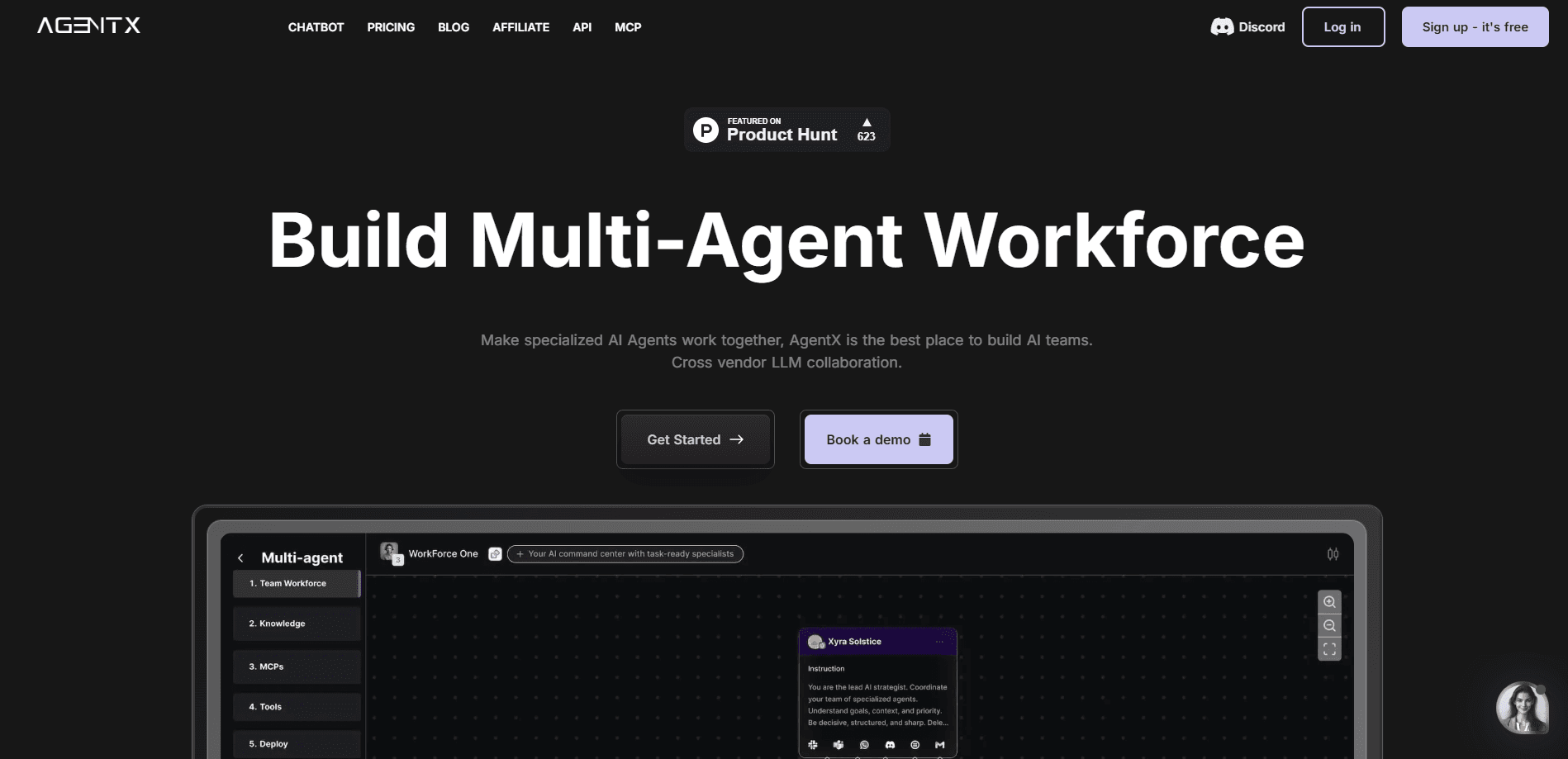
AgentX is a no-code platform for building, evaluating, and deploying multi-agent AI workforces that reach APIs, chat tools, and voice across the full AI agent lifecycle.
About AgentX
What Is AgentX
AgentX is a platform for teams that want to ship AI agents into real production work, not just prototypes. It covers the full agent lifecycle: building multi-agent workflows with drag-and-drop tools, testing them against datasets before release, running agent evaluation on each version, tracing every run, and deploying to API, Slack, web widget, email, or voice.
The problem it targets is the gap between a working demo and a system ready to deploy to production. Many agent tools stop once you have assembled a flow. AgentX adds evaluation and observability on top, so you can catch hallucinations and broken tool calls before your users run into them. You can bring your own model or use the ones included, and deploy in the cloud or on premises.
The main limitation is that it leans toward builders and teams running real workloads. A single person exploring agents will hit the Free plan limits of 5 agents and 200 one-time credits quickly. Credits also drive usage, so heavy production traffic means either a higher tier or buying extra credits at $10 per 1,000.
Getting Started
- Sign up for a free account at agentx.so and open a workspace.
- Describe an agent by setting its role, instructions, model, memory, and tools, or start from an example workflow.
- Add a second agent and connect them so one orchestrator manages the workforce.
- Run the agent against a small test set to check answers and tool calls.
- Deploy to a channel such as API, Slack, or a web widget, then roll back to a previous version if something breaks.
Product Information
A quick look at AgentX's pricing, supported platforms, and performance.
Best for
The users, tasks, and scenarios where this tool fits best.
Users
- Solo builders and internal teams
- Agencies and consultancies
- Operations and finance teams at mid-size companies
Tasks
- Automating inbound support
- Building multi-step back-office workflows
- Evaluating agent quality before release
Scenarios
- Teams that need agents to run on-premises
- Product teams adding an agent to an existing app
- Companies watching agent costs closely
Key features
Multi-Agent Orchestration
AgentX lets you assemble a workforce where an orchestrator agent and its members each hold a defined role, instructions, model, memory, and tools. Instead of one agent doing everything, the team splits the work and the final answer comes from the combined effort. Every decision stays traceable, which helps when a workflow grows past a single step.
Evaluation Before Production
You can run agents against test sets before deploying and track regressions across versions. AgentX uses LLM-as-a-judge scoring plus optional cosine and Jaccard similarity metrics to catch hallucinations and broken tool calls. A CI/CD gate blocks or promotes a version based on measured quality, so a bad build doesn't reach users.
Framework-Agnostic Tracing
Instrument LangChain, CrewAI, OpenAI Agents SDK, Anthropic, or Google ADK once, and every run streams into a single trace pipeline. Tracing records input, output, latency, tool calls, token usage, and a span tree. This turns the agent from a black box into something your team can actually inspect.
Runtime Monitoring
AgentX checks live traces against detection patterns or a sampled LLM judge, then reports triage-ready signals without setup work. Runtime evaluations keep an eye on behavior 24/7, so problems surface during normal operation and not only at release time.
One-Click Deploy and Rollback
Deployments go to API, Slack, web widget, email, or voice in a single step, and each one is versioned. If a release misbehaves, you roll back in a click. Deployment runs where your data has to live, cloud or on premises.
Bring Your Own Model
The platform works across major open and closed-source models, so you aren't locked into one vendor. You can point AgentX at your own provider keys for evaluation, tracing, and hosted agents alike. MCP support lets an agent connect to any Model Context Protocol server for extra tools.
Pros and cons
Pros
- Covers the whole lifecycle from build to evaluate to deploy, so you don't stack separate tools for tracing and testing.
- Framework-agnostic tracing works with LangChain, CrewAI, OpenAI Agents SDK, Anthropic, and Google ADK.
- One-click versioned deploys with rollback reduce the risk of a bad release reaching users.
- Cloud and on-prem options help teams with strict data residency needs.
- A free plan with 5 agents and API access lets you test the platform at no cost.
Cons
- Credits drive usage, so heavy production traffic pushes you toward a paid tier or extra credit purchases at $10 per 1,000.
- The Free plan tops out at 5 agents, which is tight for anyone running several workflows at once.
- White-label deployment and client workspaces only appear from the $199 Professional plan, so agencies on a smaller budget will feel the gap.
- A solo builder wanting evaluation and tracing still pays the $49 Solo Builder rate, since neither is on the Free plan.
Frequently asked questions
AgentX is used to build, evaluate, and deploy AI agent workforces that handle tasks like inbound support, back-office automation, and multi-step workflows. It fits teams that need agents running in production, not just a prototype.
Related content
Explore related tools, skills, and articles for AgentX.
AgentX Alternatives

Base Code
Base44 (Wix) · Coding · ProductivityBase Code is a shared cloud development environment from Base44. Teammates describe changes to an existing GitHub codebase in chat, preview them live and send them back as pull requests.

Google EmbeddingGemma 2
Google DeepMind · Writing · Image · CodingGoogle EmbeddingGemma 2 is a 740M-parameter open model that turns text, code, images, audio, and video frames into vectors in one 768-dimension space, running on phones and laptops.

GitGlow
GitGlow · Coding · ProductivityGitGlow is a local-first desktop Git client that lets independent developers review their own code and their AI agents' changes in one place before shipping.