

AI 3D Model Generator
AI 3D Model · Other
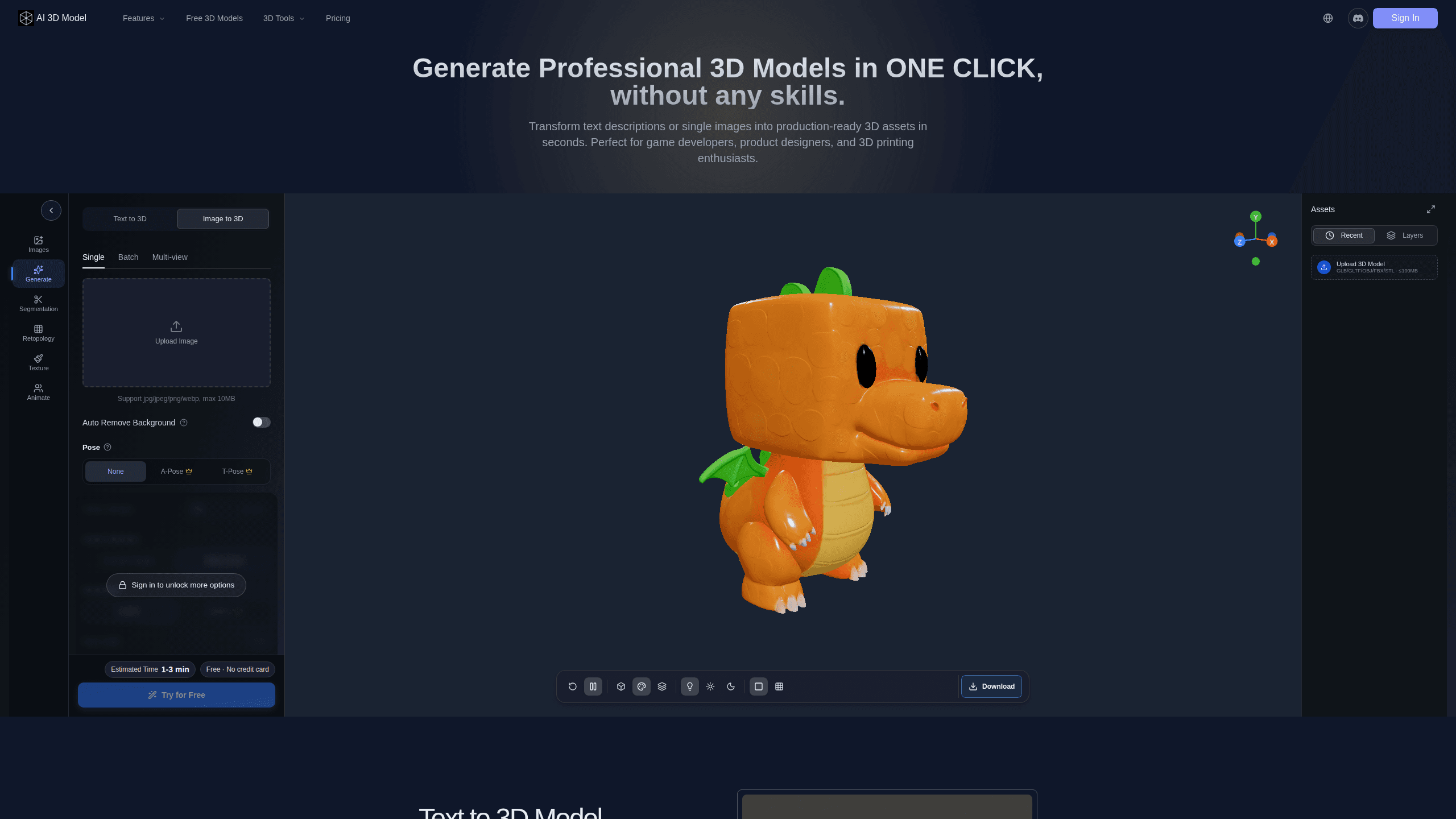
AI 3D Model Generator is a browser-based tool that turns text prompts, single images, or multi-view photos into finished 3D models without any modeling software. It's built for 3D artists, game developers, and creators who need usable assets fast, and it exports to GLB, OBJ, STL, FBX, and other standard formats so the results drop straight into Blender, Unity, or a slicer. Generation runs on credits. The free tier is enough to test the workflow before you pay.
About AI 3D Model Generator
What Is AI 3D Model Generator
AI 3D Model Generator is an online AI 3D asset generator that turns plain descriptions and 2D pictures into textured or untextured 3D meshes. You type something like "a rusty treasure chest with a curved lid" or upload a product photo, and the tool builds a model you can rotate, download, and edit elsewhere. It exists to skip the slow part of 3D work, the part where you block out geometry by hand for every single prop, avatar, or prototype before any real design decisions get made.
The tool lives entirely in the browser, so there's nothing to install. It handles several input types: text to 3D for ideas you can only describe, image to 3D for sketches and photos, and multi-view image input when you need a more accurate reconstruction from several angles. Output lands in formats game engines and 3D printers already read. That last point matters more than it sounds.
The main limit is that AI output is a starting point, not a finished asset. Meshes can come out with messy topology or thin spots, so retopology and cleanup are still part of the job. You also work on a credit system. Heavy generation burns credits quickly. Free users get a small allowance, and serious work means buying credit packs. If you generate dozens of models a week, those packs add up faster than you'd expect from a tool marketed as free.
Getting Started
- Open ai3dmodel.app in your browser and create a free account.
- Pick an input mode: text to 3D, image to 3D, or multi-view images for reconstruction.
- Enter your prompt or upload your image, then start generation and wait for the model to build.
- Preview the mesh from every angle and regenerate if the shape is off.
- Export to GLB, OBJ, STL, FBX, or GLTF and open it in Blender, Unity, or your slicer.
Product Information
A quick look at AI 3D Model Generator's pricing, supported platforms, and performance.
Best for
The users, tasks, and scenarios where this tool fits best.
Users
- Game developers
- 3D artists
- 3D printing hobbyists
- Product designers
Tasks
- Text to 3D generation
- Image to 3D conversion
- Multi-view reconstruction
- Low-poly prep
- 3D printing prep
Scenarios
- Speeding up game prototyping
- Turning product photos into 3D
- Making avatars for VR apps
- Rapid concept iteration
Key features
Text to 3D Model
Type a description and the tool builds a fully detailed 3D asset from it. This is the entry point when you have an idea but no image, and it's the fastest way to rough out a shape before you commit to a real modeling pass. Export options cover GLB, OBJ, STL, and FBX right after generation. No reference needed.
Image to 3D Model
Upload a 2D image, sketch, or illustration and get a polished 3D model back. Product photos, concept art, and hand-drawn designs all work. It's the practical route for anyone who can already draw but can't model, and you can push the same image into an STL for printing if you want a physical object.
Multi-view Image Reconstruction
When one photo isn't enough, upload multiple angles of the same character or object for a higher-fidelity result. This mode targets accurate 3D avatars and photo reconstructions rather than quick props, and it's the pick when likeness matters more than speed.
Smart Low-Poly Optimization
The tool can reduce polygon count while keeping the visual shape intact, producing game-ready 3D models for Unity, Unreal Engine, and web apps. This matters most for real-time rendering, where a heavy mesh drags frame rates down. If you've ever watched a scene stutter because one prop carried too many polygons, you know why cutting that count without wrecking the silhouette is the difference between a demo and something playable. What you lose in fine detail, you gain in performance.
White Model Generation
You can generate clean untextured base meshes, sometimes called white models, for 3D printing or manual texturing. This suits product design and rapid prototyping. You want a blank foundation to paint or refine yourself, not a pre-shaded asset.
Multi-Format Export
Models export to GLB, OBJ, STL, FBX, GLTF, and USD, matching what Blender, Maya, Unity, and Unreal Engine expect. The STL path covers 3D printing, while FBX and GLB suit animation and game pipelines. In practice this means fewer conversions and less cleanup between tools. That's the whole pitch: generate once, use it anywhere.
Pros and cons
Pros
- Fast generation turns a prompt or image into a usable mesh in seconds, cutting hours of manual blocking.
- Broad format support (GLB, OBJ, STL, FBX, GLTF, USD) means the output fits most engines, editors, and slicers.
- Works fully in the browser with no install, so you can start on any machine.
- Text to 3D, image to 3D, and multi-view modes cover different starting points, from vague ideas to detailed photo sets.
- Low-poly optimization and white model output suit both real-time rendering and 3D printing.
Cons
- AI meshes usually need retopology and cleanup, so the output isn't print- or engine-ready without extra work. Plan for that step.
- The credit system means heavy use costs money, and there's no unlimited plan.
- Credit packs are one-time purchases rather than a subscription, so costs scale with volume.
- API availability isn't documented, which blocks automated or batch workflows.
Frequently asked questions
It converts text prompts, single images, or multi-view photos into 3D models you can download and edit. You describe or upload something, the AI builds the mesh, and you export it to a standard format like GLB or STL.
Related content
Explore related tools, skills, and articles for AI 3D Model Generator.
AI 3D Model Generator Alternatives

Airmusic
AirMusic · OtherAirMusic is a browser-based AI song maker that turns a text prompt or your own lyrics into a finished song, complete with vocals and instruments. You pick a style, add optional lyrics, choose a model, then preview and download the result as MP3 or WAV. It's built for people who want usable audio fast rather than musicians working inside a DAW.

Nyckel
Nyckel · Coding · OtherNyckel is a managed machine learning platform that turns labeled examples into production-ready prediction APIs. You upload a handful of samples, and Nyckel trains, hosts, and serves a custom model behind a stable REST endpoint for classification, object detection, or similarity search. Think of it as an AI classification API that doubles as an auto ML platform: the service handles the model work, you handle the labels. It's built for teams that need consistent AI decisions at scale without hiring ML specialists or managing GPUs.

Mix Check Studio
RoEx · OtherMix Check Studio is a free online AI mix analyzer from RoEx that listens to your track and tells you what's wrong with it before you release it. You upload a WAV, FLAC or MP3 file, and the tool returns a plain-language report on EQ balance, dynamics, loudness, stereo width and tonal profile. More than 1.1 million tracks have run through it. You don't need an account to get started.