

GoMarble
GoMarble · Marketing
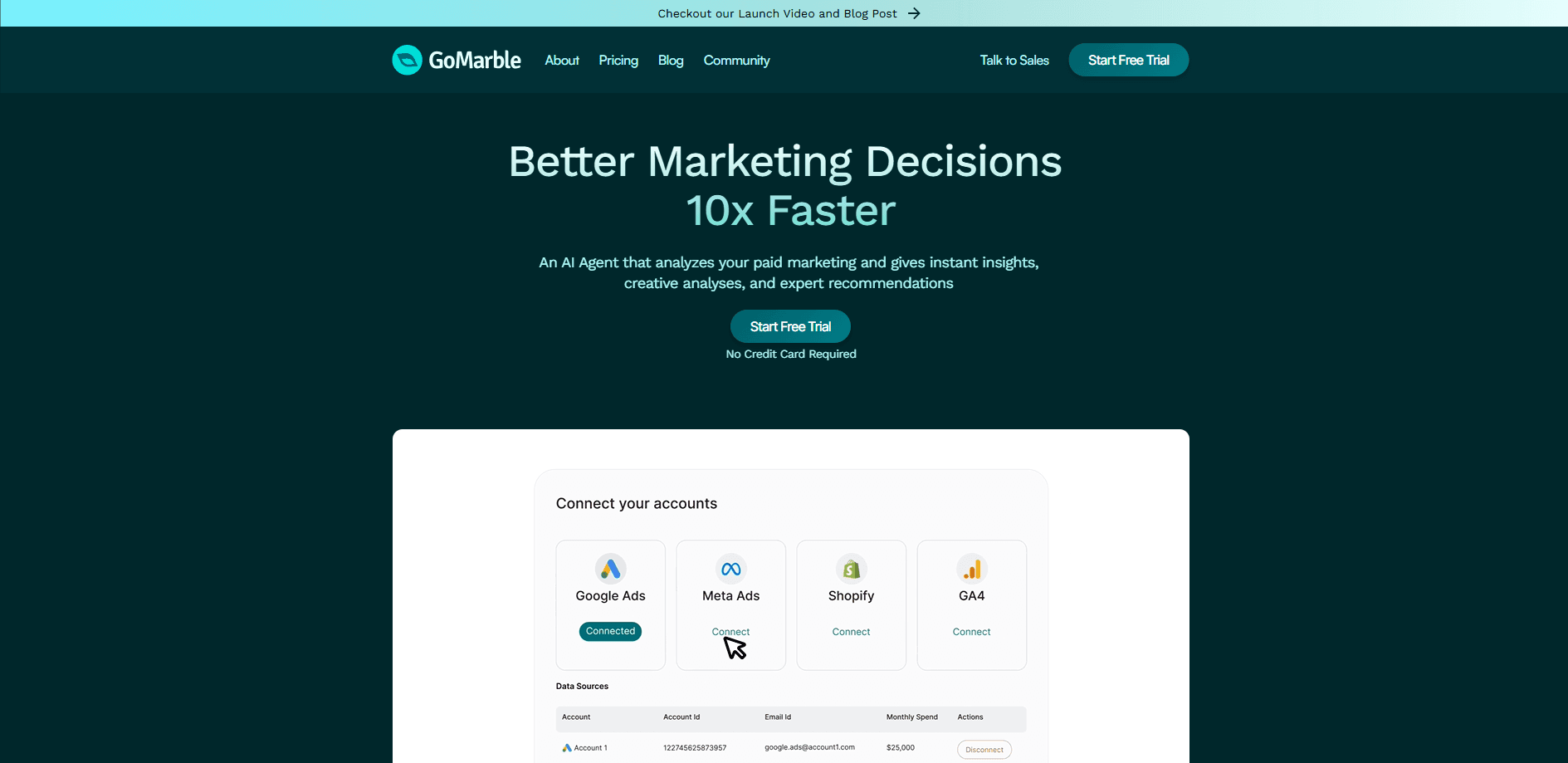
GoMarble is an AI paid media analytics platform built for performance marketing teams. It connects to your ad accounts, watches every campaign, explains what changed, and queues the next move for your team to approve. The tool spans Meta Ads, Google Ads, GA4, TikTok, and 40+ other connectors. One query pulls cross-platform answers. No manual exports.
About GoMarble
What Is GoMarble
GoMarble is a web-based performance marketing platform that puts AI agents on top of your paid media accounts. Instead of logging into five dashboards to answer one question, you ask GoMarble in plain language and get an analysis that cites the actual numbers. It's aimed at in-house media buyers and agency teams. These are people who spend their days diagnosing why a campaign moved and what to do next.
The core promise is that agents watch your accounts continuously, flag performance shifts, and draft account changes such as budget adjustments or new campaigns. You stay in the loop: nothing goes live until someone on your team approves it. GoMarble says it's trusted by teams managing everything from lean ad pods to accounts spending over $1.5M a month.
The biggest limitation is that it's not a beginner tool and not a free one. There's no free forever plan, pricing starts at $139/mo, and the platform assumes you already run live campaigns on major networks. If you're a solo creator just testing your first ad, GoMarble is built for a team and a workflow you don't have yet.
So who gets the most out of it? Teams already running paid campaigns across more than one network, and agencies juggling several client accounts at once.
Getting Started
- Sign up for the 7-day trial at apps.gomarble.ai, or book a demo if you want a guided walkthrough first.
- Connect your marketing stack, starting with your core ad platforms like Meta Ads and Google Ads, plus analytics tools such as GA4.
- Set up your brand context and projects so agents understand your accounts, naming conventions, and goals.
- Ask your first question in the chat, for example a performance audit or a creative breakdown on a specific campaign.
- Review the analysis, then move to approved action once your team is ready to let agents prepare changes.
Product Information
A quick look at GoMarble's pricing, supported platforms, and performance.
Best for
The users, tasks, and scenarios where this tool fits best.
Users
- Performance marketing teams
- Agencies and agency pods
- Lean operators and founders
Tasks
- Diagnosing performance changes
- Building reports
- Creative and competitor research
- Preparing campaign changes
Scenarios
- Launch week on a new campaign
- Managing spend across three ad platforms
- Reducing reporting overhead
- Validating a creative strategy
Key features
AI agents that watch every campaign
The platform runs agents across your connected accounts. They track performance and surface what changed since the last check. GoMarble frames these as a "paid media command centre" that never clocks out. Coverage continues between team workdays. You get the explanation and a suggested next move, not just a red number.
Cross-platform analysis in one query
GoMarble connects to Meta Ads, Google Ads, GA4, TikTok, LinkedIn, and Bing, among others. You ask once. The agents then pull from every connected source, so a cross-market answer doesn't require you to stitch together ad campaign analysis from separate tools. The connector directory lists 40 integrations, mixing native connections and MCP connectors.
Read-only and write agents with approval
Lower tiers run read-only agents that analyse and report. Higher tiers add write agents. Those can launch and edit campaigns, manage keywords, adjust budgets, and pause ads, all behind your approval. Every agent action is logged in an audit trail. That matters if more than one person touches an account.
Scheduled and white-label reporting
Reporting runs on a schedule and can be branded white-label on the Operator tier and up. Think of it as a campaign reporting tool that never sleeps. One GoMarble customer story describes cutting reporting time from a full day down to 10-15 minutes. For agencies, that's the difference between billable strategy and unpaid data work.
Creative and competitor intelligence
The Meta Ads Library connector lets you research active competitor creative and turn recurring patterns into briefs for your next test. GoMarble pairs this with creative breakdowns on your own ads. That way you can compare what rivals are running against what's already working for you, which is more useful than either view alone.
Projects and brand context
Projects keep your accounts organised and preserve brand context across an account's history. The platform markets this as keeping every account watched with its brand context intact, which helps when you hand work between teammates or onboard a new client.
Connectors beyond ad platforms
The stack reaches past ad networks into analytics, CRM, commerce, and data tools like Shopify, Klaviyo, Snowflake, Google Search Console, and Slack. You can ask GoMarble and approve work directly in a Slack channel. That keeps the workflow inside the tools your team already uses. No new tab required.
Pros and cons
Pros
- Consolidates analysis across Meta, Google, TikTok, and more into one place. That kills the manual export loop.
- Approval-gated agents let you use AI on live accounts without handing it full control.
- White-label and scheduled reports are a direct fit for agency client work.
- Audit trail of every agent action supports accountability on shared accounts.
- 7-day trial lets you test the workflow before committing to a paid plan.
Cons
- No free plan and no cheap entry point. The $139/mo Copilot tier is read-only, so you can't let agents act on campaigns.
- Write agents and broad connectors sit behind the Operator tier at $399/mo, so the useful features cost more than the headline price.
- Pricing scales with ad spend and account count, which can push agencies into the Scale or Enterprise tiers quickly.
- API availability isn't publicly documented, so teams wanting to build custom integrations may need to ask sales first.
Frequently asked questions
GoMarble runs AI agents on top of your paid media accounts. They watch campaigns, explain performance changes, and prepare ad campaign analysis for your team to approve. It's an analysis and workflow layer, not an ad network itself. Think of it as a layer that sits above your existing stack.
Related content
Explore related tools, skills, and articles for GoMarble.
GoMarble Alternatives

Emailwritr
Emailwritr · Writing · MarketingEmailwritr is an AI email copywriting tool built for affiliates, course creators, and online businesses that want more revenue from the list they already own. Instead of blank pages or generic chatbot prompts, this AI email writer generates welcome sequences, launch campaigns, cart recovery emails, and promo series from frameworks modeled on well-known direct-response copywriters. You connect your autoresponder, answer a few questions about your offer, and it writes the copy for you.

Prosp
Prosp · Writing · Voice & Language · MarketingProsp is an AI LinkedIn outreach tool built for agencies and sales teams, and it writes the message and the voice note in your own voice for each prospect so they actually reply. You connect your accounts, find leads, and let the AI draft and send personalized messages at scale, all from one inbox. It's built for people running outbound at volume. That's the whole pitch. Every touchpoint still has to feel human.

On Model
On Model · Image · MarketingOn Model is an AI fashion model tool that places your clothing on virtual models so online stores can get on-model product photos without booking a photoshoot. It runs as a Shopify app, letting you swap the model in an existing image, change backgrounds, and generate faces for cropped or headless shots. The goal is simple: match your product photos to your customers and stand out from competitors using the same supplier images.