

On Model
On Model · Image · Marketing
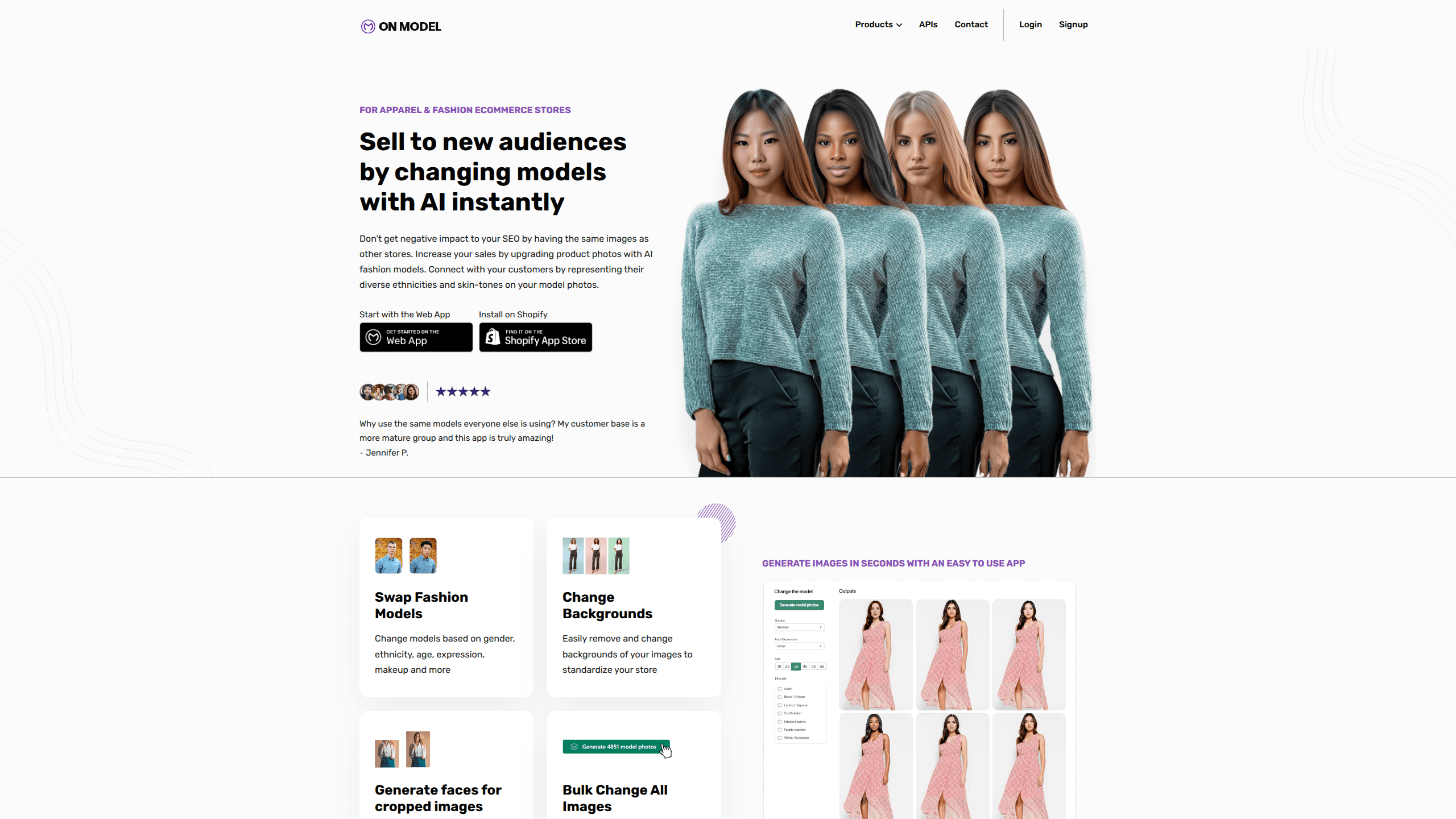
On Model is an AI fashion model tool that places your clothing on virtual models so online stores can get on-model product photos without booking a photoshoot. It runs as a Shopify app, letting you swap the model in an existing image, change backgrounds, and generate faces for cropped or headless shots. The goal is simple: match your product photos to your customers and stand out from competitors using the same supplier images.
About On Model
What Is On Model
On Model is a Shopify app built for apparel and fashion ecommerce stores. It takes photos you already have and rebuilds them with AI-generated models, so you don't need to hire photographers, models, or rent a studio for every listing.
The core idea is differentiation. If you sell clothing online, you're probably working from supplier images that a dozen other stores also use. Same photo, same model, same everything. On Model lets you change who's wearing the clothes, which helps you show shoppers that a brand looks like them.
The biggest limitation is scope. On Model is tied to Shopify and works best with clothing, so sellers on other platforms or outside fashion won't get much from it. Bad source images hurt it too. A blurry or badly lit shot gives the AI less to work with.
Getting Started
- Install the On Model app from the Shopify App Store and connect it to your store.
- Upload a product photo that already shows someone wearing the clothing.
- Pick the model traits you want, such as gender, ethnicity, age, expression, or makeup.
- Optionally swap the background or ask the app to reveal a face on cropped images.
- Export the finished on-model photos and add them to your product listings.
Product Information
A quick look at On Model's pricing, supported platforms, and performance.
Best for
The users, tasks, and scenarios where this tool fits best.
Users
- Shopify clothing store owners
- Dropshippers selling apparel
- Small fashion brands
Tasks
- Swapping the model in a product photo
- Standardizing store backgrounds
- Revealing faces on cropped shots
- Bulk image edits
Scenarios
- Refreshing a seasonal catalog
- Mirroring your customer base
- Competing on search
Key features
Swap Fashion Models
You can change the model in a clothing photo based on gender, ethnicity, age, expression, makeup, and more. The clothing stays the same. The person wearing it changes. That's the feature most stores buy the app for, and it's the fastest way to make a shared supplier image feel like your own.
Change Backgrounds
On Model removes the existing background and drops in a new one, so you can standardize how your whole store looks. A consistent backdrop across listings makes a small store read as a more polished brand. It saves the cost and time of reshooting products against a clean set.
Generate Faces for Cropped Images
Many supplier photos are cropped at the neck, leaving a headless torso. It looks unfinished. On Model can generate a face for these, turning an incomplete shot into a finished on-model photo. This matters for stores that inherited images from a wholesaler and can't reshoot them.
Bulk Change All Images
Instead of editing one listing at a time, you can run batch jobs that generate thousands of images across your entire store. Why do this manually when the whole catalog needs the same change? For a store with hundreds of products, that's the difference between a weekend of manual edits and a single run. It's built for stores that need consistency at scale.
Built for Shopify Clothing Stores
On Model installs directly into Shopify and is designed around apparel and fashion ecommerce. It fits into the workflow you already use for listings rather than adding a separate tool outside your store. Used this way, it works like a focused AI model generator for clothing. That tight fit is convenient if you're on Shopify, and a barrier if you aren't.
Pros and cons
Pros
- Removes the need for paid photoshoots when you want on-model product photos.
- Model swapping covers gender, ethnicity, age, and expression, so you can match different customer groups.
- Background changes help standardize a store's look across many listings.
- Bulk generation handles large catalogs without manual editing.
- Face generation rescues cropped or headless supplier images.
Cons
- Only works inside Shopify, so sellers on other platforms are locked out.
- Focused on apparel, which limits it for stores selling other product types.
- Output quality depends heavily on the source photo, and weak images give weaker results.
Frequently asked questions
It puts your clothing on AI-generated models. You upload a product photo, pick the model traits you want, and get back an on-model image without hiring a model or booking a studio.
Related content
Explore related tools, skills, and articles for On Model.
On Model Alternatives

X Ray Interpreter
X-ray Interpreter · ImageX Ray Interpreter is a web-based AI radiology tool that turns X-rays, CT scans, MRI, ultrasound, and PET images into plain-language reports. You upload a scan, get a preliminary X-ray interpretation in moments, then ask follow-up questions if something needs explaining. It works as a second opinion and a learning aid, not as a medical diagnosis.

Aieasypic
AIEasyPic · ImageAIEasyPic is an AI image generator that turns plain text prompts into finished artwork in seconds. You can also train custom models on your own photos, swap faces in existing images, and create short video clips from text, all from a browser. It suits casual creators who want quick visuals and hobbyists who want to build a personal model without touching any code.

Chargen
Chargen · ImageChargen is an AI character generator and worldbuilding toolkit built for Dungeons & Dragons and other tabletop RPGs. It turns a one-line idea into a painted character portrait, spins up NPCs, monsters, maps and encounters from the same session, and keeps every creature's details close at hand. The tabletop RPG art side runs on a credit system called Gold, while the text generators stay free for everyone.