

AI Code Convert
AI Code Convert · Coding
AI Code Convert is a free browser tool that translates code between 50+ programming languages and turns plain descriptions into working code, with no install and no account.
About AI Code Convert
What Is AI Code Convert
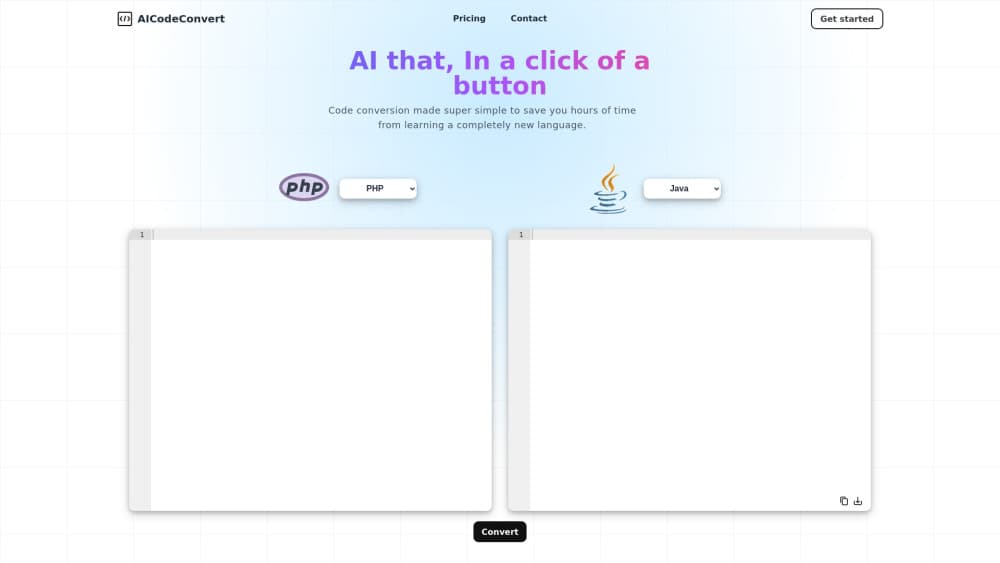
AI Code Convert is a free code translator and online code converter for people who need code in a different language right now. You paste a snippet, pick a target language, and the AI rewrites it. The same page also goes the other direction: describe what you want in ordinary words and it hands back a first draft in Python, JavaScript, Java, or whichever language you choose.
The job it solves is usually small and urgent. A script you wrote in Python has to run inside a Java service by Friday. A snippet from a vendor sample is written in Go and you've never touched Go. There's no project to import and no editor to configure, so the whole workflow is paste, click, read. Input is capped at 30,000 characters per request, which covers a single file or a long function without trouble.
The limits are worth knowing up front. It works one snippet at a time, so it won't rewire a repository, resolve your dependencies, or write tests for you. Translated code comes back as a suggestion, not a guarantee, and you still need a compiler and a pair of eyes on the result. There's no public API, no command line tool, and no editor plugin, so it stays a browser stop rather than part of your build.
Getting Started
- Open aicodeconvert.com. No signup step, the editor is on the landing page.
- Paste code, or type a plain description of the program you want. Leaving the input language on Natural Language tells the tool to treat your text as a request, not as source code.
- Choose the output language from the searchable list, then press Convert for a translation, Generate for new code, Explain for a walkthrough, or Ask Question for a follow-up.
- Read the result in Edit Mode if you want to tweak it in place, or switch to View Mode for a clean copy. Explanations can be returned in a different human language than English.
Product Information
A quick look at AI Code Convert's pricing, supported platforms, and performance.
Best for
The users, tasks, and scenarios where this tool fits best.
Users
- Students learning a second language
- Developers inheriting unfamiliar code
- Data analysts moving scripts between R and Python
- Non-programmers with a clear idea
Tasks
- Porting a single utility script
- Reading code from a sample or a forum answer
- Drafting a prototype from a written spec
Scenarios
- A one-off migration before a deadline
- Comparing how a task looks in two languages
- Checking a snippet on a work laptop with nothing installed
Key features
Code Translation Across 50+ Languages
This AI code translator handles mainstream languages such as Python, JavaScript, TypeScript, Java, C, C++, C#, Go, Rust, Ruby, PHP, Swift, and Kotlin. It also covers the awkward ones you rarely find in a dropdown: Haskell, Perl, Scala, Matlab, Lua, Groovy, Objective-C, and Visual Basic .NET. Database and infrastructure text works too, including SQL, MySQL, PostgreSQL, PL/SQL, MongoDB, Docker, and Kubernetes manifests.
Natural Language to Code
Set the input side to Natural Language and the box accepts a description instead of source code. A request like "sum the numbers one to ten and print the result in Java" comes back as runnable code with the loop and the print statement in place. This is the fastest path for a beginner who knows the outcome they want but not the syntax.
Explain Mode for Unfamiliar Code
Explain Mode returns prose instead of code. It walks through what a snippet does, which is the difference between copying a fix you don't understand and actually learning from it. Because the explanation is generated from the code you pasted, it reflects that specific snippet rather than a generic tutorial.
Answers in Your Own Language
The explanation output has its own language selector, separate from the programming language. Ask for an explanation of a Java method and read the answer in Spanish, German, Japanese, or Chinese. For developers working in a second language, that removes a layer of translation on top of the code itself.
Edit Mode and Follow-Up Questions
Output lands in an editable panel, so a small fix doesn't force another full conversion. Switch to View Mode when you want to copy clean code. Ask Question keeps the thread going for things like "make this handle an empty list" without pasting the whole snippet again.
One Page, Four Actions
Convert, Generate, Explain, and Ask Question sit on the same screen with a shared input box. You can convert a snippet, then immediately ask what the result does, then ask for a version with error handling. It saves juggling four separate tools for one small job, and nothing needs installing.
Pros and cons
Pros
- Free to use with no account, no install, and no credit card prompt on the main workflow.
- Genuine language breadth, including Haskell, Perl, Matlab, PL/SQL, and Visual Basic .NET alongside the usual suspects.
- Four related actions share one input box, so a convert then explain then refine loop stays on a single page.
- Explanations can come back in a different human language, which helps when English isn't your first language.
Cons
- The 30,000 character cap rules out whole projects, and there's no way to convert a folder or a repository in one go.
- Moving between dynamic and static languages often produces code that won't compile, so budget time for fixing types and imports.
- No public API, no CLI, and no editor extension, which means it can't sit inside a build pipeline or an IDE.
- The page carries display ads, and the interface shows a leftover credit counter that sometimes reports it's out of credits.
Frequently asked questions
Yes. The converter, generator, explain, and question modes all run without payment on the site. The page is funded by ads rather than subscriptions, and no paid tier is published.
Related content
Explore related tools, skills, and articles for AI Code Convert.
AI Code Convert Alternatives

Base Code
Base44 (Wix) · Coding · ProductivityBase Code is a shared cloud development environment from Base44. Teammates describe changes to an existing GitHub codebase in chat, preview them live and send them back as pull requests.

Google EmbeddingGemma 2
Google DeepMind · Writing · Image · CodingGoogle EmbeddingGemma 2 is a 740M-parameter open model that turns text, code, images, audio, and video frames into vectors in one 768-dimension space, running on phones and laptops.

GitGlow
GitGlow · Coding · ProductivityGitGlow is a local-first desktop Git client that lets independent developers review their own code and their AI agents' changes in one place before shipping.