

AI Detector
AI Detector LLC · AI Detection
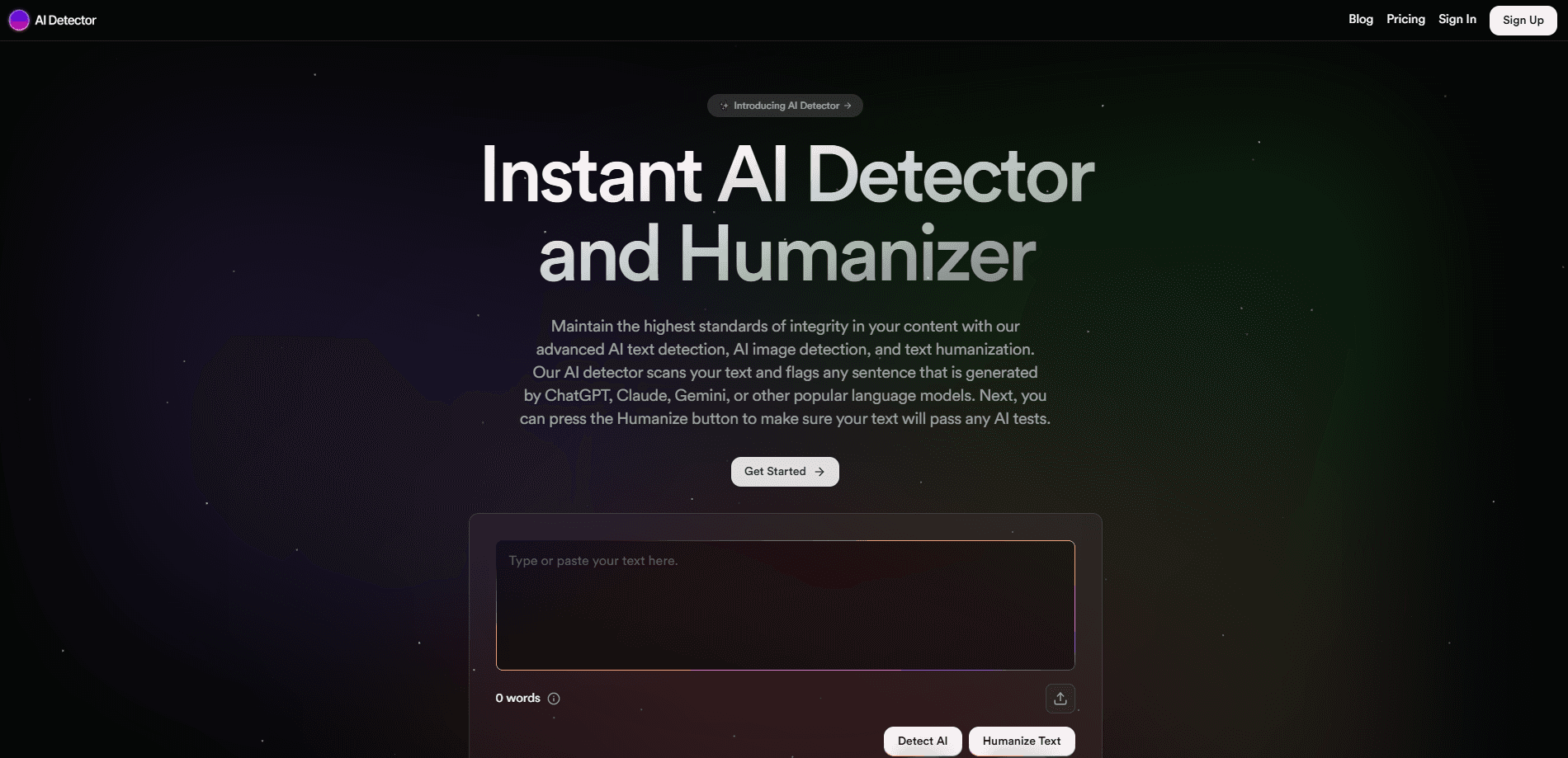
AI Detector is a free AI checker that runs several detection engines at once, then shows a sentence-level verdict so you can tell AI-written text from human writing with fewer false alarms.
About AI Detector
What Is AI Detector
AI Detector is a web-based AI content detector built around a simple problem. Any single detection engine produces false positives, and those errors land on real people. Students get accused of cheating. Writers get their drafts rejected. The tool answers that by combining several engines instead of trusting one.
At its core sits a consensus method, an AI detection tool that leans on peer-reviewed research from Arizona State University showing that aggregating detectors pushes the false positive rate toward zero. Four engines run together: an in-house model that stays free, plus Originality.ai, Winston AI, and GPTZero. You see each engine's score side by side, and the tool flags a passage as AI only when the engines agree. When they disagree, that split is shown too, because disagreement is itself a signal.
A few limits matter before you lean on it. The paid engines and the extra checks (plagiarism, spelling, facts) burn credits, so heavy use costs money even when the built-in scan is free. No detector is perfect, and the site says so. Very short text gives every engine less to work with, and deliberately reworded AI text can slip past the panel.
Getting Started
- Paste your text into the editor, upload a document, or drop in a web address.
- Run the free scan to get an overall score and a sentence-by-sentence heatmap.
- Switch on the external engines you want, and watch how many credits the scan will cost.
- Read the per-engine split to see where the panel agrees and where it doesn't.
- Export a report if you need a record, or open a saved scan to compare later drafts.
Product Information
A quick look at AI Detector's pricing, supported platforms, and performance.
Best for
The users, tasks, and scenarios where this tool fits best.
Users
- Teachers and professors
- Students
- Content writers and editors
- Marketing and comms teams
Tasks
- Verifying a suspicious document
- Checking a resume or cover letter
- Screening web copy for plagiarism
- Catching spelling and factual slips
- Building a written record
Scenarios
- A term paper arrives that reads too smooth
- You used an AI assistant to speed up a first draft
- You're hiring a writer and want to vet samples
- A publisher asks for proof of originality
Key features
Multi-Engine Consensus Detection
AI Detector runs four detection engines and shows their scores side by side. The built-in model is always on and costs nothing, while Originality.ai, Winston AI, and GPTZero can be switched on per scan. A passage is flagged as AI only when the engines line up, which cuts down the false positives that plague single-detector tools.
Sentence-Level Heatmap
Instead of one number for a whole document, the checker colors each sentence by how AI-like it looks. High-probability, mixed, and human sentences get their own confidence scores. That granularity matters when a piece is partly your own writing and partly machine output, because you can see exactly which lines to fix.
Plagiarism, Spell, and Fact Checks
Beyond AI detection, the same workspace works as a plagiarism checker against the open web, plus a spelling pass and a fact check that flags shaky claims. All three pull from the same credit pool, so you decide per document whether they're worth running.
Text, Document, and URL Scanning
You can work from three inputs: paste text, upload a file, or drop in a web address. The URL mode lets you check a live page without copying it out first, which is handy for reviewing published content or a client's site.
Exportable Reports
Any scan can be turned into a PDF report with the scores, the sentence breakdown, and the timestamp. Teachers, editors, and compliance teams use these reports as a written record rather than a screenshot.
Workspace Tools for Teams
Accounts add saved scans, folders, bulk document scanning, and team features for educators and businesses. You can revisit an earlier scan and compare it against a later revision of the same text.
Pros and cons
Pros
- The built-in detector is genuinely free and runs without an account, so you can test it before committing to anything.
- Combining engines is the right design for cutting false positives, and the per-engine split lets you judge borderline cases yourself.
- Sentence-level scores make the output actionable, not just a thumbs up or down.
- The extra checks (plagiarism, spelling, facts) live in the same place as the detection, which saves juggling separate tools.
Cons
- The non-built-in engines and the extra checks consume credits, so anything beyond a basic scan becomes a paid habit, and pricing isn't spelled out on a public page.
- Very short text and heavily reworded AI output are weak spots for every engine, so a low score isn't proof a document is human.
- The site is US-focused and states it's for users 18 and older, which rules out some younger students.
Frequently asked questions
The site claims 99.1 percent accuracy and cites peer-reviewed work showing that agreement between detectors pushes false positives toward zero. The built-in engine works alone at lower accuracy, while requiring multiple engines to agree is what raises the confidence.
Related content
Explore related tools, skills, and articles for AI Detector.
AI Detector Alternatives
Isgen AI
Isgen · AI DetectionIsgen AI is a web-based AI detector that scores text for machine authorship and shows you which sentences and phrases push the number up. It's built for teachers, editors, students, and writers. Their question is simple: did this draft come from ChatGPT, GPT-5, Claude, Gemini, DeepSeek, or another model? You paste or upload content, run a scan, and get a Human, AI, and Mixed breakdown in seconds. There's also a companion editor that scores text while you write it.
Humanizeai Tools
Humanizeai Tools · Writing · AI DetectionHumanizeai Tools is a web-based AI humanizer that rewrites machine-generated text so it sounds like a person wrote it, which is the whole point of the category it belongs to. Paste a draft from ChatGPT, Claude, or Gemini, run it through the tool, and it swaps out the phrases and sentence patterns that AI detectors flag. If your goal is to make AI text sound human before you publish it, this is the kind of tool built for exactly that. It suits students, bloggers, and marketers who need copy that reads naturally and clears tools like GPTZero, Copyleaks, and Winston AI after a single pass.

Hidemyai
Hidemyai · Writing · AI DetectionHidemyai is an AI content humanizer. It rewrites text from ChatGPT, Jasper, and similar tools so the result reads like a person wrote it. You paste your draft, pick a document type and tone, and the service returns a version meant to bypass AI detectors such as Originality.ai, Turnitin, and ZeroGPT. It targets writers, marketers, and students who lean on AI drafts but can't ship copy that sounds robotic. The promise is simple: make AI content undetectable.