

ContentDetector.AI
Content at Scale (now Moxby) · AI Detection
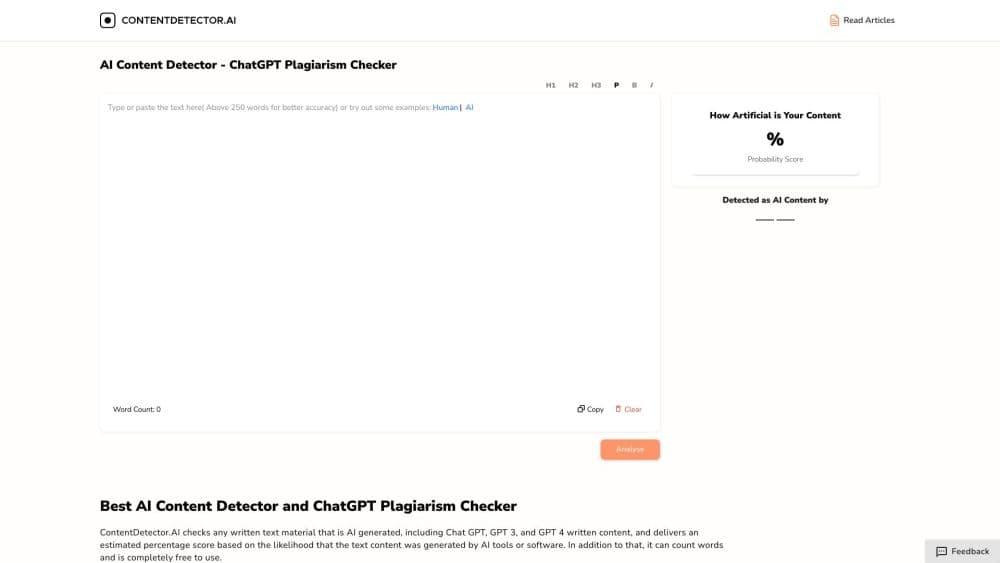
ContentDetector.AI is a free AI writing detector that scans up to 10,000 characters for repetitive or robotic patterns and highlights passages that may need more voice.
About ContentDetector.AI
What Is ContentDetector.AI
ContentDetector.AI is a writing-pattern checker that flags text which reads as repetitive, uniform, or robotic. You paste a draft, and it returns an overall guidance label plus sentence-level highlights. The original ContentDetector.AI was a free detector from Content at Scale built to spot ChatGPT and GPT-4 output. The domain now redirects to the Moxby Marketplace, where the tool ships as the AI Content Detector Mod, and the free plan carries over.
The point of the tool is narrower than its name suggests. It doesn't decide whether a person or a machine wrote your text. It looks for the surface signals that tend to show up in unedited machine drafts, such as repeated phrasing, even sentence length, and generic transitions, then points you at the lines worth tightening. That's a useful editorial pass, but it isn't proof of authorship.
The limits matter as much as the feature. Human writing gets flagged all the time, especially short, technical, or heavily templated text. Edited AI writing often slips through. So the result works best as one input in a review process rather than a verdict, and the tool itself says as much.
Getting Started
- Install the Moxby browser extension from the marketplace listing at moxby.com.
- Open the AI Content Detector Mod from the extension and paste your draft, up to 10,000 characters.
- Run the review and read the overall guidance label, which summarizes how strongly the text matched the tool's patterns.
- Check the sentence-level highlights. Those are the passages the tool thinks would gain from more specificity, variation, or a clearer voice.
- Edit the draft using the highlights as prompts, then re-run the review to see whether the flagged lines improved.
Product Information
A quick look at ContentDetector.AI's pricing, supported platforms, and performance.
Best for
The users, tasks, and scenarios where this tool fits best.
Users
- Writers and editors
- Content teams and marketers
- Students and educators
Tasks
- Spotting repetitive phrasing
- Tightening a flat paragraph
- Doing a pre-publish check
- Comparing two versions of a draft
Scenarios
- Reviewing a batch of freelancer copy
- Cleaning up AI-assisted drafts
- Checking short technical notes
Key features
Approximate Writing Pattern Review
The core feature takes up to 10,000 characters and returns an overall guidance label for how strongly the text matched the tool's patterns. It's a single score-style signal rather than a breakdown of which model wrote what. That keeps the output easy to read, but it also means you get a direction, not a diagnosis. For a quick sense of whether a draft reads flat, it does the job.
Sentence-Level Highlights
Instead of a blanket verdict, the tool marks the specific passages that may benefit from more variation, specificity, clarity, or voice. Those highlights are the part most people actually use, since they turn a vague score into a to-do list. You see exactly which sentences read as repetitive or generic and can fix them one at a time.
Repetitive and Formulaic Pattern Detection
The review targets repeated phrasing, predictable flow, and limited variation, the traits that make unedited machine text feel uniform. It also weighs weak transitions and thin explanations, which are common in first drafts. The upshot is a check tuned to editorial quality rather than pure authorship detection, which is a narrow but honest goal.
Works on Text From Any Source
You can paste text from anywhere, and the source doesn't change how the tool reads it. It doesn't care whether the words came from an email, a document, or a chat window. That flexibility makes it easy to drop into an existing review routine, but it also means the tool never confirms where the text came from.
Free Browser Extension Access
The tool runs as a Mod inside the Moxby browser extension, and it's on the free plan, so there's no paywall to try the review. The trade-off is that it lives inside Moxby's product family rather than standing alone as a website. You'll install the extension and use it from there, which suits people already working in that environment.
Pros and cons
Pros
- It's free on the Moxby plan, so you can run reviews without a subscription.
- The sentence-level highlights turn a vague score into specific lines you can actually edit.
- It handles up to 10,000 characters per run, which covers most articles and reports in one pass.
- The tool is upfront about its limits, stating plainly that results aren't proof of authorship.
Cons
- It doesn't detect authorship. It flags writing patterns, so human text can be marked and edited AI text can pass, which limits how far you can trust a label.
- Short, technical, or templated writing gets flagged often, so the results mislead on dense documents.
- It now lives inside the Moxby browser extension rather than as a standalone site, so you have to install that first.
- Submitted text goes through the Moxby gateway to an analysis service, so confidential or sensitive drafts aren't a good fit.
Frequently asked questions
It detects writing patterns, not authorship. The review looks for repetitive phrasing, even sentence structures, predictable flow, and generic language, then returns a guidance label and sentence-level highlights. It doesn't determine whether a person or an AI wrote the text, and the tool states that clearly.
Related content
Explore related tools, skills, and articles for ContentDetector.AI.
ContentDetector.AI Alternatives
Isgen AI
Isgen · AI DetectionIsgen AI is a web-based AI detector that scores text for machine authorship and shows you which sentences and phrases push the number up. It's built for teachers, editors, students, and writers. Their question is simple: did this draft come from ChatGPT, GPT-5, Claude, Gemini, DeepSeek, or another model? You paste or upload content, run a scan, and get a Human, AI, and Mixed breakdown in seconds. There's also a companion editor that scores text while you write it.
Humanizeai Tools
Humanizeai Tools · Writing · AI DetectionHumanizeai Tools is a web-based AI humanizer that rewrites machine-generated text so it sounds like a person wrote it, which is the whole point of the category it belongs to. Paste a draft from ChatGPT, Claude, or Gemini, run it through the tool, and it swaps out the phrases and sentence patterns that AI detectors flag. If your goal is to make AI text sound human before you publish it, this is the kind of tool built for exactly that. It suits students, bloggers, and marketers who need copy that reads naturally and clears tools like GPTZero, Copyleaks, and Winston AI after a single pass.

Hidemyai
Hidemyai · Writing · AI DetectionHidemyai is an AI content humanizer. It rewrites text from ChatGPT, Jasper, and similar tools so the result reads like a person wrote it. You paste your draft, pick a document type and tone, and the service returns a version meant to bypass AI detectors such as Originality.ai, Turnitin, and ZeroGPT. It targets writers, marketers, and students who lean on AI drafts but can't ship copy that sounds robotic. The promise is simple: make AI content undetectable.