

AI Detector
Awesome Apps Company Ltd. · AI Detection
AI Detector is a mobile and desktop app that checks text for AI writing, rewrites it with a built-in humanizer, and adds readability and plagiarism reports.
About AI Detector
What Is AI Detector
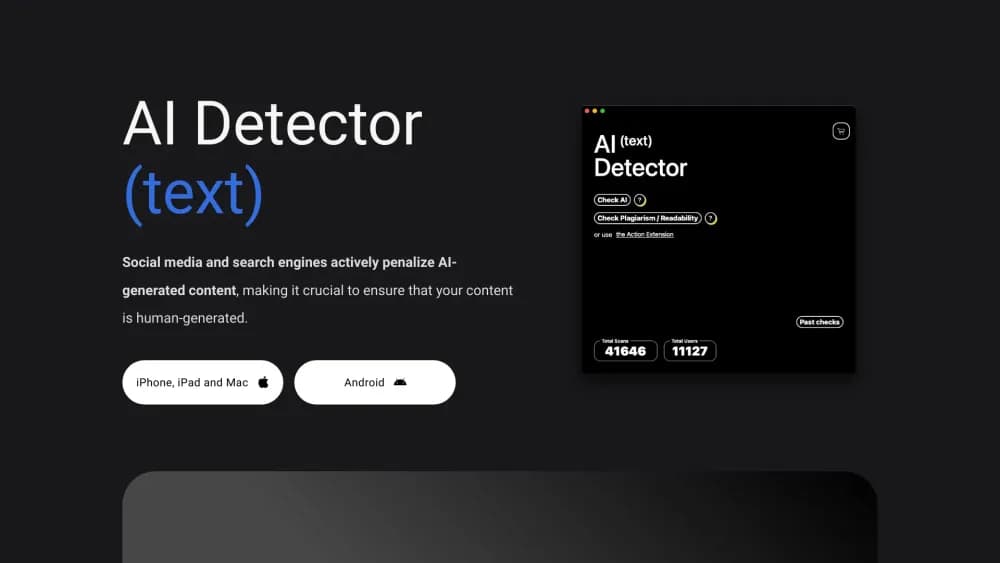
AI Detector is an app from Awesome Apps Company that answers one question fast: did a person write this, or did a model? You paste text, upload a PDF or Word file, photograph a printed page, or point the app at a website. It returns a verdict with a confidence score and highlights the passages that look machine written.
The appeal is where it runs. Most AI content detector services live in a browser tab and charge per word. This one installs on iPhone, iPad, Mac, and Android, keeps a history of past scans, and works on paper. Teachers grading printed essays and editors reviewing a scanned contract get the same check as someone pasting a chat reply.
The limits matter just as much. Detection is a probability estimate, not proof, and no tool in this category can promise a clean answer on heavily edited text. The app also runs on a credit system, so long documents eat through a pack quickly.
Getting Started
- Install the app from the App Store or Google Play, then open it. No account is required for a basic scan.
- Choose an input: paste text, import a PDF or Word file, scan a page with the camera, or enter a website address.
- Run the check and read the result. You get an overall score plus sentence level flags, so you can see which paragraphs triggered the model.
- Send flagged text to the humanizer, pick a purpose, strength, and readability level, then review the rewrite before you use it.
- Export or copy the final text, or keep the scan in the app history for later comparison.
Product Information
A quick look at AI Detector's pricing, supported platforms, and performance.
Best for
The users, tasks, and scenarios where this tool fits best.
Users
- Students checking their own drafts
- Teachers and admissions staff
- Freelance writers and marketers
- Editors reviewing submitted work
Tasks
- Detect AI writing in a short document
- Rewriting machine drafted copy
- Checking readability before publishing
- Catching copied content
Scenarios
- A printed assignment handed in at class
- A client asking why their draft got rejected
- A blog post due in an hour
Key features
AI Detection With Confidence Scoring
The core check returns an overall verdict plus a confidence score and sentence level highlights. You can see whether the whole document looks synthetic or only a few paragraphs do, which is the difference between a rewrite and a quick edit. The vendor says the model is tuned for ChatGPT, GPT 5.3, Gemini, Grok, Claude, Bard, and LaMDA output.
Built-In AI Humanizer
Flagged text can go straight into the humanizer, which rewrites it to sound less machine made. You set the purpose, the rewrite strength, and the target readability, then pick a tone. The free tier includes a basic humanizer run, and heavier use draws on credits.
Camera and File Scanning
The app reads text four ways: paste, file upload, camera capture, and website address. Camera scanning is the feature that separates it from browser based detectors, since a printed page or a whiteboard photo becomes checkable text in one step. PDF and Word imports keep formatting out of the way so the score reflects the words.
Sentence by Sentence Readability Report
Beyond the AI score, the app returns readability indexes and marks the sentences that drag. That turns a vague instruction like make this easier to read into a list of specific lines. Writers working to a style guide can fix those lines before a client sees the draft.
Plagiarism Checker
The plagiarism checker compares your text against published material and reports matching passages. It sits in the same report as the AI score, so a single scan covers both the copied content question and the machine writing question.
Cross Platform Apps With Local History
The same app runs on iPhone, iPad, Mac, and Android, and past scans stay in the app for comparison. The developer states that text is not stored on its servers and that no login is needed, which matters if you check confidential documents.
Pros and cons
Pros
- Works on paper: camera scanning is genuinely useful for teachers and anyone handling printed documents, and few competitors offer it.
- One app, four platforms: iPhone, iPad, Mac, and Android versions share the same workflow, so a school or small team can standardize.
- Detection and rewriting in one place: you can go from a flagged paragraph to a humanized version without copying text into another service.
- No account wall for a basic check: the app opens and scans without signup, which keeps a quick check quick.
- Readability detail: sentence level feedback is more actionable than a single percentage, especially for writers following an SEO brief.
Cons
- Credits run out fast on long files: a full report on a lengthy PDF can cost several credits, and packs start at 50.
- Detection is not evidence: the score is a probability, and the vendor's accuracy claims are its own, so a low score does not prove human authorship.
- Humanizer output needs a read: rewritten text can flatten technical terms or shift meaning, and you have to check facts after a pass.
- No public API: teams that want to screen content inside their own CMS have no documented route, and bulk workflows stay manual.
Frequently asked questions
It checks text for signs of machine writing, gives a confidence score with flagged sentences, and can rewrite that text with a humanizer. It also reports readability and plagiarism matches in the same scan.
Related content
Explore related tools, skills, and articles for AI Detector.
AI Detector Alternatives
Isgen AI
Isgen · AI DetectionIsgen AI is a web-based AI detector that scores text for machine authorship and shows you which sentences and phrases push the number up. It's built for teachers, editors, students, and writers. Their question is simple: did this draft come from ChatGPT, GPT-5, Claude, Gemini, DeepSeek, or another model? You paste or upload content, run a scan, and get a Human, AI, and Mixed breakdown in seconds. There's also a companion editor that scores text while you write it.
Humanizeai Tools
Humanizeai Tools · Writing · AI DetectionHumanizeai Tools is a web-based AI humanizer that rewrites machine-generated text so it sounds like a person wrote it, which is the whole point of the category it belongs to. Paste a draft from ChatGPT, Claude, or Gemini, run it through the tool, and it swaps out the phrases and sentence patterns that AI detectors flag. If your goal is to make AI text sound human before you publish it, this is the kind of tool built for exactly that. It suits students, bloggers, and marketers who need copy that reads naturally and clears tools like GPTZero, Copyleaks, and Winston AI after a single pass.

Hidemyai
Hidemyai · Writing · AI DetectionHidemyai is an AI content humanizer. It rewrites text from ChatGPT, Jasper, and similar tools so the result reads like a person wrote it. You paste your draft, pick a document type and tone, and the service returns a version meant to bypass AI detectors such as Originality.ai, Turnitin, and ZeroGPT. It targets writers, marketers, and students who lean on AI drafts but can't ship copy that sounds robotic. The promise is simple: make AI content undetectable.