

AI Emaily
AI Emaily · Writing · Productivity
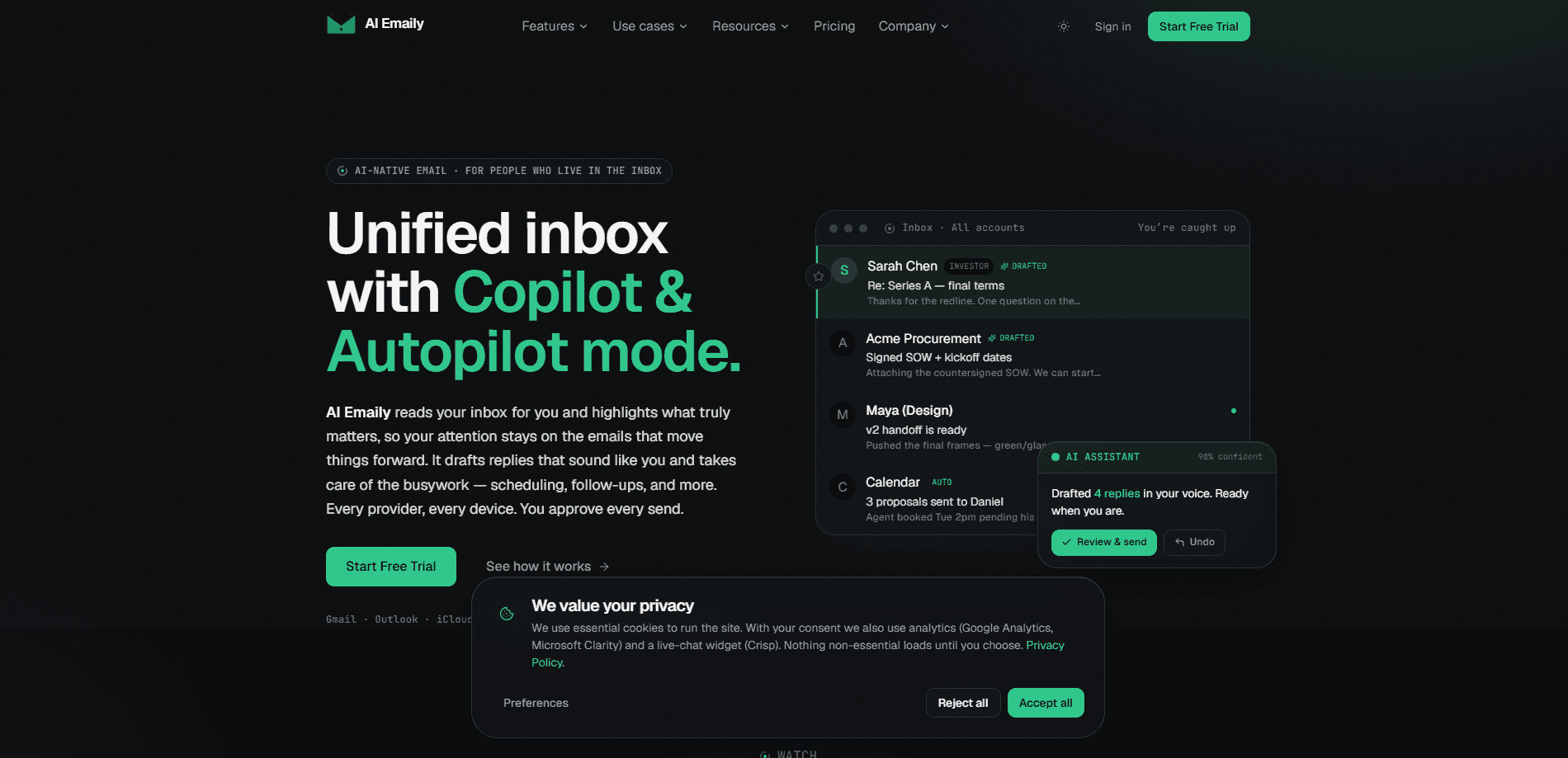
AI Emaily is a unified, AI-native inbox that reads your mail, sorts what matters, and handles the busywork across every mail provider you use. Good email triage used to mean an hour of manual sorting. Not anymore. It drafts replies in your voice, applies plain-English rules, and can send on your behalf once you switch on Autopilot. Every autonomous action stays reversible and logged, so you keep the final say. What if you could skip the sorting without giving up control?
About AI Emaily
What Is AI Emaily
AI Emaily is an AI email assistant built around one idea: an inbox should work for you, not the other way around. It connects your accounts across Gmail, Outlook, iCloud, Fastmail, Proton, and any IMAP server, then reads each message to understand sender, intent, and content instead of matching keywords. That's what lets it sort cold pitches away from real leads and keep your board members at the top of the pile. Real email triage, no keyword hacks.
The product runs on three authority modes stacked on a single control ladder. Manual keeps you fully in charge. Copilot drafts replies when you ask and waits for approval. Autopilot sends on rules you set, using your Context, variables, and client profiles, and it logs every send with an undo option. Zero-retention AI, options to run on-device, and bring-your-own-key mean your mail isn't used to train models.
The biggest limit is scope. Autopilot is powerful, but it only does what your rules allow, so poorly written rules produce poor results. If your work lives entirely inside one provider and you only want basic summarizing, the setup overhead may outweigh the payoff. That tradeoff is worth weighing before you commit.
Getting Started
- Create an account at aiemaily.com and connect your first mail provider.
- Add your remaining accounts (Gmail, Outlook, iCloud, Fastmail, Proton, or IMAP) into a single unified inbox.
- Build your Context with notes, positioning, and do's and don'ts so drafts sound like you.
- Write a few plain-English inbox rules and start in Copilot to review drafts before you approve them.
- Switch on Autopilot for the rules you trust, and check the audit trail after the first sends.
Product Information
A quick look at AI Emaily's pricing, supported platforms, and performance.
Best for
The users, tasks, and scenarios where this tool fits best.
Users
- Founders and small teams
- Busy professionals juggling multiple accounts
- People who care about privacy
Tasks
- Triaging a crowded inbox
- Drafting replies in your voice
- Automating routine follow-ups
Scenarios
- Handling a sales pitch flood
- Answering clients while you're offline
- Shared team inboxes
Key features
Three Authority Modes
AI Emaily gives you Manual, Copilot, and Autopilot on one control ladder. Manual leaves everything to you. Copilot drafts and waits for approval. Autopilot sends on the rules you define. You pick the level per task, so you can move from cautious to hands-off without changing tools or re-uploading your accounts every time you want more automation.
Plain-English Inbox Rules
Instead of filter builders or regex, you describe what you want in a sentence, like "send client invoices to Receipts and thank them." The AI reads the sender, intent, and content, then applies the rule across every connected account, so a single sentence you type once keeps working across Gmail, Outlook, iCloud, and every other mailbox you've linked. It's the difference between briefing a person and configuring software. Big difference.
Context-Based Drafting
You build a Context that holds your notes, positioning, boundaries, and how you talk about your product. Every draft comes from that Context, so replies sound like you rather than a chatbot. Typed variables fill in the specifics. Names, numbers, dates. No blank fields staring back at you.
Cold Email Shield
The AI spots unsolicited outreach by looking for no prior thread, a stranger pitching, or bulk sequences. You decide the response once. Then it never bothers you again. You choose one of three outcomes: block the sender outright, batch everything into a weekly digest, or let it through to your inbox. Real contacts and warm intros always come through regardless.
Reversible Autopilot with Audit Trail
When Autopilot sends without you opening the inbox, every action is logged and reversible, which is the safety net that makes hands-off sending tolerable since you can review what went out and pull it back if a rule misfired.
Unified Provider Support
AI Emaily works with Gmail, Outlook, iCloud, Fastmail, Proton, and standard IMAP, running on web, macOS, iOS, and Android, so the same inbox follows you from your desk to your phone without a separate login dance every morning. One inbox across all of them means your client mail, personal mail, and newsletters stop living in separate silos, and you stop paying attention tax every time you switch tabs. That last part is the real win.
Privacy Controls
The AI runs with zero retention and is never trained on your mail. On-device processing and bring-your-own-key options let you route sensitive accounts through infrastructure you control. Simple as that.
Pros and cons
Pros
- One unified inbox across Gmail, Outlook, iCloud, Fastmail, Proton, and IMAP saves account-switching time.
- Autopilot sends on your rules with undo and a full audit trail, so automation doesn't feel like a black box.
- Context-based drafting produces replies that match your voice without manual rewriting.
- Plain-English rules skip the filter builders and regex that make most email tools fiddly.
- Zero-retention AI with on-device and bring-your-own-key options suits privacy-conscious users.
Cons
- Autopilot only does what your rules allow, so weak or vague rules lead to weak results.
- The full value depends on building a good Context up front, which takes real setup time.
- Pricing details aren't published clearly on the site, so you'll need to check current plans before committing.
Frequently asked questions
AI Emaily reads your inbox, sorts messages by intent, drafts replies in your voice, and can send on rules you set. It works across Gmail, Outlook, iCloud, Fastmail, Proton, and IMAP, and every autonomous action is logged and reversible.
Related content
Explore related tools, skills, and articles for AI Emaily.
AI Emaily Alternatives

Google EmbeddingGemma 2
Google DeepMind · Writing · Image · CodingGoogle EmbeddingGemma 2 is a 740M-parameter open model that turns text, code, images, audio, and video frames into vectors in one 768-dimension space, running on phones and laptops.

MePersona
MePersona, Inc. · Writing · Productivity · MarketingMePersona is an AI unified inbox for creators. It learns your voice, drafts replies to fan messages from 12 platforms, and sends only what you approve.

Fluence
Yay Software (Yannick Huchard) · Writing · Voice & Language · ProductivityFluence is an Android app that reads PDFs, EPUBs, Word files and web articles aloud, follows each sentence as it speaks, and answers questions about the text on the phone itself.