
AI Flashcards Generator
AIFlash.Cards · Leaning
AI Flashcards Generator turns text, PDFs, links, YouTube videos and images into study cards in 100 languages, then keeps them in sets you can print or export.
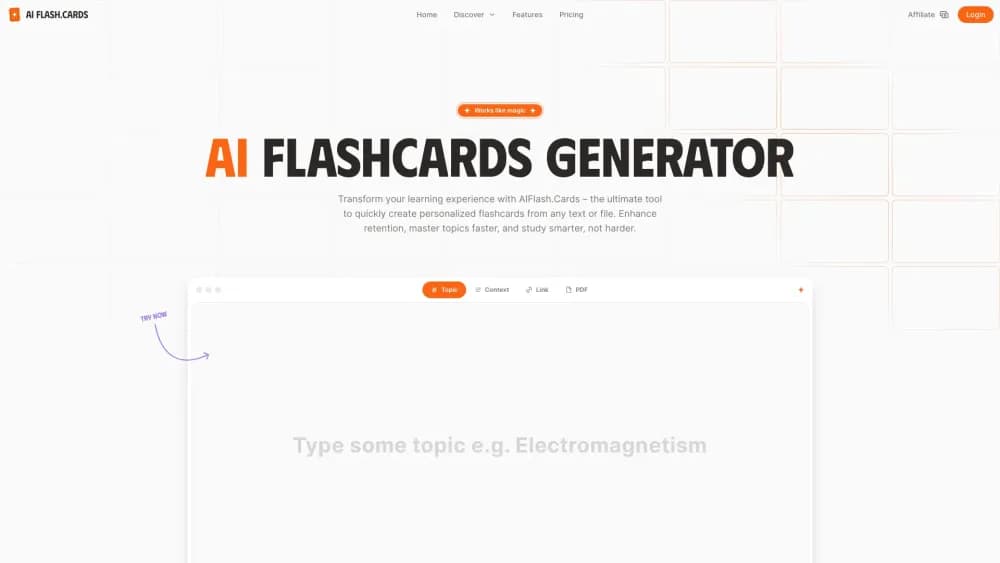
About AI Flashcards Generator
What Is AI Flashcards Generator
AI Flashcards Generator is a web app that writes study cards for you. Hand it a topic, a chunk of notes, a web address, a PDF or a video link and it returns a finished deck, usually within a minute. The product runs at aiflash.cards and asks for nothing beyond a browser and an email address. It works as a flashcard maker first and a study planner second.
It covers the slow part of exam prep: drafting the questions. Working through a 40 page chapter and turning it into prompts eats an hour. Pasting that chapter here takes two clicks. Output quality follows input quality, so a narrow request about cell division beats the word "biology" every time.
The limits are worth knowing before you commit. Free accounts get ten generations, then one an hour. PDFs, long text, YouTube links and image, audio or video files sit behind the Pro plan at $12.99 a month when billed yearly. Spaced repetition, the review scheduling most heavy users want, still carries a coming soon label on the pricing page.
Getting Started
- Open aiflash.cards and sign in with an email address. The free allowance starts right away and no card is required.
- Choose a source tab: Topic, Context, Link, PDF, Media or YouTube. Type a subject, paste your notes or drop in a file.
- Set the card count and the output language. Plus accounts cap a single run at 25 cards, Pro at 100, and the free lane sits lower.
- Run the generator, then read the deck before you study it. Fixing a weak card is a Pro feature, so free users usually regenerate the set instead.
- Save the deck to a collection, print it, or export to Excel or Word. Collections stay in sync across your phone, tablet and laptop once you sign in.
Product Information
A quick look at AI Flashcards Generator's pricing, supported platforms, and performance.
Best for
The users, tasks, and scenarios where this tool fits best.
Users
- Students with an exam in sight
- Language learners
- Teachers and tutors
- Certification candidates
Tasks
- Condensing a textbook chapter
- Building a vocabulary deck
- Mining a recorded lecture
- Preparing a revision sheet
Scenarios
- The week before finals
- Weekly course review
- Study group prep
Key features
Six Sources in One Workflow
The generator accepts a bare topic, pasted text, a URL, a PDF, a media file or a YouTube link. Free and Plus accounts get the first three, while Pro unlocks documents, long text and video. One interface for all of them means you stop juggling a summarizer, a PDF reader and a card app.
Output in 100 Languages
Cards can be written in 100 languages, and the source material doesn't have to match the output. Drop an English article in and ask for Portuguese cards. For language students this doubles as a translation drill, and teachers working in bilingual programs can produce two versions of the same set.
Collections and Community Sets
Every deck lands in a collection you can name, sort and revisit. Published flashcard sets from other users are browsable too, and the free tier shows only the opening cards of those community decks. Plus removes that cap, which matters if you lean on other people's material instead of building from scratch.
Print and Spreadsheet Export
Pro accounts can print a deck or send it to Excel or Word. Printed cards suit hands on review and group quizzes where phones are a distraction. The spreadsheet route is the practical one for anyone who wants to reorder questions, merge two decks or hand the file to a co-teacher.
Spaced Repetition, Still Rolling Out
The pricing page lists spaced repetition for Plus and Pro, with a coming soon note attached. The feature promises to schedule reviews at widening intervals so you spend time on weak cards. Until it ships, the review loop is manual: open a set, work through it, come back when you feel shaky.
History and Device Sync
A history panel logs every generation, so a deck you made three weeks ago is one click away rather than lost. Sign in on a phone, tablet or laptop and the same collections appear, which covers the commute and the desk without an install.
Pros and cons
Pros
- Card creation takes a minute instead of an evening, and the output is editable on Pro.
- Six input types cover the material students actually have, including recorded lectures.
- The free tier is usable for a real test run, with ten generations before the hourly limit kicks in.
- 100 output languages open up vocabulary work and bilingual teaching without extra tools.
- Print, Excel and Word export make the decks portable, so you're not locked into the site.
Cons
- Spaced repetition is advertised but not live, so serious learners still need a separate review app.
- Editing cards requires Pro at $12.99 a month, which stings when one bad card ruins an otherwise fine deck.
- The free lane slows to one generation an hour after ten runs, and community sets show only five cards.
- Generation quality depends on the source. A vague topic prompt returns generic cards that need heavy cleanup.
Frequently asked questions
Yes. The free plan allows ten generations, then one free generation per hour, plus unlimited history and access to the first cards of community sets. Plus at $6.99 a month and Pro at $12.99 a month, both billed yearly, remove the main limits.
Related content
Explore related tools, skills, and articles for AI Flashcards Generator.
AI Flashcards Generator Alternatives

Kaggle AI
Google · Coding · LeaningKaggle AI is a community platform where people build, test, and compare machine learning models against shared data. It combines data science competitions, tens of thousands of public datasets, and free cloud notebooks with GPU and TPU access, so anyone with a browser can train a model without buying hardware. Google owns the platform, and joining costs nothing.

Bunch
Bunch AI · Leaning · BusinessBunch is an AI leadership coaching app that turns a few spare minutes a day into real management practice. It hands you one short, personalized tip each day, tracks how you respond, and lets you compare notes with peers inside private groups. The pitch is simple: you lead better by practicing a little, often, instead of sitting through a weekend seminar. Think of it as a leadership training app you actually open.

AI Mock Interview
SQLPad · Coding · LeaningAI Mock Interview is a practice tool built into SQLPad that simulates real job interviews and gives you instant feedback on both what you say and how you say it. You pick a role template or upload a job description, answer questions out loud in real time, and then review a transcript with notes on structure, clarity, and grammar. It's aimed at data professionals prepping for SQL, Python, data engineering, machine learning, and system design roles, and it works entirely in the browser. No install needed.