

Kaggle AI
Google · Coding · Leaning
Kaggle AI is a community platform where people build, test, and compare machine learning models against shared data. It combines data science competitions, tens of thousands of public datasets, and free cloud notebooks with GPU and TPU access, so anyone with a browser can train a model without buying hardware. Google owns the platform, and joining costs nothing.
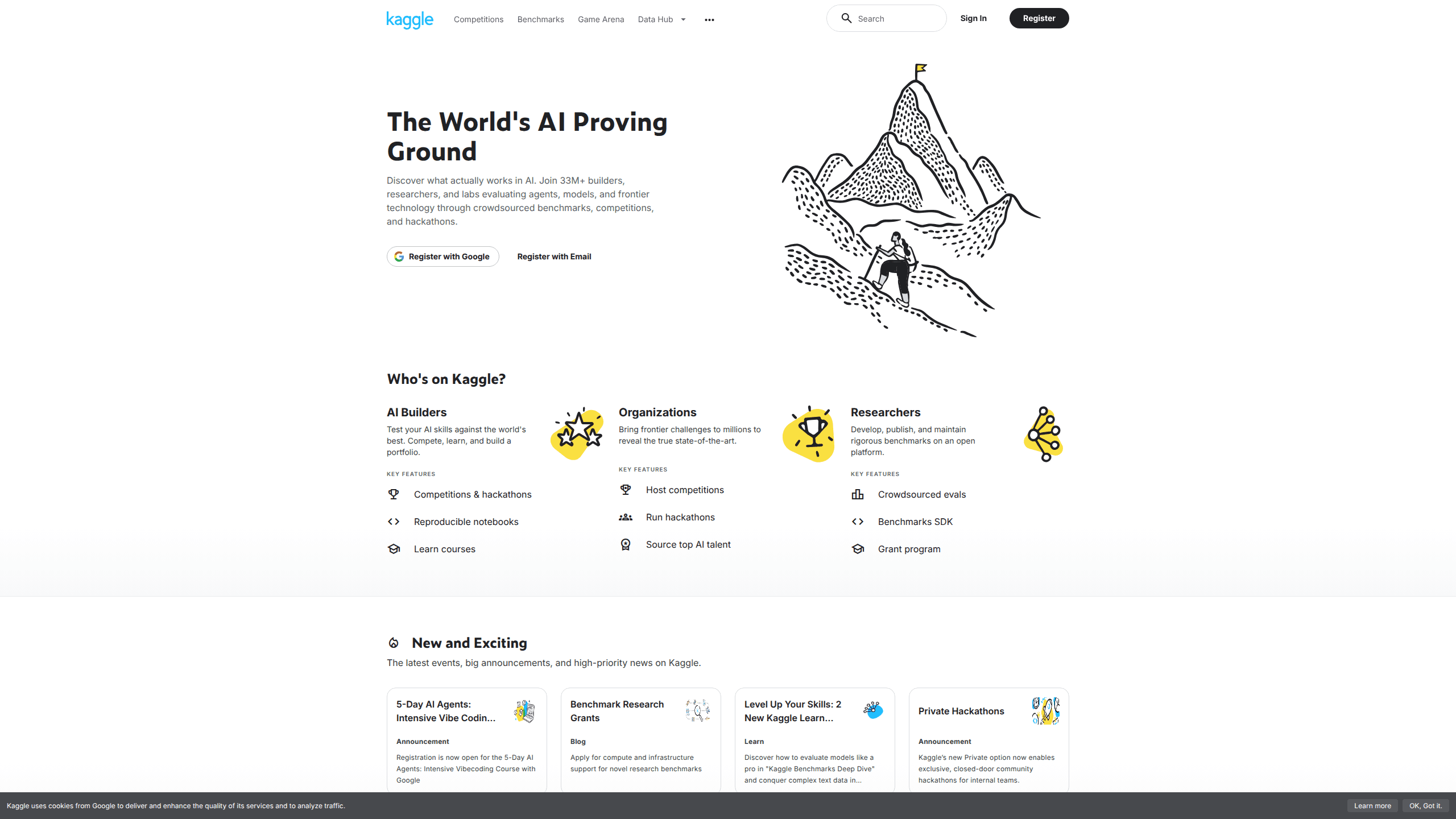
About Kaggle AI
What Is Kaggle
Kaggle AI is a data science platform built around crowdsourced problem solving. Sponsors post a real prediction task, publish the data, and let the community compete to build the best model. Anthony Goldbloom and Ben Hamner founded it in 2010, and Google acquired the company in 2017. It stayed free after the acquisition.
So what do you actually get? Hosted notebooks with free GPU and TPU time, a huge library of public datasets, and a leaderboard that shows how your model stacks up against everyone else's. That's the appeal. The catch is that Kaggle is a workbench, not a finished product. It doesn't train a model and hand you a deployed app. You still write the code, clean the data, and interpret the results yourself. Competitions also reward leaderboard scores, and that pressure pushes some people toward overfitting instead of solving the underlying problem.
Getting Started
- Sign up at kaggle.com with a Google account, email, or GitHub.
- Pick a dataset or a competition from the homepage and open its overview page.
- Create a notebook and attach the data through the Add Data panel.
- Write and run Python or R code, switching on GPU or TPU if the model needs it.
- Submit predictions for a score, or publish the notebook so others can read and reuse it.
That whole loop takes minutes.
Product Information
A quick look at Kaggle AI's pricing, supported platforms, and performance.
Best for
The users, tasks, and scenarios where this tool fits best.
Users
- Students learning machine learning
- Data scientists building a portfolio
- Researchers testing a hypothesis
Tasks
- Entering a prediction competition
- Exploring a public dataset
- Training a model on free GPU or TPU
Scenarios
- Weekend practice projects
- Team hackathons
- Prepping for a data science interview
Key features
Machine Learning Competitions
Kaggle competitions are sponsored challenges where you build a model for a specific task and submit predictions for a score. Featured competitions carry cash prizes. Playground ones are built for practice. Code competitions run your notebook in a fixed environment so every entrant works under the same conditions.
Public Datasets
The platform hosts tens of thousands of public datasets across finance, health, sports, and science. You can search, download, or mount a dataset straight into a notebook, and each one keeps version history so you can track changes as the data grows or gets corrected. No scraping required.
Cloud Notebooks with Free Compute
Kaggle notebooks run Python and R in the browser, so you don't install anything locally. The free tier includes CPU, GPU, and TPU options. That matters when a model would otherwise need hardware you don't own. Notebooks are shareable and forkable, so you can build on someone else's work.
Models
A model directory lets you publish trained models and pull in ones the community shares. You can browse models tied to competitions or upload your own. It keeps trained weights and reusable notebooks in one place.
Discussions and Community
Every competition and dataset has a discussion area where people post approaches, share notebooks, and ask questions. It's where you pick up techniques you won't find in the docs, and where sponsors often drop hints about the data or the scoring rule that can change how you approach the whole problem.
Kaggle API
The Kaggle API lets you download datasets, submit to competitions, and manage notebooks from the command line. Handy for scripting repeated tasks. It also pulls data into a local workflow instead of clicking through the site.
Pros and cons
Pros
- Free access to GPU and TPU notebooks removes the hardware barrier to training models.
- The dataset library spans finance, health, sports, and science, so you rarely start from scratch.
- Competitions give a clear, objective score to measure a model against others.
- Community notebooks and discussions make it easy to learn from working code.
Cons
- You need existing Python or R skills; there's little hand-holding for beginners.
- Leaderboards reward high scores, which can encourage overfitting over real-world usefulness.
- Compute quotas and session time limits cap long training runs.
- It's a sandbox for experimentation, not a deployment platform, so finished models still need to be hosted elsewhere.
Frequently asked questions
Kaggle AI is used for building and comparing machine learning models. People enter competitions, explore public datasets, and train models in free cloud notebooks, mostly to practice data science or test an approach against a shared benchmark.
Related content
Explore related tools, skills, and articles for Kaggle AI.
Kaggle AI Alternatives
Forefront
Forefront · CodingForefront is a web platform for building with open-source AI. It lets you fine-tune leading open-source language models on your own data, evaluate how they perform, and run them through an API or export them to host yourself. Developers who want the convenience of a closed-source platform but insist on owning their models and data are the target audience here.

Startkit
StartKit.AI · CodingStartkit is a boilerplate for building AI SaaS and AI wrapper products. Think of it as an AI startup boilerplate with the boring parts already wired up: authentication, Stripe and Lemon Squeezy payments, usage limits, transactional email, and an AI API starter that talks to OpenAI, Anthropic, Groq, or Llama. You clone the repo, set your price, and start on the part of your product that people actually pay for. It's Next.js under React and Tailwind, so most of the boilerplate code already feels familiar.
Testim
Tricentis · CodingTestim is an AI-powered test automation platform for building and running end-to-end tests across web, mobile, and Salesforce applications. It leans on machine learning to keep tests stable when an interface changes, so teams spend less time fixing broken selectors. Not bad for an automated testing tool you can start using today. You create tests by recording actions in a browser, then optionally add JavaScript when you need more control. It's a solid pick for busy QA teams.