

AI Form Fill
Not publicly disclosed · Coding · Productivity
AI Form Fill was a Chrome extension that wrote answers inside web forms with GPT models, one field per click. It sold prepaid credits instead of subscriptions and no longer takes new installs.
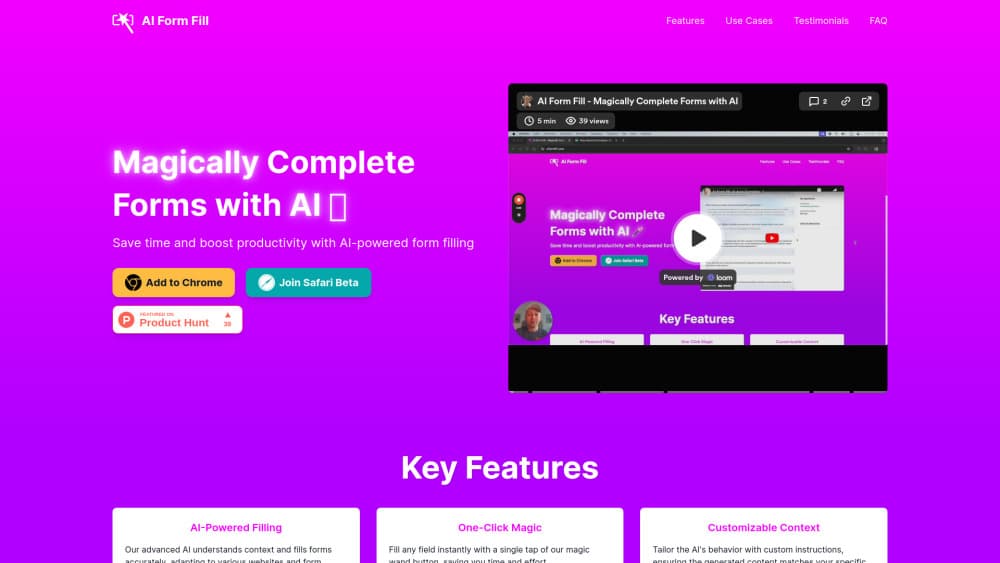
About AI Form Fill
What Is AI Form Fill
AI Form Fill was a browser extension for people who fill out the same kind of form over and over: job applications, survey pages, marketplace listings, and social media post boxes. Instead of storing your name and address like a password manager, it read the page around a field and wrote fresh text that fit the question.
The workflow was simple by design. A small wand button sat beside each text field. Click it, and the extension sent the field label, nearby page content, and any instructions you had saved to an AI model, then typed the answer straight into the box. You could edit the draft before submitting.
Two things set it apart from tools that autofill forms with AI from a stored profile. It handled open-ended prompts no profile could answer, and you bought credits as you went. As an AI form filler it was narrow by design, one field at a time and no bulk import. The catch is that the product is no longer usable today. The Chrome Web Store listing returns no install page, and the official domain now serves unrelated content, so there's no working download path in 2026.
Getting Started
- Install the extension from its Chrome Web Store listing and sign in to the account that holds your credits.
- Open the settings panel and pick a model. The listing named GPT-3.5-turbo, GPT-4, and GPT-4o as options.
- Save a short context block describing yourself or your business, so answers carry the right voice and details.
- Visit any page with a form, click the wand button next to a field, then read the draft before you submit it.
Product Information
A quick look at AI Form Fill's pricing, supported platforms, and performance.
Best for
The users, tasks, and scenarios where this tool fits best.
Users
- Job seekers
- Recruiters and sales reps
- Marketplace sellers
Tasks
- Answering open-ended survey questions
- Filling application forms with tailored wording
- Drafting social captions and hashtag sets
Scenarios
- Repeating the same application across several job boards
- Bulk product uploads
- Survey and research intake
Key features
One-Click Wand on Every Field
The extension injected a small button next to text inputs, textareas, and similar fields. One click sent the request and typed the result in place. There was no copy and paste step between the model and the page, which is where most AI form completion setups lose their time savings.
Context-Aware Answers
Instead of matching a stored value, the model read the field label and the surrounding page text, then wrote an answer aimed at that specific question. That made it useful for prompts like "describe your experience" that have no single correct entry.
Custom Instructions
A settings field let users describe themselves, their business, or a preferred style. Those instructions traveled with every request, so output sounded consistent across sites. It also meant a vague instruction produced vague answers.
Model Choice
The listing offered several models, including GPT-3.5-turbo, GPT-4, and GPT-4o. Faster, cheaper models fit short fields, and the stronger ones made sense for long application answers where wording matters.
Prepaid Credits
There was no monthly plan. Users bought credits, spent them per generation, and topped up when they ran out. Light users avoided a recurring bill, and heavy users paid in proportion to how much they actually generated.
Referral Credits
Sharing the extension earned both sides bonus credits. It was a cheap way to try more fields without paying, and it explains why the tool spread through job hunting and seller communities.
Pros and cons
Pros
- Fills open-ended questions that browser autofill and password managers can't handle.
- No subscription. You buy credits once and use them whenever.
- Model choice lets you trade cost against writing quality per form.
- Custom instructions keep the voice consistent across very different sites.
Cons
- The extension can't be installed now. The store listing is gone and the domain serves unrelated content, so the tool is effectively dead for new users.
- Generated answers need a read before submitting. A model that misreads a question produces confident, wrong text.
- Credits vanish per click, so a long application can drain a pack faster than expected, and there's no way to check the cost before you run it.
Frequently asked questions
It was a Chrome extension that used GPT models to write text into web form fields. You clicked a wand button next to a field, and the extension generated an answer based on the page context and your saved instructions.
Related content
Explore related tools, skills, and articles for AI Form Fill.
AI Form Fill Alternatives

Base Code
Base44 (Wix) · Coding · ProductivityBase Code is a shared cloud development environment from Base44. Teammates describe changes to an existing GitHub codebase in chat, preview them live and send them back as pull requests.

Google EmbeddingGemma 2
Google DeepMind · Writing · Image · CodingGoogle EmbeddingGemma 2 is a 740M-parameter open model that turns text, code, images, audio, and video frames into vectors in one 768-dimension space, running on phones and laptops.

GitGlow
GitGlow · Coding · ProductivityGitGlow is a local-first desktop Git client that lets independent developers review their own code and their AI agents' changes in one place before shipping.