

Humanize AI
AIHumanize · Writing · AI Detection
Humanize AI is an AI text humanizer that rewrites AI-generated drafts into natural writing, keeps your keywords, and scores the result against major AI detectors.
About Humanize AI
What Is Humanize AI
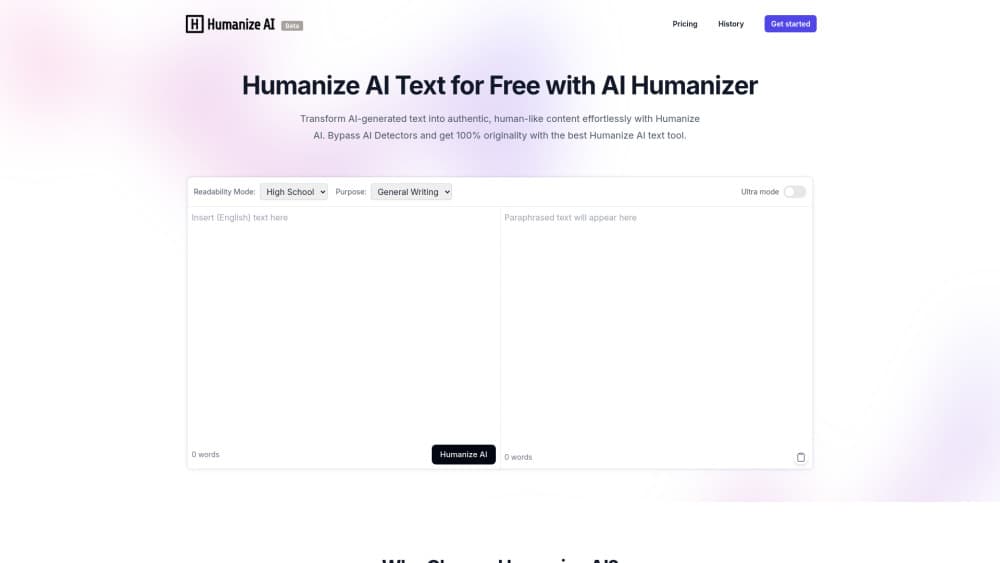
Humanize AI is a web tool that you use to humanize AI text so it reads like a person wrote it. You paste a draft from ChatGPT, Claude, Gemini, Jasper, or QuillBot, and the tool returns a version with varied sentence lengths, natural phrasing, and fewer of the repetitive patterns that AI detectors flag. The same workspace includes an AI detector, so you can check a draft before and after the rewrite without opening a second site. The company positions it as an AI humanizer that helps you pass AI detectors, and it reports 2.8 million users, 1.28 billion words processed per month, and a 99.8% detector pass rate. Those numbers come from the vendor, so treat them as marketing claims, not audited figures.
The pitch that stands out is the free tier. You can humanize up to 400 words with no account, and the paid plans start low. Beyond that, the tool leans on beating detectors, which is a moving target. Detector models update often, and a clean score today says nothing about next month. Humanizing is also a styling job, not a fact check. It reshapes rhythm and word choice while keeping your claims, so wrong information in the source draft survives the rewrite. The site sells yearly plans with a discount, so test the free tier against the detector you actually rely on before you pay.
Getting Started
- Paste AI-generated text into the box, or upload a PDF, Word, or text file. No login is needed to run a short sample.
- Pick a model and a writing style, then set the tone you want the output to carry.
- Add any keywords or phrases you want left untouched so the rewrite keeps them in place.
- Run the humanizer, then scan the result with the built-in AI detector.
- Copy the finished text into your draft, or check it for originality if you plan to publish.
Product Information
A quick look at Humanize AI's pricing, supported platforms, and performance.
Best for
The users, tasks, and scenarios where this tool fits best.
Users
- Content writers and bloggers
- SEO specialists
- Students and academic writers
- Marketers and PR teams
- Non-native English speakers
Tasks
- Humanizing blog posts and articles
- Rewriting marketing copy
- Checking a draft against detectors
- Processing long documents
- Producing SEO-friendly content
Scenarios
- Agencies shipping client work fast
- Freelancers on a tight budget
- Teams publishing SEO content
Key features
AI Text Humanizer
The core tool rewrites AI-generated text into natural, human-sounding prose. It changes sentence structure, pacing, and word choice instead of swapping a few synonyms, which is why the output reads smoother than a plain paraphrase. You can paste text or upload a file, and the rewrite keeps your original meaning intact. The tool handles inputs up to 21,000 words per run.
Built-In AI Content Detector
A detector sits next to the humanizer, so you check your text without leaving the page. It analyzes content for AI probability and detects output from models like ChatGPT, GPT-3.5 and 4, Gemini, Jasper, and Claude. This free AI humanizer accepts PDF, Word, and text files, and it reports scores across signals such as perplexity and sentence length variation. You see the problem and fix it in one place.
Keyword Lock
The keyword lock lets you freeze specific words, phrases, or brand terms so the rewrite leaves them alone. For SEO work this keeps target keywords exactly as written, which matters when a loose synonym costs you a ranking. It's the feature that makes the tool usable for client and brand copy, not just casual writing.
Multiple Models and Writing Styles
The humanizer offers several models, including the Falcon and Maestro families, plus selectable writing styles and tones. Falcon handles quick rewrites, while Maestro takes up to a minute for deeper rewriting and is pitched at higher quality. The choices matter because an essay and a landing page need different rhythms from the same starting draft.
Plagiarism-Free and Originality Rewrites
Higher tiers advertise plagiarism-free rewrites and a 100% human score, alongside an originality check. AI drafts often echo common phrasing, and the tool reshapes that overlap before it becomes a problem. It runs in the same workspace as the rewrite, which saves a step when you're preparing content to publish.
API Access on Paid Plans
The Premium and Unlimited plans list API compatibility for the AI humanizer, so teams can plug the rewrite into their own pipeline instead of working from the browser. Casual users won't need it, but it's the difference between a personal tool and one you can build into a workflow.
Pros and cons
Pros
- Free, no-login tier runs on up to 400 words, which is generous for a category that usually meters everything.
- Humanizer and AI detector live in one workspace, so the rewrite and the check happen together.
- Keyword lock keeps target phrases intact, which matters most for SEO and brand copy.
- Paid plans add API access, plagiarism-free rewrites, and higher word limits.
- Handles inputs up to 21,000 words per run, so long documents don't have to be split.
Cons
- It restyles text but doesn't verify facts, so wrong claims in the source draft survive the rewrite.
- Detector evasion is a moving target; scores can shift as detectors update, and the vendor's own pass rate is a claim, not an independent test.
- The free tier caps at 400 words and 5,000 words a month on the cheapest paid plan, which is tight for heavy publishing.
Frequently asked questions
It rewrites AI-generated text so it reads like human writing, and it checks how detectable the result is. You paste or upload a draft, pick a model and style, and get back a version with natural phrasing that keeps your meaning and keywords.
Related content
Explore related tools, skills, and articles for Humanize AI.
Humanize AI Alternatives

Emailwritr
Emailwritr · Writing · MarketingEmailwritr is an AI email copywriting tool built for affiliates, course creators, and online businesses that want more revenue from the list they already own. Instead of blank pages or generic chatbot prompts, this AI email writer generates welcome sequences, launch campaigns, cart recovery emails, and promo series from frameworks modeled on well-known direct-response copywriters. You connect your autoresponder, answer a few questions about your offer, and it writes the copy for you.

Swms
Swms AI · Writing · Productivity · BusinessSwms is an AI safety compliance tool that turns a plain description of a job into ready-to-use safety documents. Describe your project, trade, and known hazards, and it writes a safe work method statement, job hazard analysis, safe work procedure, RAMS, or safety data sheet in seconds. It also ships with Oscar, a chat assistant that answers workplace safety questions in any language. Teams in construction, mining, transport, and warehousing use it to cut the paperwork that usually eats into a workday.

Prosp
Prosp · Writing · Voice & Language · MarketingProsp is an AI LinkedIn outreach tool built for agencies and sales teams, and it writes the message and the voice note in your own voice for each prospect so they actually reply. You connect your accounts, find leads, and let the AI draft and send personalized messages at scale, all from one inbox. It's built for people running outbound at volume. That's the whole pitch. Every touchpoint still has to feel human.