

AI Lab
Tejas Vaij · Coding
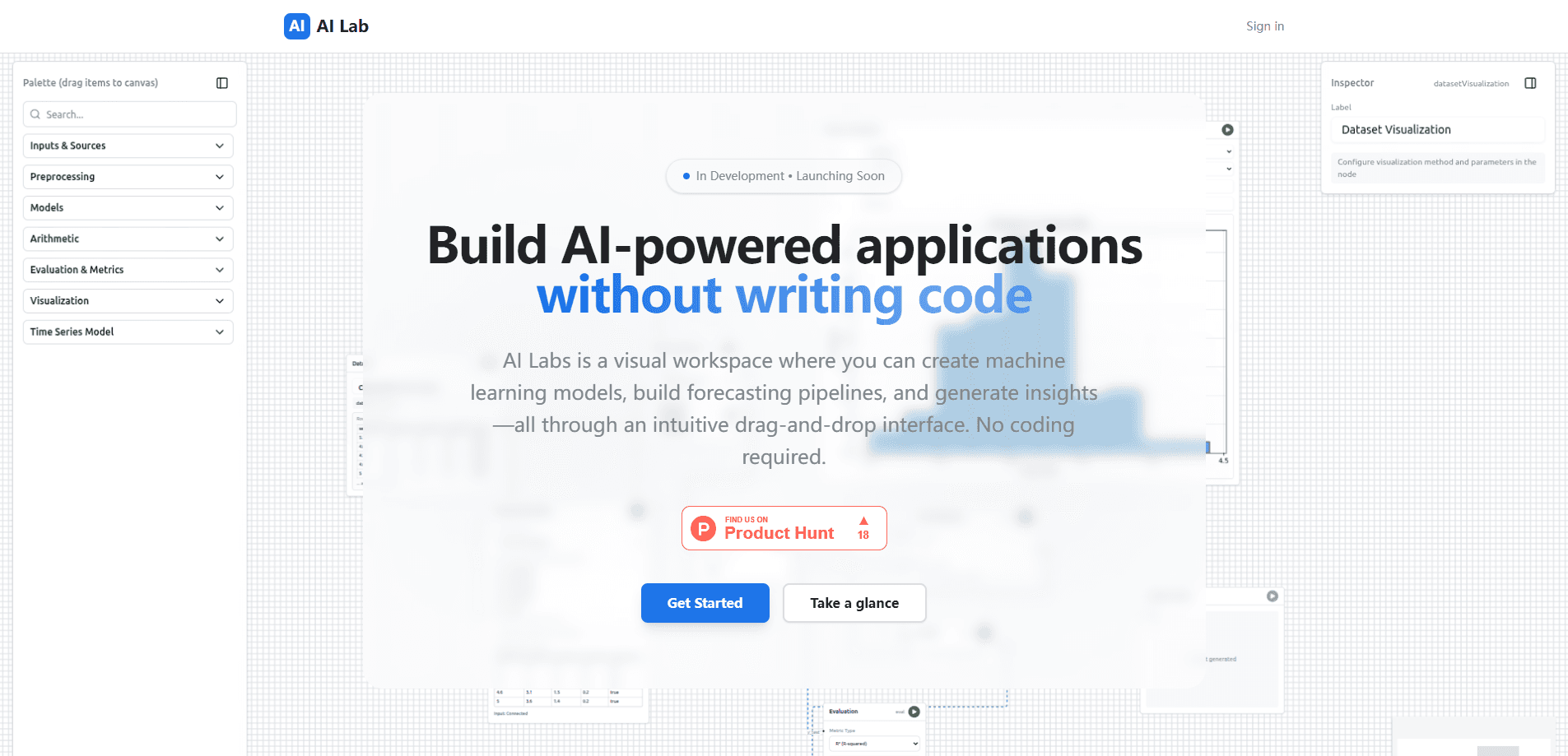
AI Lab is a visual workspace for building machine learning models without writing code. You drag components onto a canvas, wire them into a pipeline, and let the platform train, test, and predict on your data. It targets business analysts, small teams, and anyone who needs forecasting or churn prediction but doesn't have a data science department on call. The product is still in development and listed as launching soon, so access and pricing aren't public yet.
About AI Lab
What Is AI Lab
AI Lab is a no-code machine learning platform built around a drag-and-drop canvas. Instead of writing Python or juggling notebooks, you assemble a pipeline from blocks: load data, clean it, pick a model, train, and read the output. The pitch is straightforward. Business analysts get forecasting and trend analysis without waiting on an engineering queue.
The tool is designed to cover the common machine learning without coding use cases: sales forecasting, customer churn prediction, demand planning, risk scoring, quality control, and patient flow. Each one is a template-style workflow rather than a blank page, which shortens the setup for people who've never trained a model. That matters. A blank canvas scares off exactly the people this tool is built for.
Where it gets honest: AI Lab hasn't shipped publicly yet. The site says "In Development • Launching Soon," so there's no confirmed pricing, no free trial details, and no verified list of supported file formats or data connectors. Treat the feature list as the vendor's plan, not a settled product. If you need production machine learning today, this isn't ready to depend on.
Getting Started
- Join the waitlist or check the official site, since the product is still pre-launch.
- Once you have access, sign in and create a new project or pick a use-case template.
- Drag a data source onto the canvas and connect it to a preprocessing block.
- Add a model block, set your target column, and run the training step.
- Review the predictions and export the workflow, either as a reusable pipeline or as production code.
Product Information
A quick look at AI Lab's pricing, supported platforms, and performance.
Best for
The users, tasks, and scenarios where this tool fits best.
Users
- Business analysts
- Small and midsize businesses
- Data scientists
- Educators
Tasks
- Sales and demand forecasting
- Customer churn prediction
- Risk and fraud scoring
- Quality control
Scenarios
- A retail analyst who needs a demand forecast for next quarter but has no coding background.
- A consultant who wants to prototype a model for a client demo in an afternoon.
- An instructor walking a class through how a model trains, step by step, on a shared screen.
Key features
Drag-and-Drop ML Builder
The core of the product is a canvas where you place blocks and connect them. Data loading, cleaning, model choice, and training are separate steps you can rearrange and rerun, which means a pipeline you build once can be adjusted for the next dataset without starting over from scratch. It's aimed at people who understand their data but not the code that usually surrounds it.
Forecasting Pipelines
AI Lab ships with forecasting as a first-class workflow. You feed in historical data, and the pipeline produces forward-looking predictions for sales, demand, or patient volume. The templated approach cuts setup time compared to building the same thing in a notebook. It just works, most of the time.
Prebuilt Use-Case Templates
Rather than starting from an empty canvas, you pick a scenario such as churn prediction or risk assessment. Each template carries a sensible default pipeline you can adjust without touching the underlying settings. For a first project, that's the difference between finishing in an hour and giving up.
Export to Production Code
Data scientists aren't locked into the visual interface. You can prototype on the canvas and export the workflow as code for deployment. That keeps the tool useful for teams that need the model to live somewhere other than a dashboard, because the same pipeline that you tested visually can be handed to engineering and run in your own infrastructure without a rewrite.
Collaboration for Teams
The vendor positions AI Lab for shared workflows across departments, so different people can work on the same project without passing notebooks around. Consistency across an organization's models is the stated goal. The exact collaboration features aren't confirmed yet.
Analytics and Insight Output
Beyond prediction, the platform aims to surface insight from your models, like which factors drive churn or which periods spike demand, and it packages that output in a form a manager can read without opening a notebook. That's what a non-technical stakeholder actually reads. It's the payoff, not the model itself.
Pros and cons
Pros
- Removes the coding barrier from machine learning, so analysts can build models directly.
- Templated workflows for forecasting, churn, and risk cut the time to a first result.
- Export-to-code path keeps data scientists in the loop instead of forcing them off the tool.
- Forecasts and predictions are framed around business decisions, not raw model metrics.
Cons
- The product is pre-launch, so there's no verified pricing, no confirmed free tier, and no way to test it right now.
- Only a web platform is mentioned, which means no mobile or offline use on a laptop that's disconnected from the network, and nothing you can check on your phone.
- No published API, so integrating predictions into your own systems may not be possible.
- No confirmed list of data connectors or file formats, a real risk if your data lives in an unusual place.
Frequently asked questions
AI Lab is used to build machine learning models and forecasting pipelines through a visual interface. Typical uses are sales forecasting, churn prediction, demand planning, and risk assessment, all without writing code.
Related content
Explore related tools, skills, and articles for AI Lab.
AI Lab Alternatives
Forefront
Forefront · CodingForefront is a web platform for building with open-source AI. It lets you fine-tune leading open-source language models on your own data, evaluate how they perform, and run them through an API or export them to host yourself. Developers who want the convenience of a closed-source platform but insist on owning their models and data are the target audience here.

Startkit
StartKit.AI · CodingStartkit is a boilerplate for building AI SaaS and AI wrapper products. Think of it as an AI startup boilerplate with the boring parts already wired up: authentication, Stripe and Lemon Squeezy payments, usage limits, transactional email, and an AI API starter that talks to OpenAI, Anthropic, Groq, or Llama. You clone the repo, set your price, and start on the part of your product that people actually pay for. It's Next.js under React and Tailwind, so most of the boilerplate code already feels familiar.
Testim
Tricentis · CodingTestim is an AI-powered test automation platform for building and running end-to-end tests across web, mobile, and Salesforce applications. It leans on machine learning to keep tests stable when an interface changes, so teams spend less time fixing broken selectors. Not bad for an automated testing tool you can start using today. You create tests by recording actions in a browser, then optionally add JavaScript when you need more control. It's a solid pick for busy QA teams.