

MusicAI
MusicAI · Voice & Language
MusicAI is an AI music generator that turns a short text prompt, a set of lyrics, or even an image into a full song, complete with vocals and instrumentation. It runs entirely in your browser, so there's nothing to install and no music theory to learn. Beyond generating tracks, the platform bundles editing tools like a vocal remover, stem splitter, lyrics studio, and an AI music video maker. Every track you make on MusicAI is royalty-free, so you can use it in videos, podcasts, games, or client work without paying extra fees.
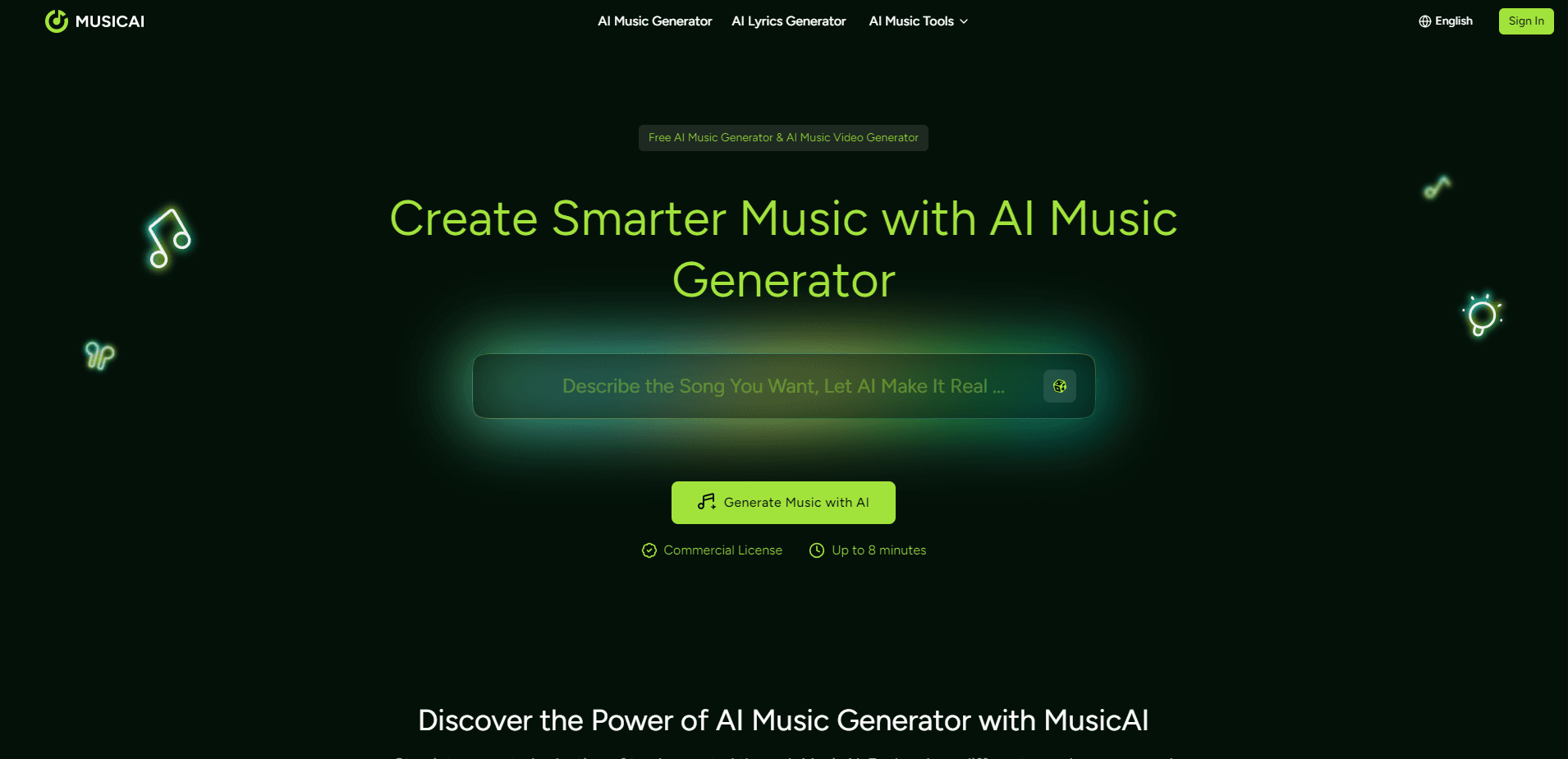
About MusicAI
What Is MusicAI
MusicAI is an online AI music generator built for people who have ideas for songs but no studio, instruments, or production skills. You describe what you want. The model produces a finished track with vocals, melody, and arrangement in seconds, and you never have to touch a single mixing knob unless the mood strikes you.
The platform leans on simplicity. There's no timeline to learn. No plugins to configure. No separate mixing step unless you want one. You type a prompt like "upbeat tropical house for a travel vlog" and get back something you can drop straight into a project.
The biggest limitation is control at the fine level. AI generation is fast but not surgical, so if you need to nudge a single note or match a very specific mix, the results can feel like a starting point rather than a final cut. MusicAI handles that gap with its own edit tools, but it won't replace a full digital audio workstation for serious post-production.
Getting Started
- Sign up with an email address on the MusicAI website, or start on the free plan without paying.
- Pick a mode: generate from a text prompt, paste your own lyrics, or upload an image as a style reference.
- Describe the mood, genre, and length you want, then hit generate and wait a few seconds.
- Preview the track, remix the style if it misses, or open the vocal remover and stem splitter to tweak parts.
- Download the song and use it under the included royalty-free commercial license.
Product Information
A quick look at MusicAI's pricing, supported platforms, and performance.
Best for
The users, tasks, and scenarios where this tool fits best.
Users
- YouTubers and vloggers
- Podcasters
- Indie game developers
- Songwriters without production gear
Tasks
- Text to music
- Lyric-driven songs
- Vocal removal and stem splitting
- Music video creation
Scenarios
- A client project needs a 30-second jingle by tomorrow and there's no budget for a composer
- You're building a personal album but don't play any instruments
- A short film needs a cinematic score that shifts mood across scenes
- A gym or retail playlist needs an endless supply of fresh, license-free background music
Key features
Text to Music Generation
You write what you want to hear, and MusicAI builds the track. A line like "gentle piano with soft rain for sleep" is enough to get a usable result. The model adapts to the tone, style, and story you describe. This is the fastest entry point for anyone who has never touched a music tool before.
Lyrics to Song
If you already have words, you can feed them in and let MusicAI handle the melody, rhythm, and arrangement. It suits songwriters who write verses but can't sing or produce. Your original text stays intact, so every generation doesn't end up sounding like a template.
AI Music Video Maker
MusicAI pairs audio with visuals through a dedicated AI music video tool. You can build a watchable clip for a track without hiring an editor or licensing stock footage, which matters for social posts and quick promotional content.
Vocal Remover and Stem Splitter
Two editing tools sit alongside the generator. The vocal remover strips vocals from a song so you can use the instrumental, while the stem splitter separates a track into individual parts. Both are useful when you want to remix something or isolate a piece to study.
Lyrics Studio
The lyrics generator writes verse and chorus text from a theme or prompt. It's handy when you have a melody idea but no words. It also works as a starting draft to edit, so you're not staring at a blank page.
Music Mastering and MIDI Tools
The platform includes mastering, a MIDI editor, and audio-to-MIDI conversion. These bridge the gap between a rough AI output and something that sits at a consistent volume and can be edited in a real production workflow.
Royalty-Free Commercial License
Every track is 100% royalty-free music, and the license is included even on the free plan. You own the rights to your output. You can publish, monetize, and distribute it, while MusicAI keeps ownership of the underlying models rather than your songs.
Pros and cons
Pros
- Free plan with a commercial license included, so you can test the output quality before paying
- No downloads or plugins: everything runs in the browser
- Bundled edit tools (vocal remover, stem splitter, mastering) reduce the need for extra software
- Tracks come out royalty-free with usage rights that allow monetization
- Generation is fast enough to iterate on several ideas in one sitting
Cons
- Fine-grained control is limited, so matching an exact mix or a single note usually means exporting and finishing elsewhere
- The free tier allows only 15 generations a year, which runs out quickly if you're experimenting
- Refunds are generally not available once you've generated content, so a paid upgrade is a commitment
- There's no public API, so teams wanting to build MusicAI into their own apps can't automate it
Frequently asked questions
MusicAI generates original songs from text prompts, lyrics, or images, then lets you edit and download them. People use it for video soundtracks, podcast intros, game music, and personal projects where hiring a composer isn't practical.
Related content
Explore related tools, skills, and articles for MusicAI.
MusicAI Alternatives

Foley
Hanamori Labs, LLC · Voice & Language · Productivity · AI AssistantFoley is a voice to-do list that turns a spoken sentence into a filed task, complete with project, date and time, then helps you plan the day around what is already there.

HireKey
HireKey · Voice & Language · Productivity · LeaningHireKey is an AI job search copilot built by a former tech recruiter. It checks role fit, tailors resumes, runs interview practice and tracks every application.

Fluence
Yay Software (Yannick Huchard) · Writing · Voice & Language · ProductivityFluence is an Android app that reads PDFs, EPUBs, Word files and web articles aloud, follows each sentence as it speaks, and answers questions about the text on the phone itself.