

MusicAI
AIMusic · Writing · Voice & Language · Video
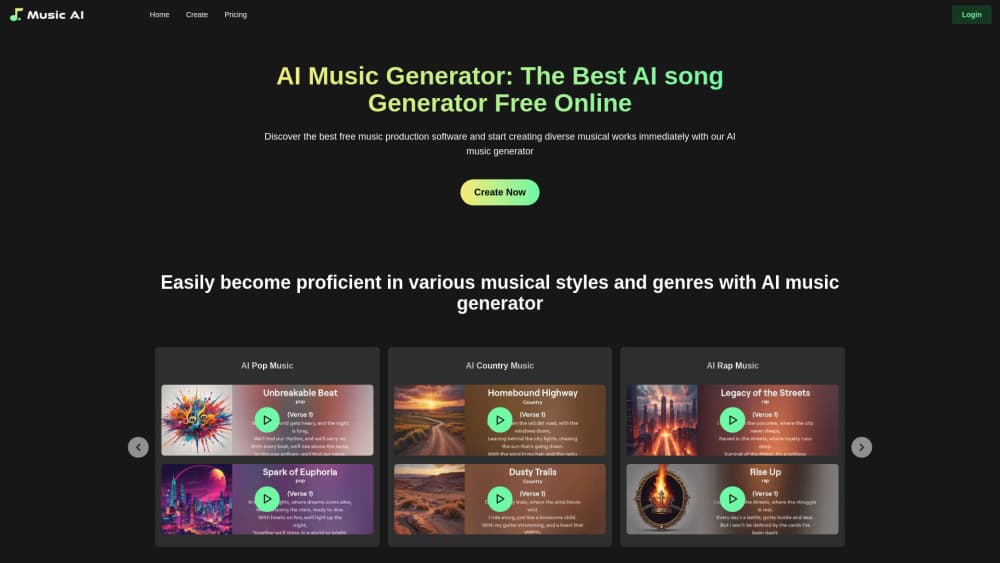
MusicAI is a browser based AI music generator that turns text prompts, images, lyrics or audio samples into full songs with vocals, and adds lyric writing and music video tools.
About MusicAI
What Is MusicAI
MusicAI is an online studio for people who want a finished song without booking a studio. You describe a mood, a genre or a scene, and the service returns a track with instruments and vocals in a couple of minutes. The site reports more than one million users, most of them amateurs, video creators and small production teams.
The core problem it solves is the cost of a first draft. A custom track for a video used to mean a licensing fee or a composer's invoice. With MusicAI, that draft costs a few tokens and can be regenerated until the direction feels right. Users keep the rights to songs they generate, according to the site, which is the main reason creators pick it over stock libraries.
The limits matter too. Output quality depends heavily on how well you describe the song, and the free tier runs on 100 tokens with ordinary generation speed, so testing many ideas burns through the allowance fast. The custom voice and storage features sit behind the paid plans.
Getting Started
- Create an account on the MusicAI website with an email address. New users receive 150 tokens as a welcome bonus.
- Describe the song you want. Add a theme, a genre such as pop, rock or country, the instruments you hear in your head, and the mood.
- Press generate and listen to the result. If the direction is wrong, rewrite the description and run it again.
- Switch to Custom Mode when you need control over lyrics, song structure, tempo and instrument mix, or start with the AI lyrics generator and feed that text into the song builder.
- Download the track, or send it to the music video tool to build a clip for social platforms.
Product Information
A quick look at MusicAI's pricing, supported platforms, and performance.
Best for
The users, tasks, and scenarios where this tool fits best.
Users
- Video creators
- Independent musicians
- Podcast producers
- Beginners with no music training
Tasks
- Writing a full song from a text idea
- Turning lyrics into a finished arrangement
- Creating a soundtrack from an image
- Producing a simple music video
Scenarios
- Daily content production for social accounts
- Early concept work for a film or game pitch
- Testing a genre before committing
Key features
Text to Music Generation
You type a description of the song and the model returns a complete track with instruments and vocals. Adding genre, tempo and instrument names sharpens the result more than a vague mood word does. This is the entry point most users start with, and the reason the service is often filed as an AI song maker.
Image to Music
Upload a picture and MusicAI reads its atmosphere, then writes music that fits. Scenery shots, product photos and mood boards all work. It suits creators who think visually and struggle to describe a sound in words.
Lyrics and AI Lyrics Generator
The built in writer expands a short idea into verses and a chorus, or polishes lines you already have. You can edit the text before generating, which keeps the song closer to your own voice. The output then feeds straight into the song builder.
Sample and Reference Upload
You can upload an audio sample and let the model build around it, which helps when you want a specific rhythm or texture. The paid plans raise the upload ceiling from 25 MB to 150 MB.
Custom Mode Controls
Custom Mode exposes lyrics, song type, atmosphere, rhythm and instrument choices in one panel. It is the difference between a lucky result and a repeatable one, especially for series work where every episode needs the same feel.
AI Music Video Generator
Finished songs can be turned into a clip through a text or image driven workflow. The result fits short form social posts rather than broadcast production. It saves the step of exporting audio into a separate editor.
Custom Voices and Cloud Library
Paid plans let you set up a custom voice model, three to seven per account, with permanent storage of your work and unlimited downloads. The free tier keeps songs for 90 days and limits downloads, so long term projects need a subscription.
Pros and cons
Pros
- Four input routes cover text, images, lyrics and audio samples, so you are not locked into one way of starting a song.
- Songs come back in minutes, which makes iteration on a hook or a mood cheap.
- The site states that users keep the rights to generated songs and can use them commercially.
- Custom Mode gives enough control over structure and instruments to keep a series consistent.
- Lyric writing and video generation sit in the same workspace, which removes two separate tools from the workflow.
Cons
- Free tier runs on 100 tokens with ordinary speed, so a serious test session needs the Basic plan at $13 to $15 per month.
- Quality tracks the prompt. Vague descriptions return generic results, and you have to learn the vocabulary before output improves.
- No public API is documented, which blocks teams that want to automate generation inside their own pipeline.
- Generated vocals still sound synthetic on complex material, so professional releases usually need a human singer or heavy editing.
Frequently asked questions
MusicAI creates songs and instrumental tracks from a text description, an image, your lyrics or an uploaded audio sample. It also writes lyrics and turns finished songs into short music videos.
Related content
Explore related tools, skills, and articles for MusicAI.
MusicAI Alternatives

Google EmbeddingGemma 2
Google DeepMind · Writing · Image · CodingGoogle EmbeddingGemma 2 is a 740M-parameter open model that turns text, code, images, audio, and video frames into vectors in one 768-dimension space, running on phones and laptops.

MePersona
MePersona, Inc. · Writing · Productivity · MarketingMePersona is an AI unified inbox for creators. It learns your voice, drafts replies to fan messages from 12 platforms, and sends only what you approve.

Fluence
Yay Software (Yannick Huchard) · Writing · Voice & Language · ProductivityFluence is an Android app that reads PDFs, EPUBs, Word files and web articles aloud, follows each sentence as it speaks, and answers questions about the text on the phone itself.