

Max Music AI: AI Music Maker
Flaqlabs · Writing · Voice & Language
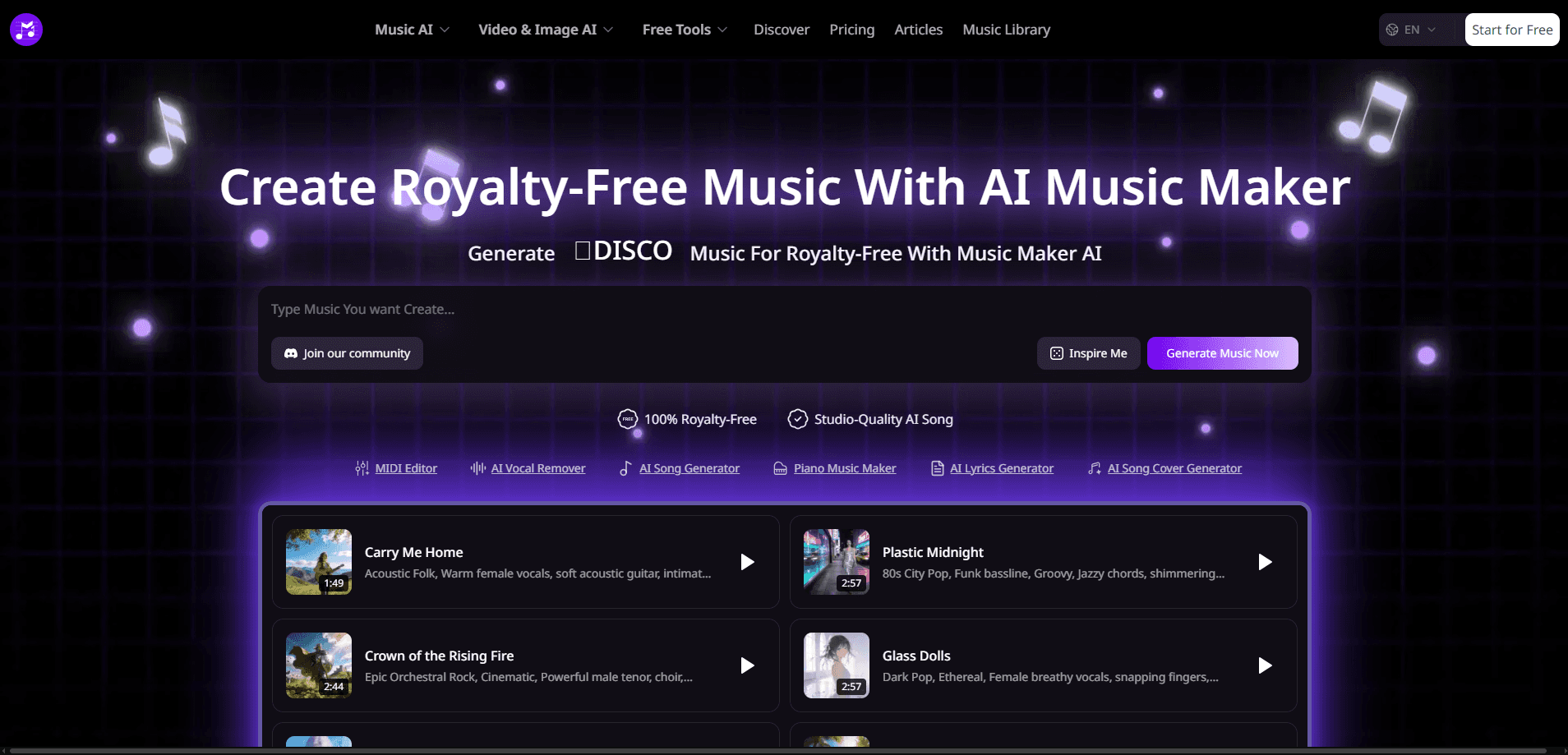
Max Music AI: AI Music Maker is a browser and mobile studio that turns short prompts, your own lyrics, an image, or a hummed melody into a finished song. It gathers several leading music models into one account, so you switch between them instead of paying for a stack of separate subscriptions. Every track lands as an MP3 or WAV file with a commercial license attached, which is what most creators actually need when they want original background music without a studio. No composer, no licensing headache.
About Max Music AI: AI Music Maker
What Is Max Music AI: AI Music Maker
Max Music AI: AI Music Maker is a web platform, plus an Android app, for people who need original music but can't play an instrument or afford studio time. You type what you want, paste in lyrics you already wrote, drop in a photo for inspiration, or hum a tune. The tool returns a full track with vocals and instruments mixed down. It also bundles the editing jobs that usually sit in separate apps: splitting vocals from a backing track, turning audio into editable MIDI, and building a matching music video.
The pitch that matters most is money and licensing. Instead of juggling a lyric writer, a vocal remover, and a song generator from three different companies, you pay once and get all of them. That's the real selling point. Downloads come with a commercial license, so a video editor, podcaster, or indie game developer can use the tracks in paid work without chasing permission.
The catch is credits. Generation runs on a credit system, and the free tier caps what you can make and how long your history sticks around. Heavy users will pick a paid plan fast. It's also worth knowing that these models imitate generic styles well but won't sound like a specific famous artist on demand. And the audio quality for a lead vocal still won't fool a trained ear in every genre. Fine for a background bed. Riskier for a lead single.
Getting Started
- Open musicmaker.im in a browser, or install the Android app from Google Play, and sign up with an email or social login.
- Pick a starting point: a text prompt, your own lyrics, an uploaded image, or a short recording you hum.
- Choose a model and describe the style, mood, tempo, and instrumentation you want, then hit generate.
- Preview the result, and if the vocals or arrangement need work, extend the track or run vocal separation before you export.
- Download the finished song as MP3 or WAV and keep the commercial license details with your project files.
Product Information
A quick look at Max Music AI: AI Music Maker's pricing, supported platforms, and performance.
Best for
The users, tasks, and scenarios where this tool fits best.
Users
- Video creators and YouTubers
- Podcasters and streamers
- Indie game and app developers
- Songwriters without production skills
Tasks
- Generating royalty-free background music
- Writing and setting lyrics
- Removing vocals from existing audio
- Building a full visual package
Scenarios
- Finishing a client video the night before a deadline
- Sketching ideas on a commute
- Scoring a small game jam project
Key features
Text-to-Music Generation
Type a short description and the AI song generator builds a complete track, vocals included. You can also paste your own lyrics and let the model set them to music. No instrument needed. It's the fastest path from a rough idea to something you can actually listen to.
Image-to-Music Generation
Upload a photo and the tool reads its mood and palette to suggest a matching soundtrack. This is a genuinely different entry point from typing prompts, and it helps when you can picture the vibe but can't put it into words. Think album art that sings back.
AI Lyrics Generator
The AI lyrics generator offers frameworks, rhyme suggestions, and lines to build on. It's aimed at breaking a blank-page stall rather than replacing a songwriter, and the output feeds straight into song generation on the same account. Good for a first draft.
AI Vocal Separation and Remover
Separate a finished song into vocals and backing track, or strip the vocals out entirely. Karaoke tracks, practice stems, and remix material all come from the same tool, which saves a separate subscription. One job, one site.
Music Video and Cover Generator
Turn a track into a music video, or generate album artwork and posters to match. Creators who publish on social platforms get audio and visuals from one place, which cuts a real step off the workflow.
Music Extension and MIDI Tools
Extend a track past its first pass, or convert audio into editable MIDI notes in the browser's MIDI editor. That's a bridge for anyone who wants to take AI output into a DAW and keep working on it manually. So is the result good enough to build on? For most loops, yes.
Multiple Models in One Account
The studio routes your request to different leading music models instead of locking you to one. Switching models to compare results is the practical reason the platform costs less than subscribing to each model separately. Try the same prompt twice. The results differ enough to matter.
Pros and cons
Pros
- Bundles generation, lyrics, vocal separation, and video into a single subscription, cutting the number of tools you pay for.
- Every download ships with a commercial license in MP3 or WAV, which removes the copyright worry that stops many creators from using AI music.
- A real free tier (60 starting credits plus 20 a day from check-in) lets you test output quality before paying.
- Works on both web and Android, so you can start on a phone and finish on a desktop.
- Image-to-music and MIDI export give non-musicians and tinkerers entry points that plain prompt-to-song tools skip.
Cons
- Credits, not unlimited generation, govern output, so anyone publishing daily will burn through a plan fast.
- Free users only keep a 15-day history and run one job at a time, which slows any real project down.
- Vocals imitate broad styles well but won't convincingly clone a specific artist, so don't count on it for that.
- API access isn't documented publicly, so teams wanting to build the generator into their own product should confirm before committing.
Frequently asked questions
It's an AI music maker that turns a text prompt, your lyrics, an image, or a hummed tune into a full song with vocals and instruments. The same account also handles lyrics writing, vocal separation, and even a matching music video.
Related content
Explore related tools, skills, and articles for Max Music AI: AI Music Maker.
Max Music AI: AI Music Maker Alternatives

Google EmbeddingGemma 2
Google DeepMind · Writing · Image · CodingGoogle EmbeddingGemma 2 is a 740M-parameter open model that turns text, code, images, audio, and video frames into vectors in one 768-dimension space, running on phones and laptops.

MePersona
MePersona, Inc. · Writing · Productivity · MarketingMePersona is an AI unified inbox for creators. It learns your voice, drafts replies to fan messages from 12 platforms, and sends only what you approve.

Fluence
Yay Software (Yannick Huchard) · Writing · Voice & Language · ProductivityFluence is an Android app that reads PDFs, EPUBs, Word files and web articles aloud, follows each sentence as it speaks, and answers questions about the text on the phone itself.