

aiMusician
Ai Musician · Voice & Language
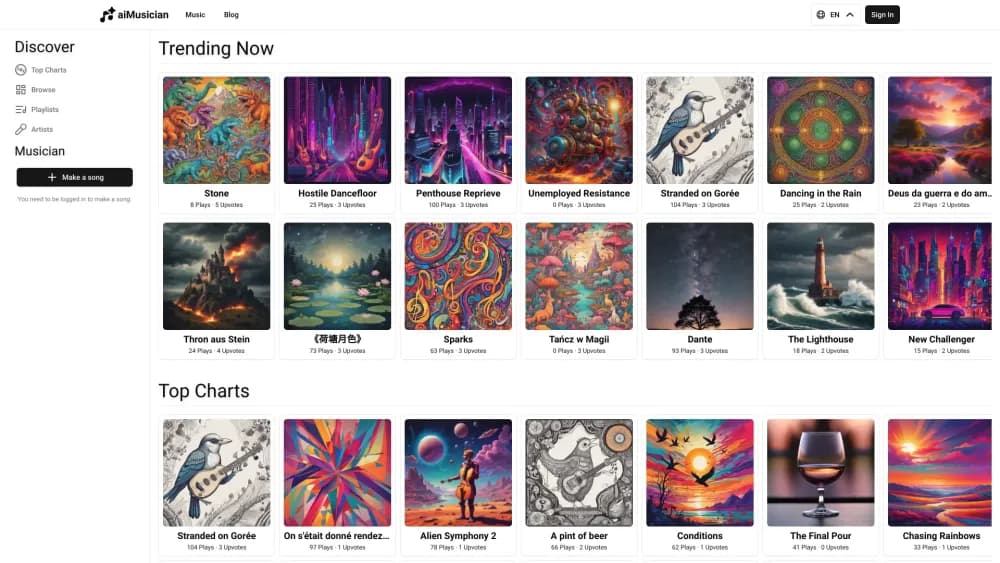
aiMusician is a browser-based AI music studio that turns text, images, or audio into full songs, then removes vocals, splits stems, writes lyrics, and designs album covers.
About aiMusician
What Is aiMusician
aiMusician is an online studio for people who want a finished track without learning a DAW. Type a description, pick a mood or genre, and the platform returns a song with vocals or an instrumental. The same account covers the cleanup work too: pulling vocals out of a recording, splitting a track into stems, writing lyrics, and generating cover art.
The generator writes arrangements up to five minutes on paid plans and one minute on the free tier. Finished songs built on Suno V6 can be extended from a chosen point or reworked section by section, according to the docs. That's the part songwriters tend to care about. You keep a chorus you like and rebuild the verse around it instead of spending credits on another full generation.
Credits drive aiMusician pricing. One text to music request costs 12 credits, so the $9 pack of 600 credits buys about 50 songs. Packs stay valid for a year, monthly plans refill on each billing date, and annual billing lowers the monthly rate. A free tier exists with daily limits, one-minute songs, and personal-use rights only.
Two gaps matter before you spend. Everything runs in a browser, and there's no public API, so you can't batch a catalog from a script or plug the generator into another app. Editing stops at prompts and a separate MIDI Studio. There's no multitrack timeline for trimming, fading, or mixing by hand.
Getting Started
- Sign up at aimusician.ai with an email address or a Google account.
- Open Music Generator from the tools menu and choose full song, instrumental, or vocals.
- Describe the track in the prompt: genre, mood, instruments, tempo, and a BPM if you have one in mind.
- Generate and listen. If the arrangement is close, use Extend or Rework a section instead of starting over.
- Download as MP3, WAV, or FLAC. The credit cost appears before you submit the task.
Product Information
A quick look at aiMusician's pricing, supported platforms, and performance.
Best for
The users, tasks, and scenarios where this tool fits best.
Users
- YouTube and TikTok creators
- First-time songwriters
- Indie artists on a tight budget
- Producers who need parts, not whole songs
Tasks
- Scoring a video series
- Building karaoke and practice tracks
- Turning a hummed melody into a demo
- Preparing a release package
Scenarios
- A weekly upload schedule
- Pre-production before a studio day
- A game jam or short film deadline
Key features
Text to music with prompt control
The core AI music generator takes a written description and returns a structured song: intro, verses, chorus, outro. You can ask for a genre, name instruments, set a rough tempo or a specific BPM, and switch between instrumental and vocal output. A request costs 12 credits, and paid plans allow tracks up to five minutes.
Extend and rework a finished song
Completed tracks built on Suno V6 can be stretched past their original ending or rebuilt in place. Extend picks a continuation point in seconds, then lets you review the new title, style, and optional lyrics. Rework targets a section of at least 10 seconds and no more than half the song, and both actions save a new version while the original stays untouched.
Audio to music from a reference clip
This mode takes an uploaded melody, hummed idea, or rough demo and builds a new arrangement around it. Inputs can be MP3, WAV, M4A, OGG, AAC, or FLAC up to 50MB, and processing usually lands around two to three minutes. The output is a new track inspired by the clip, not a cleaned-up copy of it.
Image to music
Upload a photo and the model reads color, brightness, composition, and subject, then turns those cues into a score. Warm colors lean major, dark frames pull toward minor keys and slower tempos, and busy scenes get denser arrangements. JPEG, PNG, WebP, and GIF work, with a 10MB cap and a 256x256 minimum.
Vocal remover with two outputs
The vocal remover splits a song into an instrumental and an isolated vocal track. Quality settings run from a fast standard pass to a high setting that reduces bleed on difficult mixes. Files can be up to 50MB and 10 minutes long, and downloads come back in MP3, WAV, or FLAC.
Stem splitter in 2, 4, or 6 parts
The stem splitter goes further than vocal removal. Two-stem mode gives vocals and accompaniment, four-stem mode adds drums and bass, and six-stem mode separates backing vocals and piano or keys as well. The stems stay phase coherent, so you can recombine them without timing drift.
Lyrics generator and album cover generator
The AI lyrics generator builds verse, chorus, pre-chorus, bridge, and outro sections from a theme, mood, and genre, with control over rhyme scheme and length. Lyrics can be written in English, Spanish, French, Japanese, Chinese, and other languages. The album cover generator produces artwork at up to 4000x4000 pixels in PNG or JPEG, with style presets that range from minimal to 3D render.
Pros and cons
Pros
- Credit packs never expire inside a year, so a $9 purchase works as a trial rather than a subscription commitment.
- Twelve credits per song means the entry pack covers about 50 tracks, which is a low price for testing a style.
- Six tools share one account, and finished songs can be sent to the stem splitter or vocal remover without downloading and re-uploading the audio.
- Paid plans carry a perpetual commercial license, and you keep rights to tracks made during the subscription even after it ends.
- The free tier is real: you can generate, preview, and download before adding a card.
Cons
- Free output is capped at one minute, limited per day, and licensed for personal use only, so it can't carry a monetized channel.
- Only the 12-credit text to music rate is published. Other tools quote their cost at submit time, which makes budget planning guesswork.
- There's no native app. The site works on a phone browser, but the docs list mobile apps as still in development.
- No public API and no documented integrations, so teams that need automated or bulk generation have to look elsewhere.
Frequently asked questions
Yes, there's a free tier with no card required. It caps songs at one minute, applies daily limits on some tools, and licenses output for personal use only. Paid packs start at $9 and unlock five-minute songs plus commercial rights.
Related content
Explore related tools, skills, and articles for aiMusician.
aiMusician Alternatives

Foley
Hanamori Labs, LLC · Voice & Language · Productivity · AI AssistantFoley is a voice to-do list that turns a spoken sentence into a filed task, complete with project, date and time, then helps you plan the day around what is already there.

HireKey
HireKey · Voice & Language · Productivity · LeaningHireKey is an AI job search copilot built by a former tech recruiter. It checks role fit, tailors resumes, runs interview practice and tracks every application.

Fluence
Yay Software (Yannick Huchard) · Writing · Voice & Language · ProductivityFluence is an Android app that reads PDFs, EPUBs, Word files and web articles aloud, follows each sentence as it speaks, and answers questions about the text on the phone itself.