

Smallpdf: Scanner & PDF Editor
Smallpdf AG · Writing · Productivity
Smallpdf's AI PDF Assistant reads, summarizes, and answers questions about your documents right in the browser, no sign-up needed.
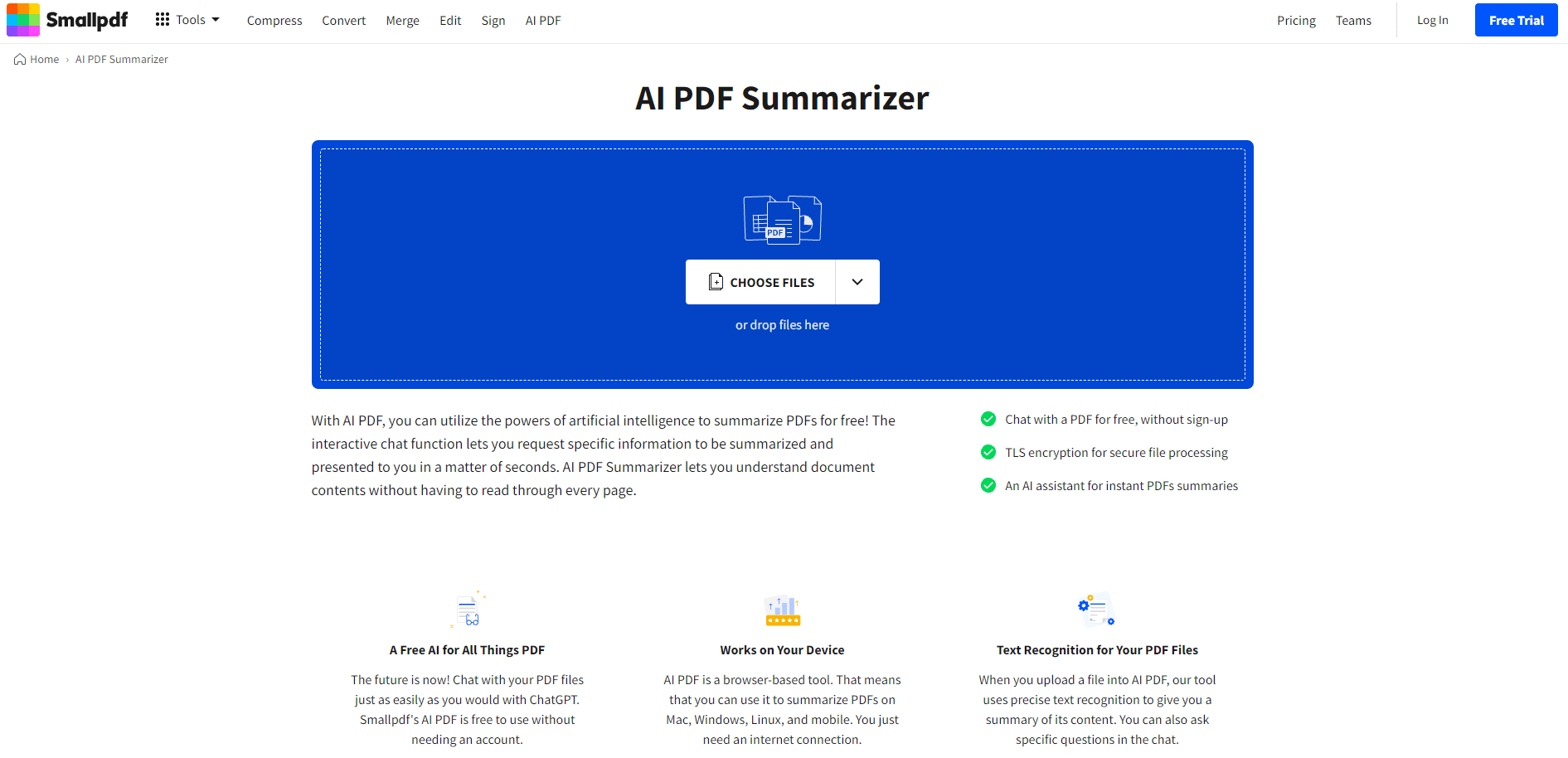
About Smallpdf: Scanner & PDF Editor
What Is Smallpdf: Scanner & PDF Editor
Smallpdf is a browser-based PDF toolkit that handles the everyday jobs people hate doing by hand: compressing, merging, converting, editing, signing, and now reading long documents for you, all from the same place where your file already sits. The AI PDF Assistant is the newest piece of that toolkit. Upload a PDF and it summarizes the content, answers questions about it, generates quiz questions, or translates it, all without installing software or creating an account.
The pitch is simple. As a PDF summarizer, it turns a 60-page contract, report, or textbook chapter into the gist in seconds. The assistant pulls answers straight from the document, and you can jump back to the passages it used when you want the full context. That matters if you're prepping for a meeting or cramming before an exam and don't have time to read every single page of a document that runs long, because the alternative is skimming and hoping you didn't miss the one line that mattered.
It isn't magic. It has limits worth knowing. The tool works on the text inside your PDF, so a scanned image with no selectable text needs OCR first. Free use comes with daily task limits, and heavier needs push you toward a paid plan. Files sit on Smallpdf's servers only until processing wraps, so it's fine for most documents but not a reason to skip your company's own data rules.
Getting Started
- Open the AI PDF Assistant in your browser and drag your PDF into the upload area.
- Pick a suggested action, like Summarize or Translate, or type your request in plain language.
- Wait while the assistant reads the file and returns an answer or completes the task.
- Keep the conversation going, or choose another suggested action to handle the next job on the same document.
- Download the result or move on to another PDF tool without starting over.
Product Information
A quick look at Smallpdf: Scanner & PDF Editor's pricing, supported platforms, and performance.
Best for
The users, tasks, and scenarios where this tool fits best.
Users
- Students
- Office workers and analysts
- Researchers and writers
Tasks
- Summarizing long documents
- Chat with PDF
- Asking questions about a PDF
- Translating PDF content
- Generating study questions
Scenarios
- Last-minute meeting prep
- Exam revision
- Reading across languages
Key features
Summarize PDFs in Seconds
Drop in a long document and get a concise overview instead of reading every page. The assistant pulls the main points, and you can ask for a bullet list or the short version depending on how much you need. It's fast. It's also the quickest way to decide whether a document is worth a full read, which is usually the real question when a file lands in your inbox.
Chat With Your Document
This is the chat with PDF mode. You can ask questions about a PDF, whether it's a contract, report, or eBook, and get answers grounded in the file. When you want more context, you can review the passages the assistant used, so you're not just trusting a black box. That separates an AI PDF reader from a plain viewer. Big difference.
One-Click Question Generation
Turn a report or study material into quiz questions and answers automatically. Students use it to self-test. Professionals use it to prep for a meeting. It's a small feature. It still saves real time when you're revising.
Translate Without Leaving the PDF
Request a translation of the document or a shorter translated summary without switching to another app or copying text out. Handy when the source material isn't in your first language but you still need the substance. No extra app required.
Works in the Browser, No Install
Everything runs in your browser, so there's nothing to download and no account needed to start. Smallpdf encrypts files with TLS during upload and download and deletes them from its servers when processing ends, a privacy setup worth noting if you regularly move files that belong to clients, students, or colleagues. It's ISO/IEC 27001 certified and GDPR compliant, which matters if you routinely handle documents that carry other people's personal data.
Part of a Bigger PDF Toolkit
The AI Assistant sits alongside Smallpdf's compress, merge, convert, edit, and sign tools, plus iOS and Android apps, so one odd job rarely sends you hunting for a different site and you can chain tasks on the same file. That means one odd job rarely sends you hunting for a different site, and you can chain tasks on the same file without losing your place.
Pros and cons
Pros
- Starts free and runs in the browser. That means no sign-up and no install.
- Summarize, chat, translate, and quiz generation cover the common reasons people open a PDF tool.
- Answers link back to the source passages, so you can check the document yourself.
- TLS encryption, ISO/IEC 27001 certification, and automatic file deletion back up the privacy claims.
- Pairs with Smallpdf's other tools and mobile apps, so PDF tasks stay in one place.
Cons
- Free use has daily task limits, so anyone processing documents all day will hit the paywall.
- Scanned PDFs with no selectable text need OCR before the assistant can read them.
- No public API, which rules it out if you wanted to wire summaries into your own workflow.
Frequently asked questions
It's an AI PDF assistant and summarizer that runs in your browser. It reads your PDF and helps you work with it: summarizing content, answering questions, generating quiz questions, and translating text. Upload a file, tell it what you need, and it responds without any software install.
Related content
Explore related tools, skills, and articles for Smallpdf: Scanner & PDF Editor.
Smallpdf: Scanner & PDF Editor Alternatives

Google EmbeddingGemma 2
Google DeepMind · Writing · Image · CodingGoogle EmbeddingGemma 2 is a 740M-parameter open model that turns text, code, images, audio, and video frames into vectors in one 768-dimension space, running on phones and laptops.

MePersona
MePersona, Inc. · Writing · Productivity · MarketingMePersona is an AI unified inbox for creators. It learns your voice, drafts replies to fan messages from 12 platforms, and sends only what you approve.

Fluence
Yay Software (Yannick Huchard) · Writing · Voice & Language · ProductivityFluence is an Android app that reads PDFs, EPUBs, Word files and web articles aloud, follows each sentence as it speaks, and answers questions about the text on the phone itself.