

AI Reply Generator - social24
Social 24 LTD · Marketing
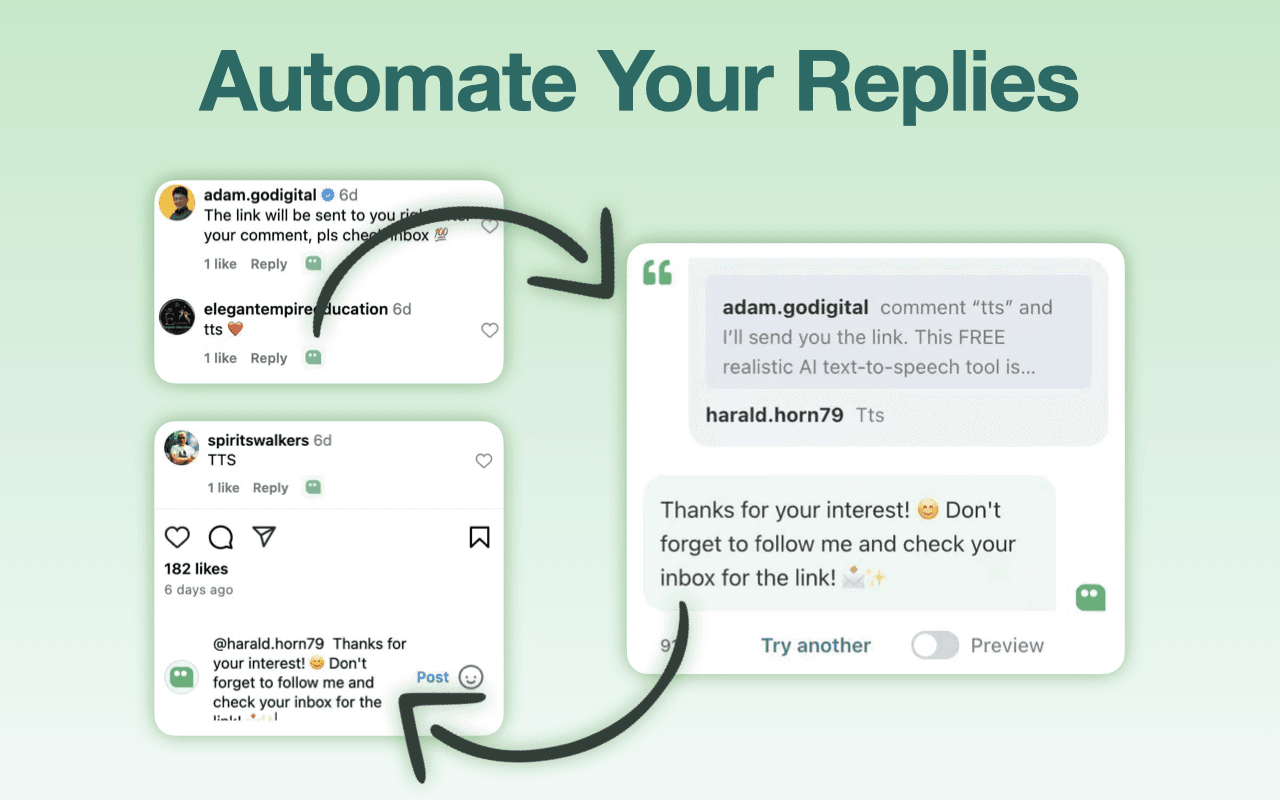
AI Reply Generator - Social24 is a free Chrome extension that drafts personalized replies for Instagram, Facebook, TikTok, YouTube, and LinkedIn, using custom prompt templates you write.
About AI Reply Generator - social24
What Is AI Reply Generator - Social24
AI Reply Generator - Social24 is a free social media reply generator built by Social 24 LTD, a UK company behind creator tools like NanoInfluencer and Social24 CRM. The Chrome extension sits next to comment boxes on major social platforms and generates a reply you can send in one click. The pitch is simple: if you run giveaways or post as a creator, the comments pile up and answering each one by hand eats your day.
Instead of writing every reply from scratch, you set up prompt templates once and reuse them. Each template can pull in details from the comment you are answering, so replies read as personal and stay on brand even when you are sending the same kind of message dozens of times. That is the difference between a generic auto-reply and one that names the person and touches on what they actually said.
Two limits are worth knowing up front. The extension only drafts text, so you still review and send each reply yourself. And the developer states it handles personally identifiable information, user activity, and website content, so it collects data as you use it. If you handle sensitive accounts, read the privacy policy before installing.
Getting Started
- Install the extension from the Chrome Web Store by opening its listing and clicking Add to Chrome.
- Open a supported platform such as Instagram or YouTube and find a comment you want to answer, then click the extension icon next to the comment box.
- Pick a prompt template, or create your own with variables like
{{CommenterName}}and{{TopicContent}}, so the reply pulls in the commenter's name and the post topic. - Generate the reply, which fills into the comment field ready to send.
- Read the draft, adjust anything that sounds off, and post it.
Product Information
A quick look at AI Reply Generator - social24's pricing, supported platforms, and performance.
Best for
The users, tasks, and scenarios where this tool fits best.
Users
- Creators running giveaways
- Social media managers
- Small business owners
Tasks
- Replying to giveaway entries
- Answering fan comments
- Handling comments across platforms
Scenarios
- Clearing a backlog of comments after a post takes off and the notifications won't stop.
- Keeping a steady reply rhythm on a work computer, since the whole thing runs inside Chrome.
- Training a new team member on the brand voice, since shared templates show exactly how the account should sound.
Key features
One-click AI replies
Click the extension icon near a comment box, and it generates a reply you can send without leaving the page. The draft lands in the comment field already filled in, so the extra step between reading a comment and answering it disappears.
Custom prompt templates
You write your own templates and reuse them across posts. With variables such as {{CommenterName}} and {{TopicContent}}, a single template adapts to each commenter, which is what keeps a repeated reply from reading like a copy-paste.
Cross-platform support
This Instagram reply generator also works natively on Facebook, X (Twitter), YouTube, LinkedIn, and TikTok. You stay on the same tool no matter which platform you're answering on, so there is no switching between apps or copying text between tabs.
Reply on brand
Because you control the template, the tone stays yours. You decide how warm or formal a reply sounds, and every generated message follows that choice, which matters when the account speaks for a business rather than a person.
Runs inside Chrome
It is a browser extension, so there is nothing to install beyond Chrome itself and no separate app to keep open. That also means it only works on desktop Chrome, not on a phone.
Data disclosures for transparency
The developer discloses that the extension handles personally identifiable information, user activity, and website content, and states your data is not sold to third parties. Knowing this up front helps you decide whether to use it on accounts that carry sensitive conversations.
Pros and cons
Pros
- Free to install, with no subscription mentioned on the store listing.
- Templates with variables keep replies personal even when you send many a day.
- Works across six major platforms, so one tool covers most comment inboxes.
- One-click drafting cuts the typing between reading a comment and posting a reply.
Cons
- Chrome only, so the extension is off the table if you answer comments on a phone or another browser.
- No API is offered, which rules it out for teams that want replies generated from their own software.
- The developer collects personally identifiable information and user activity, so it's a poor fit for accounts with sensitive conversations.
- You still review and send every reply yourself, so it speeds up drafting rather than fully automating your comments.
Frequently asked questions
It is used to draft personalized replies to social media comments. You click the extension near a comment box, pick a prompt template, and it fills the reply in for you, ready to review and send.
Related content
Explore related tools, skills, and articles for AI Reply Generator - social24.
AI Reply Generator - social24 Alternatives

ngram 2.0
ngram · Video · Marketingngram 2.0 is an AI video generator for teams. It turns a prompt, a screen recording, or a product URL into a narrated explainer, product demo, or AI avatar video, and every scene stays editable.

shippedit.me
Krawlup · Marketing · Businessshippedit.me now redirects to Krawlup, a web platform that audits SEO, AEO and page speed every week, then hands the fixes to AI coding agents over MCP.

MePersona
MePersona, Inc. · Writing · Productivity · MarketingMePersona is an AI unified inbox for creators. It learns your voice, drafts replies to fan messages from 12 platforms, and sends only what you approve.