

AI Roast Generator
Unknown · Writing · Marketing · AI Assistant
AI Roast Generator is a free browser tool that turns your input into witty roasts and comebacks using AI. It leans on adjustable intensity styles, from mild burns to savage mode, so you can dial the tone before you share the result.
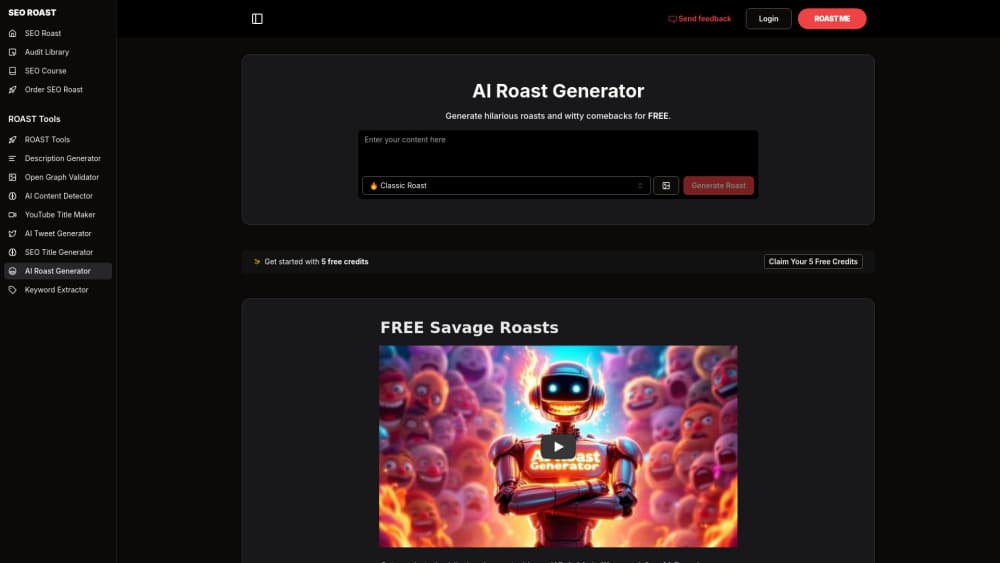
About AI Roast Generator
What Is AI Roast Generator
AI Roast Generator is a free web tool that generates comedic roasts and comebacks from whatever you type in. You describe a person, a habit, a photo caption, or a situation, and the tool writes a joke about it. It lives on the seoroast.co site, so you open it in a browser rather than installing anything.
The draw is tone control. The tool offers several roasting styles, and they cover a wide range from gentle, playful jabs to savage mode for thick-skinned crowds. You pick the intensity, feed it a prompt, and get a short block of roast lines you can copy and paste into a group chat or a caption. Most of the output reads as funny insults aimed at a specific detail rather than random name-calling.
The limits are worth setting out early. It's a web tool with no mobile app, the output quality tracks how specific your prompt is, and roasts can miss the mark because humor is subjective. It's built for entertainment, so it won't suit anyone looking for genuine criticism.
Getting Started
- Open the AI Roast Generator page in any browser on your phone or computer.
- Describe what you want roasted, such as a friend's outfit, a bio, or a habit, in the input box.
- Pick a roasting style and set the intensity, from light banter to savage mode.
- Generate the roast, review the lines, and copy the ones you like.
Product Information
A quick look at AI Roast Generator's pricing, supported platforms, and performance.
Best for
The users, tasks, and scenarios where this tool fits best.
Users
- Friend groups trading banter
- People who freeze up on comebacks
- Casual social media posters
Tasks
- Writing a roast for a friend's bio or outfit
- Crafting a comeback after the fact
- Testing how far a joke can go
- Filling time in a group chat
Scenarios
- A birthday roast session with friends
- Spicing up a group chat on a slow afternoon
- Drafting a roast caption for a photo post
Key features
Multiple Roasting Styles
The tool separates roasts into distinct styles instead of one default tone. A playful style lands soft, with affectionate jabs that suit friends and coworkers, while a harsher style pushes toward blunt crowd-work comedy. You choose the style before you generate, so the same prompt can come back in a warm tone or a cutting one. That range matters because the right intensity depends on who's reading: a group of close friends can take more heat than a mixed audience.
Intensity Control
Beyond style, the tool lets you set how hard the roast hits, from a light burn to savage mode. This is the feature that keeps the output usable in more than one setting, because you can start gentle and turn it up if the crowd is enjoying it. A mild setting produces teasing lines you could send to almost anyone, while savage mode goes for the jugular and works best when everyone is in on the joke. The tradeoff is that harsher output is easier to misfire, so it pays to read before you share.
Text Prompt Input
You drive the tool with a written prompt rather than a photo or a form. You describe the target in your own words, and specificity pays off: naming a habit, an outfit, or a phrase gives the model something concrete to work with. A vague prompt returns a vague joke, which is the most common way results disappoint. The upside of a text-only flow is speed, since you can type a prompt and get lines in one pass without uploading anything.
Instant Generated Lines
Each run returns a short block of roast lines rather than a single sentence, so you have options to choose from. That lets you skim, keep the strongest line, and discard the rest, which is how most people actually use it in a chat. The lines come back quickly because there's no file to process, and the copy-and-paste format makes them easy to move into a message. You can regenerate to get a different set when the first batch misses.
Free Browser Access
The tool runs in a browser with no login wall in front of the basic use, making it a free online roast maker you can open, use, and leave without setting anything up. There's no download and no mobile app, which keeps it light for someone who just wants a quick line. Because it's web-based, it behaves the same on a phone and a desktop, and you can use it in the moment when a roast idea strikes.
No Install Required
Nothing needs to be installed to use it, so there's no store listing, no permissions to grant, and no storage taken up on your device. That makes it easy to try once and forget if it's not for you. The flip side is that there's no offline mode and no dedicated app features such as notifications, so it stays a browser-only tool for quick, casual use.
Pros and cons
Pros
- Free to use in a browser, with no install or account needed to generate roasts.
- Several styles and intensity levels let you match the tone to the audience.
- Returns a batch of lines per run, so you can pick the strongest and skip the rest.
- Fast enough for live group chats, since there's no upload and prompts generate in one pass.
Cons
- Web only, so there's no mobile app or offline use.
- Output quality depends heavily on how specific your prompt is, and vague input gives vague jokes.
- Humor is subjective, and the harsher styles can misfire or read as mean.
- It's an entertainment tool, so it has no real use for feedback, writing, or serious critique.
Frequently asked questions
AI Roast Generator is used to write witty roasts and comebacks for entertainment. You describe a person, a habit, or a situation, and the tool drafts joke lines you can copy into a chat, a caption, or a spoken bit.
Related content
Explore related tools, skills, and articles for AI Roast Generator.
AI Roast Generator Alternatives

Google EmbeddingGemma 2
Google DeepMind · Writing · Image · CodingGoogle EmbeddingGemma 2 is a 740M-parameter open model that turns text, code, images, audio, and video frames into vectors in one 768-dimension space, running on phones and laptops.

MePersona
MePersona, Inc. · Writing · Productivity · MarketingMePersona is an AI unified inbox for creators. It learns your voice, drafts replies to fan messages from 12 platforms, and sends only what you approve.

Fluence
Yay Software (Yannick Huchard) · Writing · Voice & Language · ProductivityFluence is an Android app that reads PDFs, EPUBs, Word files and web articles aloud, follows each sentence as it speaks, and answers questions about the text on the phone itself.