

AI Safeguard
AI Safeguard · Other
AI Safeguard is an AI data protection platform that pairs a Chrome extension with an admin back end, masking sensitive data in your prompts before they reach AI tools like ChatGPT and Claude.
About AI Safeguard
What Is AI Safeguard
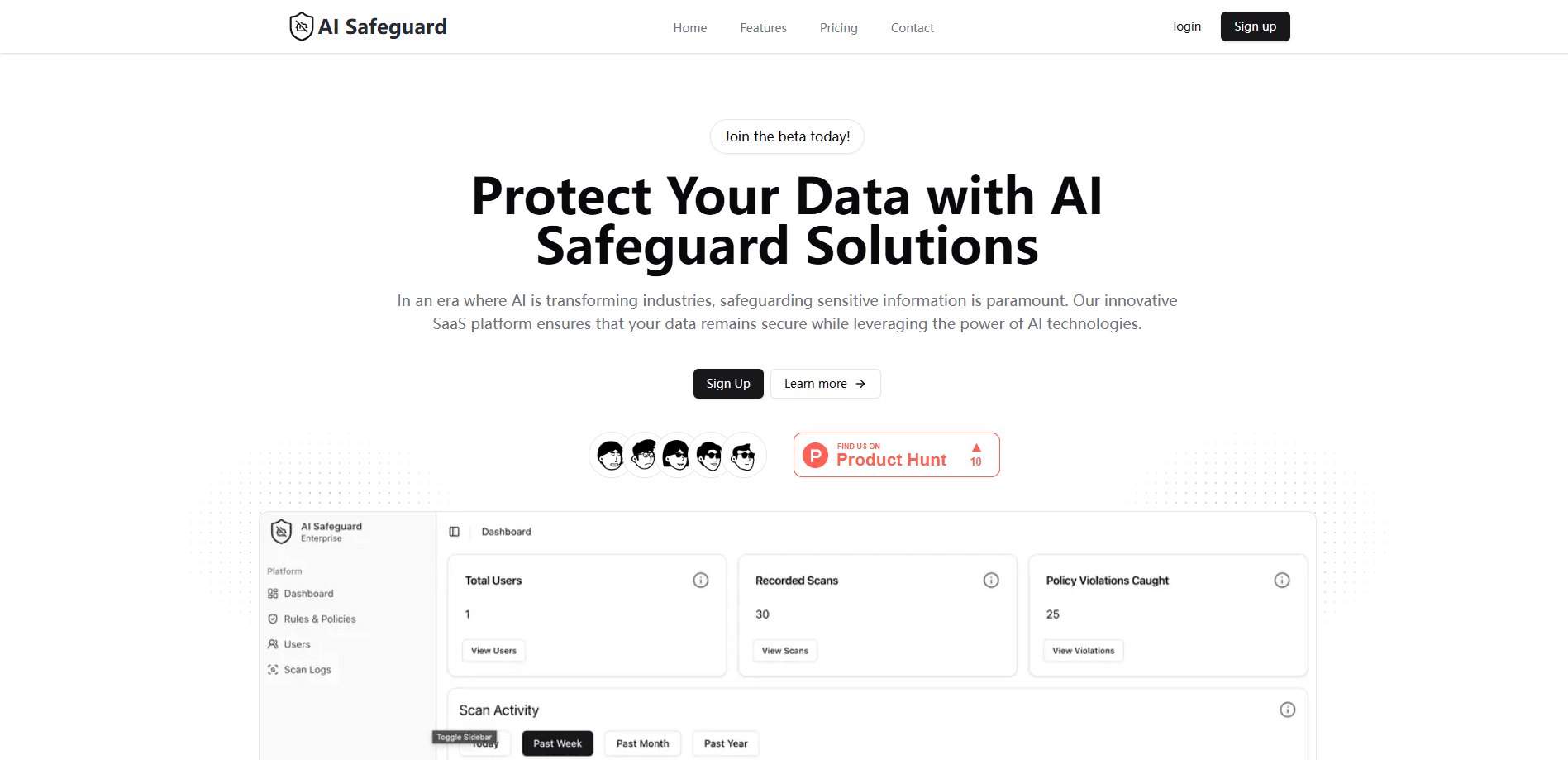
AI Safeguard is a SaaS platform built to stop sensitive information from leaking into AI tools. It works through two pieces that talk to each other: a Chrome extension that watches what users type into AI chat boxes, and an admin back end where security teams set the rules.
The problem it goes after is shadow AI protection, the quiet spread of AI tools across a company without anyone approving them. Workers paste contract details, customer records, or API keys into a chatbot to save a few minutes, and the data leaves the network. AI Safeguard sits in the browser, catches that data before it's submitted, and masks it.
The platform is still in beta, so treat it as an early tool. Its scope is browser-based AI use, so a desktop app, a personal phone, or a direct API call won't pass through the extension. As an AI DLP tool, it suits teams that want a lightweight guard rail now, not a full enterprise compliance suite.
Getting Started
- Request access through the AI Safeguard site and set up your organisation account.
- Install the Chrome extension on the machines of people who use AI tools at work.
- Open the admin back end and define which data counts as sensitive, from customer records to credentials, so the rules match your policy.
- Point the extension at the AI tools your team uses and let it scan and mask prompt text before submission.
- Watch the dashboard logs for policy violations and adjust the rules as you learn what people actually send.
Product Information
A quick look at AI Safeguard's pricing, supported platforms, and performance.
Best for
The users, tasks, and scenarios where this tool fits best.
Users
- Security and IT leads at small to mid-size firms
- Compliance officers in regulated industries
- Everyday employees who use AI chat tools
Tasks
- Blocking customer data from reaching a chatbot
- Enforcing an AI policy across a team
- Auditing AI usage
Scenarios
- A support team pasting customer tickets into ChatGPT to draft replies
- A finance team running numbers through an AI tool
- Rolling out AI tools company-wide while keeping a paper trail
Key features
Prompt Scanning and Masking
The Chrome extension reads prompt text as a user types it and checks it against your rules before it's sent. This is prompt data masking at the source. Anything that matches, from personal records to credentials, is replaced with masked placeholder text. The original data never leaves the browser, so the AI tool never sees it.
Admin Back End for Policy Control
A separate dashboard lets security teams write and edit the rules that drive the masking. You set what counts as sensitive, which tools are covered, and what should happen when a rule fires. Rules propagate to every installed extension, so a policy change takes effect across the team at once.
User and Access Management
The admin panel tracks who is on the platform and what they can do. You can add or remove users, set permissions, and keep access limited to the people who need it. For growing teams, this keeps the admin surface small instead of scattered across personal accounts.
Instant Violation Alerts
When someone tries to send data that breaks a rule, the platform raises an alert right away. That means a security lead hears about a leak attempt in the moment rather than finding it in a monthly report. Fast alerts also give you a chance to talk to the user and tighten the rule.
Detailed Logs and Reporting
The dashboard keeps a record of AI interactions and policy events, and doubles as AI compliance monitoring. You get a trail of what was attempted, when, and by whom, which is what auditors ask for. Reporting turns those logs into something you can hand to management or a regulator.
Workflow Integration in the Browser
The tool runs inside the browser your team already uses, so there's no new app to learn or switch to. It covers the major AI chat tools, including ChatGPT, Claude, and Gemini. That keeps adoption low-friction, since people keep working the way they were.
Pros and cons
Pros
- Catches sensitive data at the point of entry, before a prompt reaches any AI provider
- Covers the popular AI chat tools, so a single extension protects several workflows
- Admin dashboard centralizes rules, user access, and logs in one place
- Straightforward pricing at £10 per user per month, with unlimited scans and rules
- Reports support compliance work that regulated teams have to document
Cons
- Still in beta, so features and reliability may shift as the product matures
- Protection is tied to the browser extension, so desktop apps, mobile use, and direct API calls fall outside its reach
- No free plan, which makes casual testing harder for individuals
- Pricing is set in GBP, which can add a conversion step for teams billing in other currencies
Frequently asked questions
It scans and masks sensitive data in the browser before a prompt is sent to an AI tool, and gives admins a dashboard to set rules and review logs. Think of it as AI data loss prevention built for AI chat tools.
Related content
Explore related tools, skills, and articles for AI Safeguard.
AI Safeguard Alternatives

Odyssey 3
Odyssey · OtherOdyssey-3 is Odyssey's foundation world model. It simulates physics in real time, turns a prompt into an interactive environment, and adapts to robots, cars and games.

JarvisCore
Prescott Data · Coding · Productivity · OtherJarvisCore is an open source Python runtime where AI agents work as equal peers on an agent mesh, claim tasks from a shared ledger, and reach external services through a zero-trust broker.
Clef
Cloudflare · Business · OtherClef is Cloudflare's open-source decision model for Workers AI. It returns calibrated probabilities for typed questions, not generated text, so agents can classify, route, and act fast.