

AI Song Creator
AI Song Creator · Voice & Language
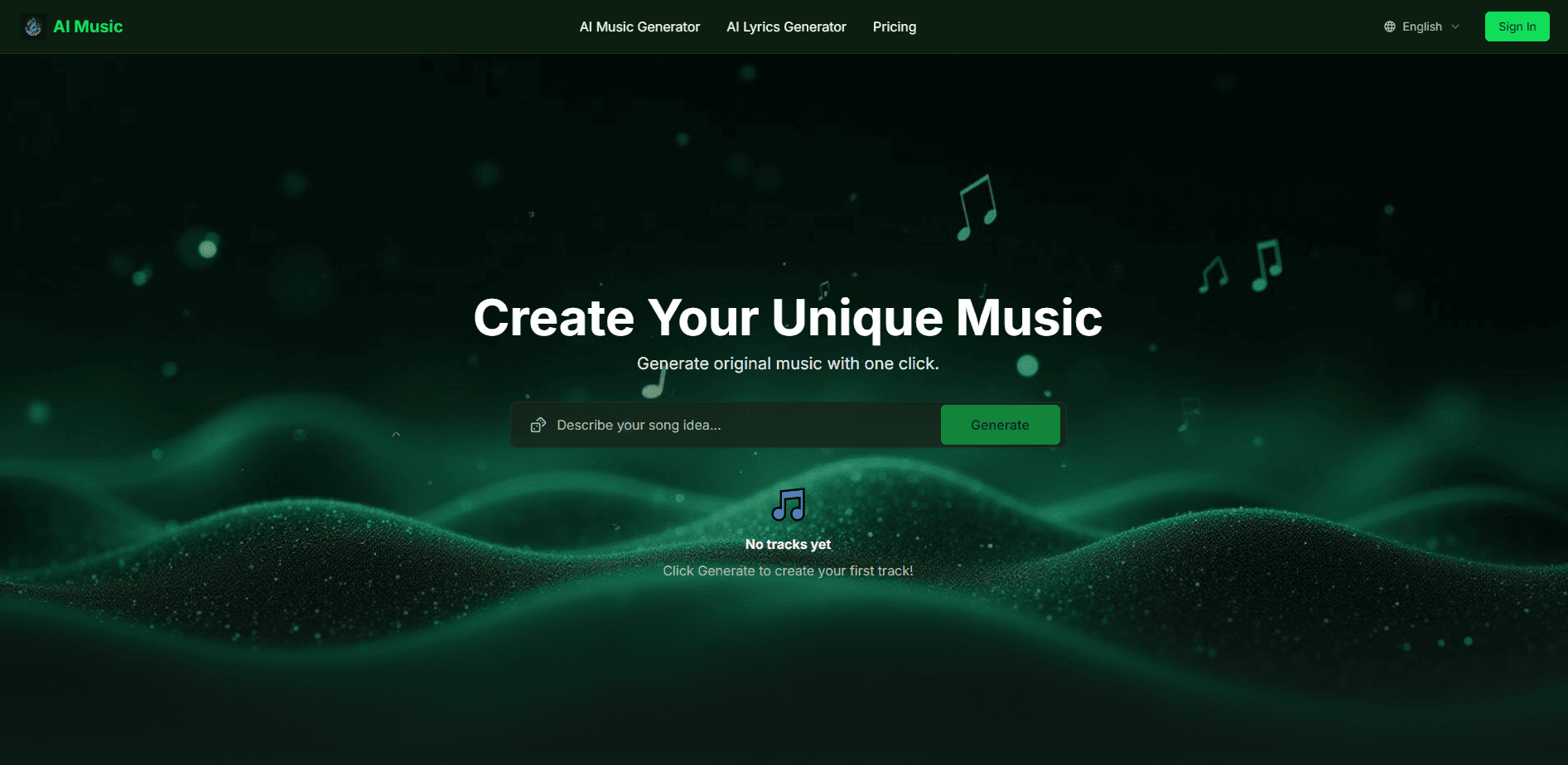
AI Song Creator is a browser-based AI music generator that turns text prompts or your own lyrics into full songs with vocals, lyrics and instrumentals, then lets you export them royalty-free.
About AI Song Creator
What Is AI Song Creator
AI Song Creator is an online music tool that writes and produces songs for you. You type a description like "lo-fi chill beat" or paste your own lyrics, pick a style, and the site returns a finished track with melody, rhythm, vocals or instrumentals. It runs in the browser, so there's nothing to install, and you can start generating without creating an account first.
The product works as an AI music maker for people who want original music but don't play an instrument or own studio software. Content creators use it for background tracks, songwriters use it to sketch ideas, and casual users make songs for fun, gifts or social posts. Everything you export on a paid plan is cleared for commercial use, which is the biggest reason creators pick it over a hobby tool.
The main limits are tied to your plan. The free tier caps how much you can generate and keeps output at a lower bit rate, while commercial rights, priority queue and the studio-quality model only unlock on paid tiers. The music is AI-generated, so results vary by prompt and you'll usually reroll a few times before you get a keeper.
Getting Started
- Open the site and type a prompt, or paste lyrics you already have.
- Pick a style, mood, instruments and vocal gender, or leave them open for the AI to decide.
- Hit generate and preview the track in the player.
- Re-generate or tweak the prompt until the song matches what you want.
- Download as MP3 or WAV, or export stems if you plan to mix it yourself.
Product Information
A quick look at AI Song Creator's pricing, supported platforms, and performance.
Best for
The users, tasks, and scenarios where this tool fits best.
Users
- Content creators
- Songwriters and hobbyists
- Small brands and marketers
Tasks
- Generating background music from a text prompt
- Turning written lyrics into a sung song
- Writing lyrics from a theme
- Making instrumentals with no vocals
Scenarios
- Filling a video project with an original soundtrack instead of a licensed one.
- Quick songwriting demos when you don't have a band or studio time.
- Personal gifts like a custom birthday or anniversary song.
- Social media and short-form content that needs a unique audio identity.
Key features
Text-To-Music Generation
You describe what you want and the engine composes a complete track, melody, harmony and structure included. A prompt like "epic cinematic score with strings" or "lo-fi chill beat at 80 BPM" is enough to start, and most tracks come back in under a minute. It's the fastest path from an idea to something you can actually play.
AI Lyrics Generator
If you have a theme but no words, the lyrics tool writes verses, choruses and bridges for you across a wide range of genres. You keep the option to edit the draft or paste your own lines instead, so it works whether you want a starting point or full control over the writing.
Vocals And Instrumentals
The generator can add a male or female lead vocal on top of the arrangement, or you can switch to instrumental-only mode. Instrumental mode is what ambient, lo-fi and background-music users rely on, since vocals would distract from narration or on-screen dialogue.
Royalty-Free Commercial Use
Tracks and lyrics you generate on a paid plan are cleared for monetized YouTube videos, podcasts, games and similar projects. This matters because a single copyright claim can demonetize a channel, so having the rights built into the export removes a real headache.
Stem Separation And Export
You can pull a finished track apart into individual instrument and vocal stems, then remix them in your own DAW. For anyone doing post-production, that's the difference between a usable track and a black box, and it's a feature many free generators leave out.
Audio Formats And Music Video
Downloads come as MP3 or higher-quality WAV, and the platform also offers music video generation. WAV matters when the track feeds into a professional edit, while the video option gives social-first creators a visual to pair with the song without extra tools.
Pros and cons
Pros
- Runs entirely in the browser, so you can start without installing software or even signing up.
- Handles the full loop from lyrics to finished song, including vocals and instrumentals in one place.
- Commercial rights on paid plans make the output usable for monetized content.
- Stem export lets you mix and master the track in your own editing setup.
- Free tier lets you test quality before spending anything.
Cons
- The free plan caps generations and pushes you toward a paid tier for serious use.
- Commercial use, priority queue and the studio-quality model are locked behind paid tiers, so free output isn't fully release-ready.
- Every track is AI-made, so you'll often reroll several times before a prompt lands.
Frequently asked questions
It generates complete songs from text prompts or your own lyrics, including AI vocals, written lyrics and instrumental-only tracks. You can then download the result as MP3 or WAV and, on paid plans, use it commercially.
Related content
Explore related tools, skills, and articles for AI Song Creator.
AI Song Creator Alternatives

Foley
Hanamori Labs, LLC · Voice & Language · Productivity · AI AssistantFoley is a voice to-do list that turns a spoken sentence into a filed task, complete with project, date and time, then helps you plan the day around what is already there.

HireKey
HireKey · Voice & Language · Productivity · LeaningHireKey is an AI job search copilot built by a former tech recruiter. It checks role fit, tailors resumes, runs interview practice and tracks every application.

Fluence
Yay Software (Yannick Huchard) · Writing · Voice & Language · ProductivityFluence is an Android app that reads PDFs, EPUBs, Word files and web articles aloud, follows each sentence as it speaks, and answers questions about the text on the phone itself.