

AI Song & Music Generator - Rexa
Oguzhan Akin · Writing · Voice & Language
Rexa is an AI music generator for iPhone and iPad that turns text prompts, your own lyrics, or a photo into a complete song with vocals, a written lyric sheet, and album art in a couple of minutes.
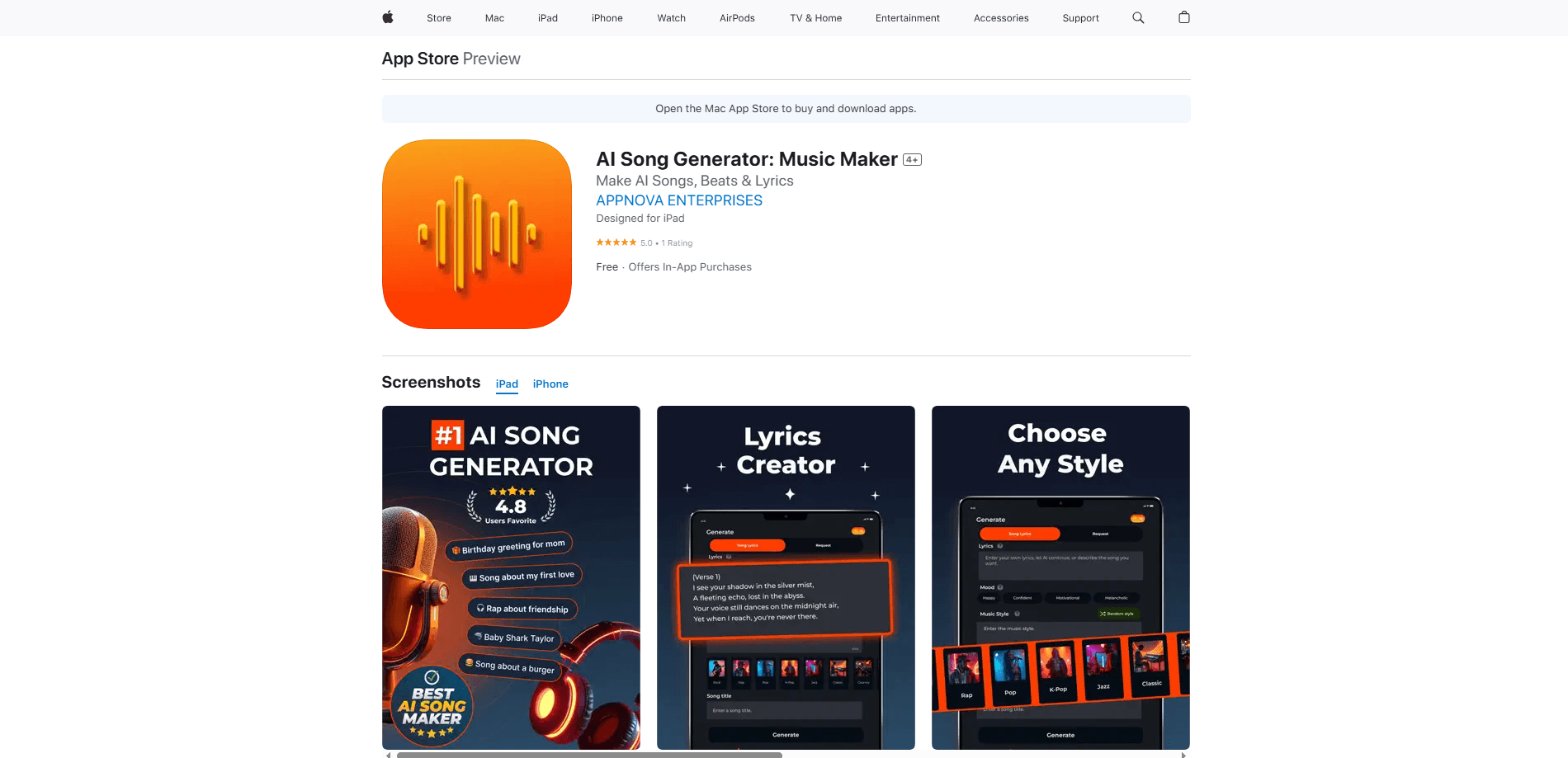
About AI Song & Music Generator - Rexa
What Is AI Song & Music Generator - Rexa
Rexa is a mobile app built by developer Oguzhan Akin that generates full songs from a short idea. You describe a mood, paste your own lyrics, or upload a photo, pick a genre, and the app produces a finished track with singing, instrumentals, and cover art. It runs entirely on iPhone and iPad, so there's nothing to install on a desktop.
As an AI music maker, the main draw is speed and a low skill floor. You don't need to play an instrument, read music, or own recording gear. Type "lo-fi beat, soft piano, lazy cat napping in sunlight" or a one-line prompt about a birthday, tap Generate, and you get a playable song in a few minutes. The library keeps everything you've made, and each track carries its own lyric sheet you can read, edit, or share.
The biggest limitation is the paywall. Rexa offers a credit system, and full song creation requires a Rexa Pro subscription. The app also states plainly that it doesn't supply songs or voices of its own, so you bring the source content for AI processing. It's meant for fun and social clips, not for clearing commercial music rights. A second catch is scope: this is an iPhone and iPad app, with no Android or web version, so your device choice decides whether you can use it at all.
Getting Started
- Download Rexa from the App Store on an iPhone or iPad running iOS 15.6 or later.
- Open the app and choose a mode: paste your own lyrics, describe a song in a prompt, or start from a photo.
- Pick a genre and a mood, and optionally type a title for the track.
- Tap Generate and wait for the app to build the song with vocals and cover art.
- Listen in the built-in player, then download it or share it to TikTok, Instagram, or YouTube.
Product Information
A quick look at AI Song & Music Generator - Rexa's pricing, supported platforms, and performance.
Best for
The users, tasks, and scenarios where this tool fits best.
Users
- First-time creators
- Content creators on TikTok and Reels
- People making personal gifts
Tasks
- Turning a photo into a theme song
- Writing lyrics when you're stuck
- Reskinning a song idea in a new genre
Scenarios
- Making a shout-out clip for a friend's birthday
- Filling a social post with original audio
- Sketches for a bigger idea
Key features
Prompt and Lyric Song Generation
Rexa gives you two ways in. In Request mode you describe what you want, like a mood, instruments, or a story, and the app writes the song around it. In Song Lyrics mode you paste your own words, or describe the song and let Rexa draft the lyrics first. Both paths produce a finished track with vocals and instrumentals, so you can start from a blank page or from words you already have. Text to song is the quickest route: one prompt in, one track out.
Photo to Music
Upload a photo and Rexa turns it into music that matches the image's mood, a photo to song feature the developer leads with. It works best as a spark for ideas rather than a literal reading of the picture. A sunset shot comes back as something warm and slow; a busy street scene leans more energetic.
Genre and Mood Controls
Before you generate, you can steer the result with a genre picker and mood tags. Genres include rock, rap, pop, K-pop, jazz, and classic, and the mood tags cover happy, confident, motivational, and melancholic. A random style option adds extra variety when you don't want to choose, and there's a custom style field for anything the presets miss.
AI Lyrics and Cover Art
Every generation ships with a lyric sheet and album artwork. The lyrics are laid out verse by verse with a chorus, so you can read along in the player or edit the words and regenerate. The cover art is generated to match the track, which saves you from hunting for artwork before you share.
Built-In Player with Synced Lyrics
The player plays your track with the lyrics on screen, and shows the title, style, and length. You can favorite tracks, skip between your latest songs, and revisit anything you've made in the library. It replaces the odd workflow of generating audio in one app and playing it in another.
Multi-Language Song Creation
Rexa can write and sing in several languages, including English, German, French, Italian, Japanese, Russian, Spanish, Chinese, and Arabic. You type the prompt or lyrics in the language you want, and the track follows. This opens up songs for audiences that most English-first music apps ignore.
Sharing and Downloads
Finished tracks can be downloaded or pushed out to social platforms like TikTok, Instagram, and YouTube. Sharing is one tap from the player, which keeps the loop short if your goal is a post rather than a saved music file.
Pros and cons
Pros
- Generates a full song with vocals, lyrics, and cover art from a short prompt or a photo.
- Two clear starting points, so both lyric writers and people starting from scratch have a path.
- Handles multiple languages, which is rare among quick song maker apps.
- Keeps every track in a library with synced lyrics, so nothing you make is lost.
- Sharing and downloads are built in, cutting the usual export steps.
Cons
- Song generation requires a paid Rexa Pro subscription, so there's no real free tier to test at length.
- It's iPhone and iPad only, which leaves Android and desktop users out.
- The app supplies no songs or voices of its own and warns it isn't liable for copyright issues, so tracks are for personal and social use, not commercial release.
Frequently asked questions
No. You describe a song in plain words or paste your own lyrics, and the app handles the melody, vocals, and instrumentals. It's built for people who have never written music before.
Related content
Explore related tools, skills, and articles for AI Song & Music Generator - Rexa.
AI Song & Music Generator - Rexa Alternatives

Google EmbeddingGemma 2
Google DeepMind · Writing · Image · CodingGoogle EmbeddingGemma 2 is a 740M-parameter open model that turns text, code, images, audio, and video frames into vectors in one 768-dimension space, running on phones and laptops.

MePersona
MePersona, Inc. · Writing · Productivity · MarketingMePersona is an AI unified inbox for creators. It learns your voice, drafts replies to fan messages from 12 platforms, and sends only what you approve.

Fluence
Yay Software (Yannick Huchard) · Writing · Voice & Language · ProductivityFluence is an Android app that reads PDFs, EPUBs, Word files and web articles aloud, follows each sentence as it speaks, and answers questions about the text on the phone itself.