
AI Speeder
Not publicly disclosed · Marketing · AI Detection
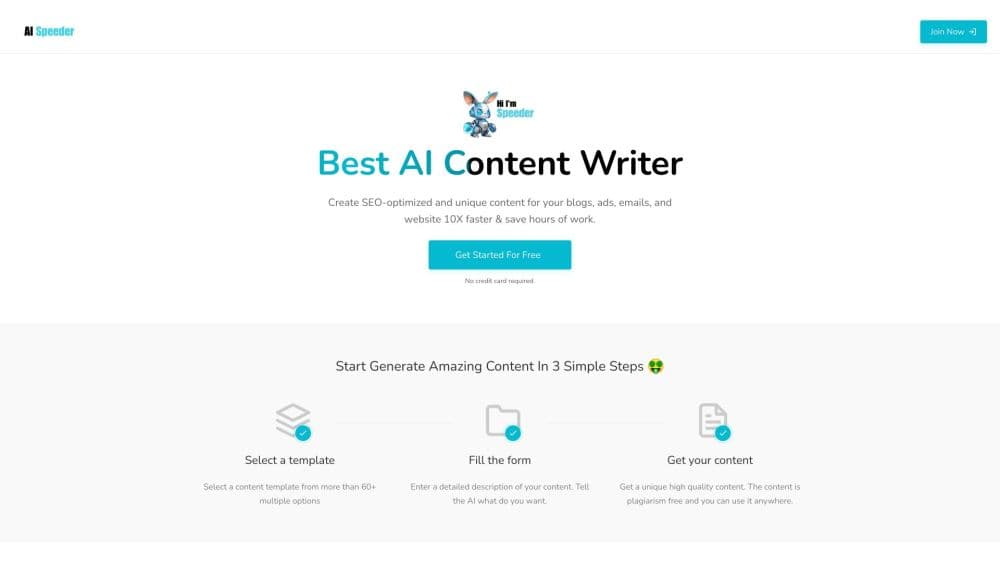
AI Speeder was a free web-based AI SEO writer that turned a topic or keyword into blog drafts, ad copy, and images. The site is offline now, so treat it as a reference point.
About AI Speeder
What Is AI Speeder
AI Speeder was a browser-based AI writing tool sold as a free AI writer for SEO. You gave it a topic, and it returned a draft article with headings and supporting images. The pitch covered blogs, ads, emails, and product descriptions, all from one input box. It first showed up in 2023 and ran without a public company name, which is unusual for a paid content tool but common for solo-built apps.
The problem it aimed at was volume. A small blog or an affiliate site needs a steady stream of pages, and hiring writers for every post eats the whole budget. AI Speeder positioned itself as the cheap first step: generate a rough draft, then spend your time editing instead of staring at a blank page. That framing made it a fit for solo publishers rather than editorial teams.
Its limits were the usual ones for this category, plus one big one. Drafts needed fact checking, and no tool of this kind produces publishable copy on the first pass. The bigger issue is status. As of October 2026, ai-speeder.com no longer hosts a product. The domain resolves to a marketplace listing with an asking price of $195, and the service has no working sign-up, support page, or documentation. Treat anything below as a record of what the tool advertised, not as a live product spec.
Getting Started
- Open ai-speeder.com and create a free account with an email address.
- Pick the output type, such as a blog post, ad, or email, then type a topic or a target keyword.
- Set the language, tone, and rough length, then run the generator.
- Review the draft and the suggested images, edit the copy, and export it to your site.
Product Information
A quick look at AI Speeder's pricing, supported platforms, and performance.
Best for
The users, tasks, and scenarios where this tool fits best.
Users
- Solo bloggers publishing several posts a week
- Affiliate marketers testing niches
- Small business owners writing their own site copy
Tasks
- First drafts of list posts and how-to guides
- Ad and email variants
- Meta titles and headlines
- Quick image concepts
Scenarios
- Filling a new blog before traffic arrives
- Running a content calendar on a tight budget
- Checking whether AI drafting fits your workflow
Key features
Topic to Article Draft
The core function took a single topic or keyword and returned a structured article with a headline, section headings, and body paragraphs. You could then edit in place or copy the text into your own editor. For a first draft, that covered the hardest part of the job, which is deciding what the piece should say.
SEO-Oriented Output
The tool was marketed as an AI SEO writer, meaning it aimed at search intent rather than general prose. Drafts came with headings that mapped to subquestions and space for keywords in the opening lines. Nothing about that guarantees rankings, and Google's guidance treats auto-generated text as a starting point that needs real value added.
Built-In Image Generation
Alongside the copy, AI Speeder generated images for blogs and ads. That saved a step for publishers who would otherwise hunt through stock libraries. The tradeoff was control: generated visuals rarely match a brand style without manual work, and text inside AI images often comes out garbled.
Multiple Content Formats
Blog posts, ad copy, emails, and product descriptions all lived in the same interface. Instead of buying a separate SEO content tool and a separate ad writer, you switched a dropdown. For a one-person operation, fewer subscriptions is a real saving, even when each format is handled at a basic level.
Browser-Only Workflow
There was nothing to install. The whole product ran in a tab, which meant it worked on a Chromebook, a work laptop, or a phone browser. No plugin, no desktop app, no setup beyond an account. That simplicity is why tools in this bracket attract people who don't want a content platform with a learning curve.
Free Entry Point
The free positioning was the main draw. Most AI article generators gate output behind a monthly plan, and AI Speeder let you test the output before paying anything. The details of what the free tier capped, such as word counts or monthly runs, aren't archived anywhere I could find, so the practical limits stay unclear.
Pros and cons
Pros
- Free to start, which made it a low-risk way to test AI drafting before buying a subscription.
- Text and images in one place, so a single session produced a complete draft with a header visual.
- Simple input model: one topic field, a format choice, and a generate button.
- Covered several formats, including ads and emails, which cut the number of tools a small team needs.
- Fast turnaround for first drafts, which is the part of writing most people stall on.
Cons
- The service is offline. The domain is listed for sale at $195, so there's no way to sign up or recover an account.
- No company name, support channel, or documentation is public, which made it hard to judge data handling or reliability even when it ran.
- No API and no integration path were ever documented, so it couldn't plug into a publishing pipeline.
- Quality claims such as plagiarism-free output can't be verified now, and no tool of this type removes the need for a human edit.
Frequently asked questions
No. As of October 2026, ai-speeder.com redirects to a domain marketplace listing, and there's no working sign-up or login. Anyone who bookmarked the tool needs an alternative.
Related content
Explore related tools, skills, and articles for AI Speeder.
AI Speeder Alternatives

ngram 2.0
ngram · Video · Marketingngram 2.0 is an AI video generator for teams. It turns a prompt, a screen recording, or a product URL into a narrated explainer, product demo, or AI avatar video, and every scene stays editable.

shippedit.me
Krawlup · Marketing · Businessshippedit.me now redirects to Krawlup, a web platform that audits SEO, AEO and page speed every week, then hands the fixes to AI coding agents over MCP.

MePersona
MePersona, Inc. · Writing · Productivity · MarketingMePersona is an AI unified inbox for creators. It learns your voice, drafts replies to fan messages from 12 platforms, and sends only what you approve.