
SubtitleDog
SubtitleDog · Writing
SubtitleDog is a browser-based AI subtitle generator and translator that turns video or audio into timed captions and localizes existing subtitle files into 100+ languages.
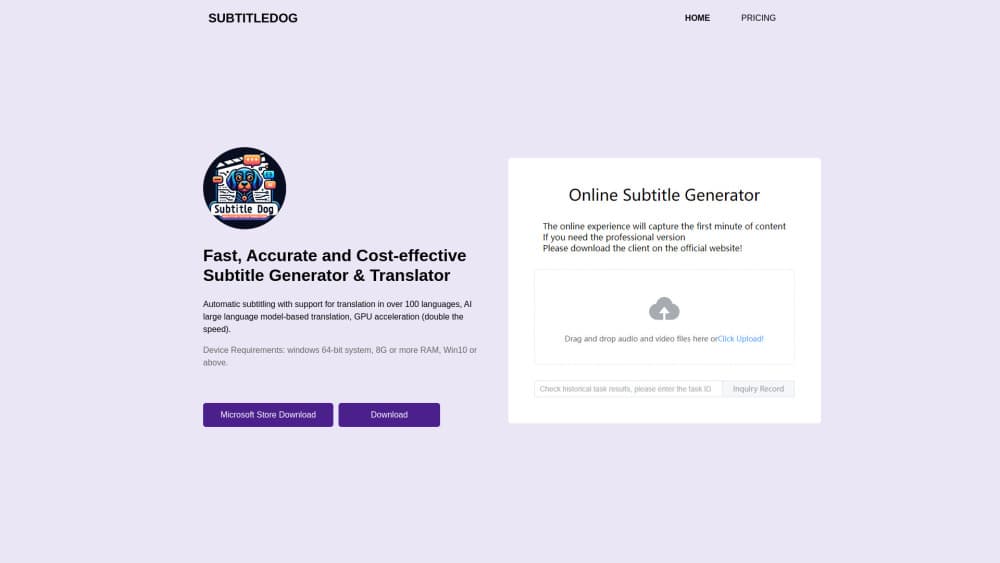
About SubtitleDog
What Is SubtitleDog
SubtitleDog is a web app for two jobs that usually sit in different tools: producing subtitles from a video, and translating subtitle files that already exist. You upload a file, pick languages, and the service returns timed captions or a translated SRT.
The selling point is context. Line-by-line machine translation is why character names drift and the tone jumps between scenes. SubtitleDog reads the whole script first, builds a style guide, and fixes names, places, and key terms in a glossary before a single line is translated. Each segment is then translated with the lines before and after it in view.
Two limits matter before you pay. There's no online subtitle editor yet, so corrections happen in a desktop tool such as Subtitle Edit or Aegisub. The free credits also come with a condition: downloads stay at half the file until the account makes its first recharge.
Getting Started
- Sign up with an email address. New accounts get 20,000 free credits.
- Pick Subtitle Generator for a video or audio file, or the SRT translator for a subtitle file you already own.
- Set the source and target languages, choose an AI model, and pick a translation style that matches the content.
- Choose the output format, switch on global context or the review pass if you want them, then start the job.
- Download the finished file, or open it in a subtitle editor for a last read.
Product Information
A quick look at SubtitleDog's pricing, supported platforms, and performance.
Best for
The users, tasks, and scenarios where this tool fits best.
Users
- Independent video creators
- Localization freelancers
- Studios and channels with a back catalog
Tasks
- Translating a subtitle file into several languages at once
- Creating captions for a video that has none
- Keeping a series consistent across episodes
- Making bilingual subtitles for language learners
Scenarios
- A YouTube channel entering a new market
- A documentary with a fixed delivery date
- A home media library on a NAS
Key features
Whole-Film Context With a Locked Glossary
The translator reads the entire script before it produces output. It builds a style guide from the source material and extracts character names, places, and technical terms into a glossary that every later segment must follow. That's the difference between a film that reads like one translator worked on it and one where a side character changes name in act three.
Caption Generation From Video and Audio
As a video caption generator, SubtitleDog accepts MP4, MKV, WebM, MOV, AVI, and WMV files, plus common audio formats for faster uploads. Audio is extracted in the browser before anything is sent, and the service returns a timed subtitle file rather than a burned-in video. Expect around 90% accuracy on clear speech, according to the vendor, with more cleanup needed for accents, crosstalk, or background music.
Translation in 100+ Languages With 13+ AI Models
Subtitle translation runs across more than 100 languages, from the usual European and East Asian pairs to smaller markets such as Thai, Vietnamese, Indonesian, and Turkish. Thirteen or more models are available, and GPT-4o subtitle translation is the recommended default for context handling. Twenty translation modes cover content types such as medicine, law, and technical documentation.
Format Coverage From SRT to LRC
Files come in and go out as SRT, VTT, ASS, SSA, or LRC, and the default keeps the original format so an existing workflow doesn't break. That range covers YouTube and most web players, professional editors that expect ASS styling, and music projects that need timed lyrics.
Batch Jobs With Credit Based Pricing
Batch subtitle translation handles up to 10 files per job with one shared settings set, then returns them together. Credits work on a simple scale: one credit per English character, one credit per two Chinese characters, and ten credits per second of video for caption generation. Jobs show the estimated cost before they start.
Local Processing on a NAS
A separate Docker image turns a Synology or QNAP style NAS into a subtitle station. Speech detection runs on the device, the media never leaves the local network, and you point the tool at your own AI provider for translation. It's the option for people who won't upload unreleased footage to a hosted service.
Pros and cons
Pros
- Whole-script context and a glossary produce steadier naming and tone than line-by-line tools, which matters most on long films and series.
- Credits are a one-time purchase and never expire, so a quiet month doesn't burn a subscription.
- One account covers both caption generation and translation, which removes a second upload step when a video needs subtitles from scratch.
- Output stays in standard subtitle formats, so existing editors and player workflows keep working.
- The NAS image offers a genuinely local path for sensitive material, with your own AI provider and no hosted upload.
Cons
- Free credits are capped at half-file downloads until the first recharge, so you can't judge a full translation before spending money.
- There's no built-in editor. Every fix happens in another program, which adds a step for anyone who wanted an all-in-one tool.
- There's no public API, and the terms forbid automating the service inside your own apps, so pipeline integration isn't an option.
- Speech recognition quality tracks the audio. Noisy recordings, heavy accents, and overlapping speakers still need manual correction.
Frequently asked questions
It generates timed subtitles from video or audio and translates subtitle files into more than 100 languages. The two functions share one account and one credit balance.
Related content
Explore related tools, skills, and articles for SubtitleDog.
SubtitleDog Alternatives

Google EmbeddingGemma 2
Google DeepMind · Writing · Image · CodingGoogle EmbeddingGemma 2 is a 740M-parameter open model that turns text, code, images, audio, and video frames into vectors in one 768-dimension space, running on phones and laptops.

MePersona
MePersona, Inc. · Writing · Productivity · MarketingMePersona is an AI unified inbox for creators. It learns your voice, drafts replies to fan messages from 12 platforms, and sends only what you approve.

Fluence
Yay Software (Yannick Huchard) · Writing · Voice & Language · ProductivityFluence is an Android app that reads PDFs, EPUBs, Word files and web articles aloud, follows each sentence as it speaks, and answers questions about the text on the phone itself.