

AI Talk Coach
AI Talk Coach · Voice & Language · Leaning
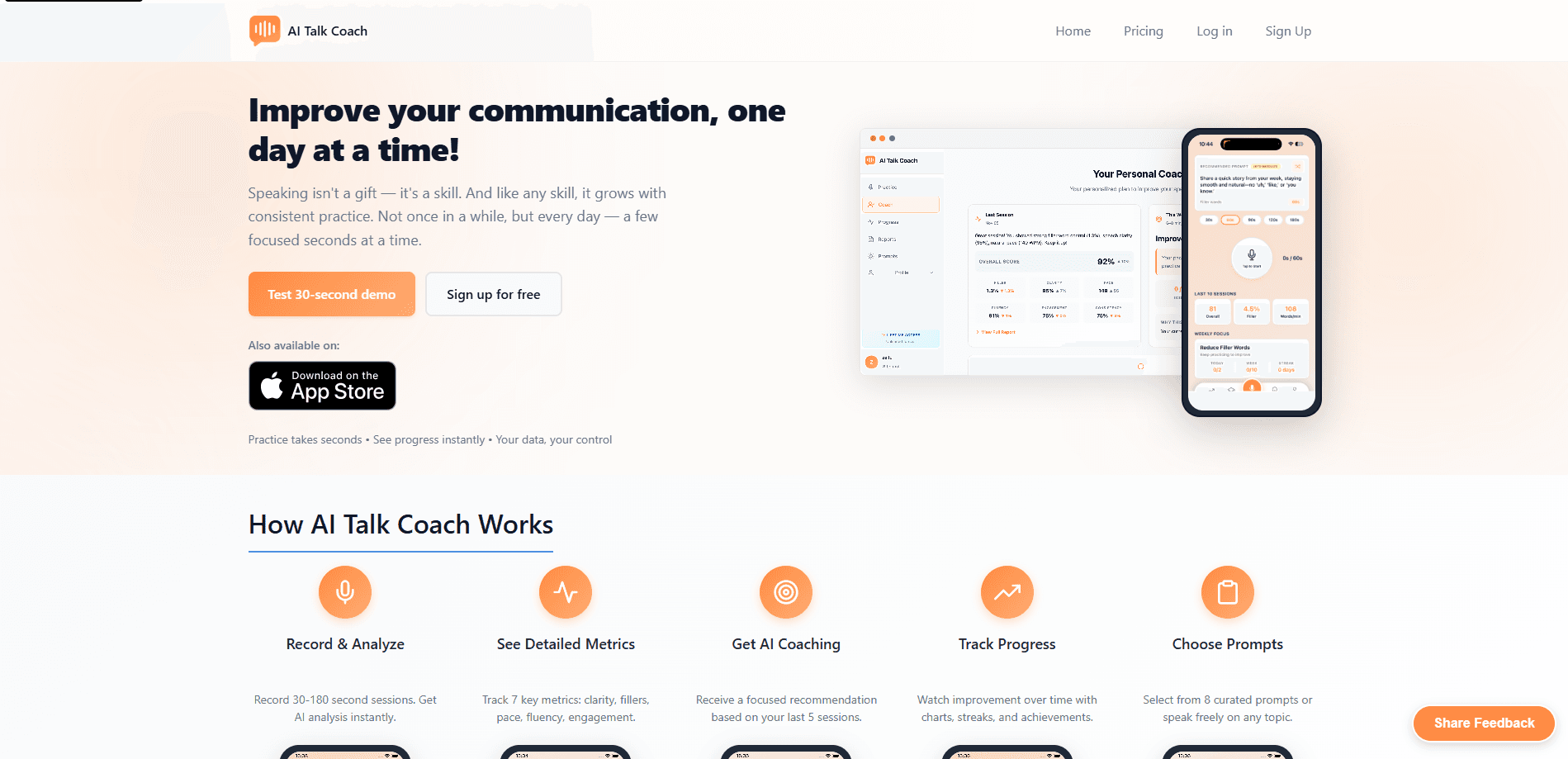
AI Talk Coach is an AI communication coach that turns everyday speaking practice into measurable feedback. You record a short session, and the app scores your clarity, pace, fluency, and engagement, then tells you what to fix next. It works in the browser and on iOS, and it's built for anyone who wants public speaking practice that fits into a normal day, not a weekend seminar.
About AI Talk Coach
What Is AI Talk Coach
AI Talk Coach is an AI speech coach built around a simple idea that most people forget: speaking is a skill, and skills improve through frequent, short reps rather than one long cram session. Instead of a lecture, you record 30 to 180 second sessions and get instant analysis.
The app tracks seven metrics, including a 0-100 overall speaking score, filler word percentage, words per minute, and fluency. That's a lot for one clip. Its filler word detection covers 11 languages, which is unusual for a tool this size and makes it genuinely useful for non-native English speakers.
The biggest limit is scope. Video analysis, body language feedback, and eye contact tracking are still on the roadmap. So right now AI Talk Coach judges your voice, not your on-camera presence. Need feedback on slides or gestures? You'll wait.
Getting Started
- Open the web app at aitalkcoach.com or install the iOS app. No account is required just to try it.
- Record a session of 30 to 180 seconds, either from one of the eight curated prompts or by speaking freely on any topic.
- Read your score breakdown for clarity, pace, fluency, and engagement, then check your filler word rate.
- Apply the focused coaching recommendation, which is generated from your last five sessions.
- Set your own pace target, anywhere from 60 to 240 words per minute, if the default range doesn't fit how you naturally speak.
Product Information
A quick look at AI Talk Coach's pricing, supported platforms, and performance.
Best for
The users, tasks, and scenarios where this tool fits best.
Users
- Non-native English speakers
- Job seekers
- Students and early-career professionals
Tasks
- Cutting filler words
- Fixing your pace
- Rehearsing structured talks
Scenarios
- A quick lunch-break practice
- Pre-interview warmups on the train
- Weekly self-review
Key features
Real-Time Speech Analysis
Record a session and the app returns a breakdown almost immediately. Each one scores clarity, fillers, pace, fluency, and engagement. You know exactly where you slipped. Priority processing on paid plans speeds the turnaround.
Seven-Metric Scoring
The overall speaking score runs from 0 to 100 and blends clarity, pace, fluency, and engagement, with clarity weighted most heavily because unclear ideas sink a talk faster than a nervous voice does. When the number is low, you can drill into the component that dragged it down. It's a clear way to see progress that a stopwatch or a mirror can't give you.
Filler Word Detection in 11 Languages
The app measures your filler word rate as a percentage and flags anything above 2%. It detects equivalents of "um" and "uh" across English, Spanish, Portuguese, French, German, Italian, Dutch, Swedish, Danish, Norwegian, and Turkish, which matters a lot if English isn't your first language and you want feedback that ignores your accent.
Personalized Pace Targets
You set your own ideal speaking speed between 60 and 240 words per minute. Is 130 to 150 WPM the right default for you? Maybe, maybe not. The app adapts to you instead of forcing a one-size range. It tells you when you're rushing or losing the room.
AI Coaching Recommendations
After your last five sessions, AI Talk Coach generates a focused recommendation rather than a wall of generic tips. That keeps you working on one thing at a time, which is how habits actually change.
Progress Tracking and Streaks
Charts, streaks, and achievements track your improvement over time. Practice one minute a day and your free access survives. The streak mechanic pairs with the pricing model, so habit-building is baked into how the product works.
Privacy Controls and No-Account Trial
You can delete sessions at any time. No account needed to try it. That's a fair default for a tool that listens to your voice all day.
Pros and cons
Pros
- Filler word detection works in 11 languages, well beyond what most small speech apps offer.
- Sessions run 30 to 180 seconds, so daily practice fits into a busy schedule.
- You can practice for free indefinitely if you hit one minute a day.
- Personalized 60-240 WPM pacing targets suit both slow and fast speakers.
- Progress charts, streaks, and achievements make the daily habit easier to keep.
Cons
- Video, body language, and eye contact feedback aren't live yet, so it only covers what you say, not how you look.
- Pricing is listed in euros, which adds a conversion step for US users.
- No public API means you can't pull scores into your own dashboard or learning tool.
- Coach and team plans are quote-only, so pricing for teams isn't transparent without contacting them.
Frequently asked questions
It records a short speaking session, analyzes it with AI, and returns scores for clarity, pace, fluency, engagement, and filler words. You then get a coaching recommendation based on your recent sessions so you know what to practice next.
Related content
Explore related tools, skills, and articles for AI Talk Coach.
AI Talk Coach Alternatives

Foley
Hanamori Labs, LLC · Voice & Language · Productivity · AI AssistantFoley is a voice to-do list that turns a spoken sentence into a filed task, complete with project, date and time, then helps you plan the day around what is already there.

HireKey
HireKey · Voice & Language · Productivity · LeaningHireKey is an AI job search copilot built by a former tech recruiter. It checks role fit, tailors resumes, runs interview practice and tracks every application.

Fluence
Yay Software (Yannick Huchard) · Writing · Voice & Language · ProductivityFluence is an Android app that reads PDFs, EPUBs, Word files and web articles aloud, follows each sentence as it speaks, and answers questions about the text on the phone itself.