

AI Transcribe
AI Transcribe · Writing · Productivity
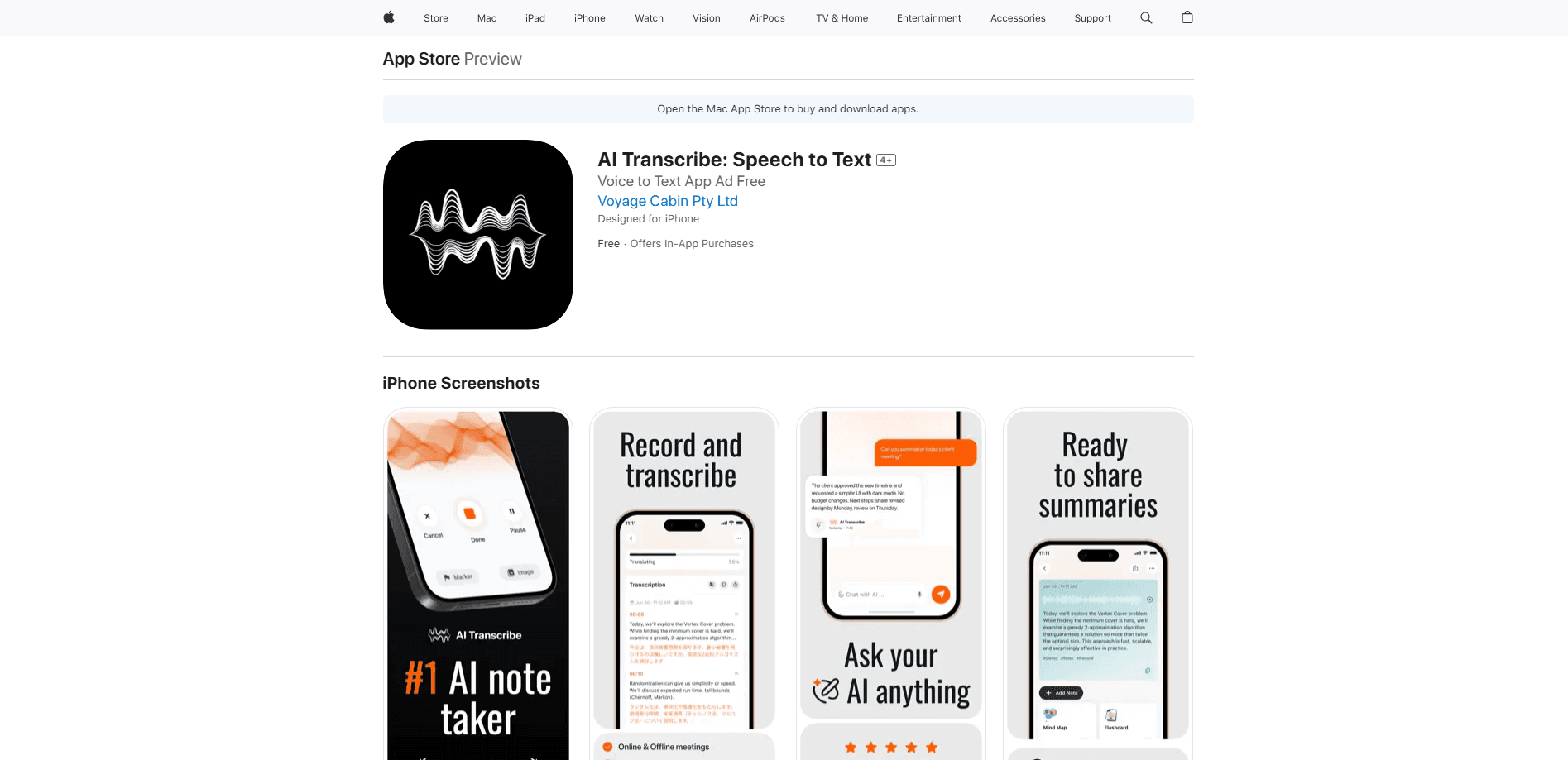
AI Transcribe is an AI speech to text app for iPhone that turns lectures and meetings into accurate notes, then into mindmaps, flashcards and summaries you can chat with.
About AI Transcribe
What Is AI Transcribe
AI Transcribe is a transcription app for iPhone aimed at students and professionals who need notes without splitting their attention. You record a live lecture or meeting, or upload an audio or video file, and the app returns a clean transcript with timestamps and speaker separation. From there it goes past plain text: it builds mindmaps, generates flashcards and lets you ask questions about what was said.
The pitch lands on the gap between listening and writing. If you take notes by hand, you miss details. If you just listen, you miss the record. The team behind the app, two developers who moved through college into engineering work, built it to close that gap first for themselves. Under the hood it pairs Whisper-style speech recognition with a custom post-processing layer that cleans up punctuation and formats the raw output into something readable.
The limits matter too. AI Transcribe is iOS only right now. The makers say web and desktop versions are on the roadmap, and there's no Android build in circulation yet. The app leans on cloud processing for accuracy, so you'll need a steady connection for the heavy lifting. It's also a young product from a small team, so the feature set is still growing rather than settled.
Getting Started
- Download AI Transcribe from the App Store on an iPhone and open it
- Record live as you speak, or import an audio or video file from Files, Voice Memos or your photo library
- Let the app produce a timestamped, speaker-separated transcript, then run post-processing for punctuation and formatting
- Turn the transcript into a mindmap, a flashcard set or a summary, and translate it into another language if you need to
- Chat with the notes to pull out answers, or export the result as PDF, DOCX or Markdown
Product Information
A quick look at AI Transcribe's pricing, supported platforms, and performance.
Best for
The users, tasks, and scenarios where this tool fits best.
Users
- College students
- Professionals in meetings
- Researchers and journalists
- Language learners
Tasks
- Transcribing a lecture or meeting
- Turning notes into study material
- Summarizing a long recording
- Translating a transcript
- Asking questions about a recording
Scenarios
- A back-to-back day of classes
- A meeting where you're presenting
- An interview on a noisy campus
- Prepping for an exam
- Reading up on a topic in another language
Key features
Accurate Transcription with Post-Processing
The core is speech recognition that turns audio into text, and AI Transcribe adds a custom layer on top to fix punctuation, casing and formatting. The makers base the engine on Whisper and then refine the raw output, which is why the text comes out readable rather than a wall of run-on words. Transcripts carry timestamps and speaker separation, so a two-person interview doesn't blur into one voice.
AI Summary and Key Points
One tap turns a long recording into a short summary with the main points pulled out. This is the feature that saves the most time on an hour-long lecture or meeting, where you want the gist without replaying the whole thing. It fits the way most people review: skim the summary, then drop into the full transcript only where it matters.
Mindmaps from Notes
AI Transcribe builds a mindmap from your transcript automatically, laying out how topics connect instead of leaving you with a flat page of text. For a lecture with several linked concepts, a visual map is easier to revise from than a script. A reviewer on Product Hunt called the mindmap the standout feature, more useful than a plain transcript for studying.
Flashcards and Smart Learning Tools
The app turns transcripts into flashcards, and you can generate a deck from the parts of the text you highlight rather than the whole thing. That turns a passive recording into active recall material you can drill before an exam. It's the study side of the product, built for the students the team designed the app around.
Translate Transcripts
Beyond transcription, AI Transcribe translates transcripts across a wide range of languages, so a recording in one language becomes readable text in another. It's useful for language learners checking their comprehension, and for anyone handed audio in a language they don't read fluently. The translation rides on the same transcript, so you keep the timestamps and structure.
Chat with Your Notes
Instead of scrolling a long transcript to find one detail, you can ask the notes a question and get an answer pulled from what was said. This is the move from a static document to something you can query, which suits anyone reviewing a dense meeting or a packed lecture. It works on the same transcript the other tools draw from, so everything stays in one place.
Pros and cons
Pros
- Turns transcription into study material, with mindmaps and flashcards generated straight from the transcript
- Positions itself as affordable, with premium pricing set below the major transcription services
- Cleans up raw output with a post-processing layer, so transcripts read as formatted text rather than a word dump
- Covers both transcription and translation, useful for recordings in a second language
- Chat with notes lets you query a recording instead of rereading it
Cons
- iOS only for now, so Android users and anyone who wants a desktop or web version has to wait
- There's no public API, so you can't wire it into your own workflow or apps
- Accuracy depends on cloud processing, and the core features need a connection
- Being a young app from a small team, the feature set is still filling out rather than mature
Frequently asked questions
AI Transcribe is an iOS app that converts speech to text, turning lectures and meetings into transcripts with timestamps and speaker labels. Working as both a transcription app and a mindmap generator, it turns lectures and meetings into transcripts with timestamps and speaker labels, then builds mindmaps, flashcards and summaries from the text, and lets you translate or chat with your notes.
Related content
Explore related tools, skills, and articles for AI Transcribe.
AI Transcribe Alternatives

Google EmbeddingGemma 2
Google DeepMind · Writing · Image · CodingGoogle EmbeddingGemma 2 is a 740M-parameter open model that turns text, code, images, audio, and video frames into vectors in one 768-dimension space, running on phones and laptops.

MePersona
MePersona, Inc. · Writing · Productivity · MarketingMePersona is an AI unified inbox for creators. It learns your voice, drafts replies to fan messages from 12 platforms, and sends only what you approve.

Fluence
Yay Software (Yannick Huchard) · Writing · Voice & Language · ProductivityFluence is an Android app that reads PDFs, EPUBs, Word files and web articles aloud, follows each sentence as it speaks, and answers questions about the text on the phone itself.