

AIVocal
AIVocal · Voice & Language
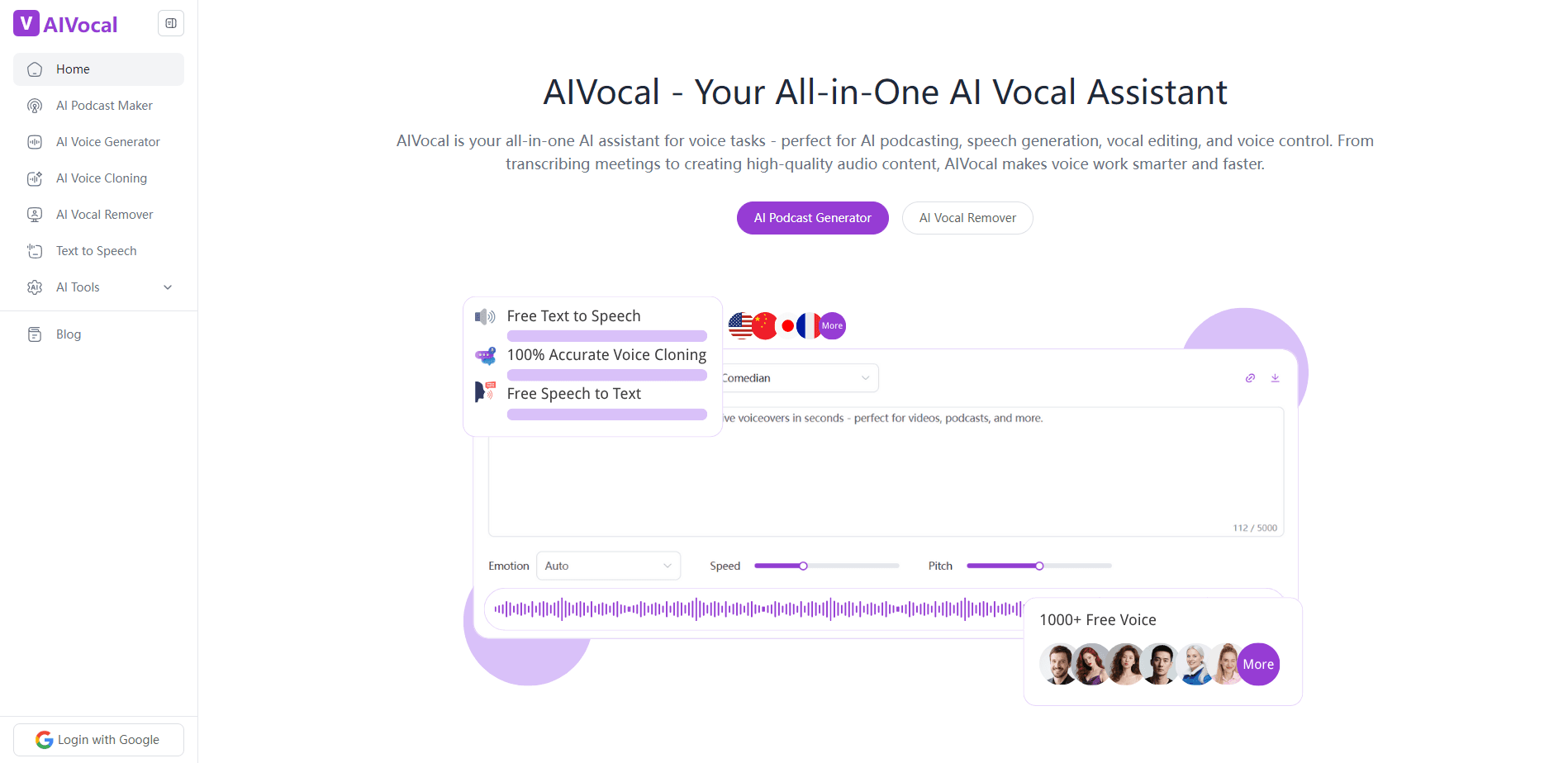
AIVocal is an all-in-one AI voice platform on the web that turns text or notes into natural speech and podcasts, and also handles transcription, speech writing, and vocal separation.
About AIVocal
What Is AIVocal
AIVocal is a web platform that gathers a set of audio tools in one place. It works as free text to speech online and more. Type or paste text, and it reads it back in a natural voice. Drop in your notes, and it builds a spoken podcast episode. Upload a song, and it splits the vocals from the backing track. Upload a recording, and it writes out the transcript. Each tool lives under its own page, and a single account ties them together.
The pitch is convenience. Most people who need voiceover work don't own a studio, and the tools that handle one job rarely handle the next. AIVocal covers several of those jobs at once, and its voice generator runs in the browser with no software to install.
Still, it's a general-purpose tool, not a studio replacement. The voices are strong for narration, videos, and short episodes, but a project that leans on heavy acting, fine mixing, or precise take control will still push you toward dedicated audio software. The free plan also caps how much you can generate each month, so regular use means a paid plan sooner or later.
Getting Started
- Open aivocal.io in a browser. The AI Voice Generator, MP3 to Text, and Vocal Remover tools run without an account, and signing up unlocks the full voice library and saving.
- For speech, type or paste your text into the box. You can also upload a file, since text length runs up to 200,000 characters on the paid plans.
- Pick a voice and a language from the library, then set mood, pitch, and speaking rate to match the tone you want.
- Hit generate and preview the audio in the browser, then download the file.
- For other jobs, switch tools: feed notes to the podcast generator, a song to the vocal remover, or an audio file to the MP3 to Text converter.
Product Information
A quick look at AIVocal's pricing, supported platforms, and performance.
Best for
The users, tasks, and scenarios where this tool fits best.
Users
- Video creators who need voiceover fast
- Podcasters and newsletter writers who want an audio version
- Students and lifelong learners who prefer listening
- Marketers and small teams on a budget
- People working across languages
Tasks
- Turning a script into a voiceover
- Converting notes into a podcast
- Transcribing an audio or video file
- Stripping vocals from a song
- Adjusting delivery for a scene
Scenarios
- Producing a batch of social clips on a deadline
- Repurposing a blog post as audio
- Building a karaoke or practice track
- Captioning a video quickly
- Testing a script before recording
Key features
AI Voice Generator
The core tool turns text into speech in a natural voice. It covers 140+ languages with a library of 900+ voices, and you can adjust mood, pitch, and speaking rate to fit the copy. Clip length runs up to 200,000 characters on the paid plans, and a free sample needs no signup.
AI Podcast Generator
The podcast tool takes notes, a document, a link, or a video and turns it into a spoken episode. You can run a single host or set up a two-speaker back-and-forth, and you pick the tone from friendly to professional. It suits anyone who has written material and wants an audio version without touching a microphone.
Voice Cloning and Voice Design
Beyond the stock library, AIVocal lets you clone or design a voice of your own. The free plan allows a limited number of clones, and the paid plans raise that to eight. Cloning works best with a clean, quiet sample, and the result can carry narration, podcasts, and video.
MP3 to Text Converter
This tool transcribes audio into text and can export the result as SRT or TXT for captions and subtitles. It handles several languages and targets high accuracy, which makes it useful for writers turning interviews into copy and editors cutting captions for video.
AI Vocal Remover
Upload a song and the vocal remover isolates the instrumental track or extracts the vocal on its own. No account is needed to use it, and it works for karaoke tracks, remixes, and practice. The split quality depends on how the original track was mixed.
Speech Toolset in One Place
AIVocal folds speech generation, podcasting, transcription, and vocal separation into one account. The tools share a single credit balance, so one login covers voiceover, captions, and audio editing rather than a stack of separate subscriptions.
Pros and cons
Pros
- Combines voiceover, podcasting, transcription, and vocal splitting under one login, which cuts down on separate subscriptions.
- The voice generator covers 140+ languages and 900+ voices, so it fits creators who publish for more than one audience.
- The core tools run in the browser with no install, and the free plan lets you start without paying.
- Mood, pitch, and rate controls give a line the tone it needs without a second take.
- A free tier and plans from around $7.9 per month keep the cost low for solo creators and small teams.
Cons
- The free plan caps generation at roughly 5 minutes a month, so regular use moves you to a paid plan quickly.
- Voice cloning and the higher-fidelity models sit behind the paid plans, which makes the free voices sound plainer.
- The output targets narration and short episodes rather than heavily produced, acted audio.
- The platform is web only, so there is no desktop or mobile app for offline work.
Frequently asked questions
AIVocal turns text and audio into finished content. You use it to generate voiceovers from a script, build a podcast from your notes, transcribe audio to text, and separate vocals from a song. It suits anyone who works with speech and wants several audio jobs handled in one place.
Related content
Explore related tools, skills, and articles for AIVocal.
AIVocal Alternatives

Prosp
Prosp · Writing · Voice & Language · MarketingProsp is an AI LinkedIn outreach tool built for agencies and sales teams, and it writes the message and the voice note in your own voice for each prospect so they actually reply. You connect your accounts, find leads, and let the AI draft and send personalized messages at scale, all from one inbox. It's built for people running outbound at volume. That's the whole pitch. Every touchpoint still has to feel human.

Wordly AI Translation
Wordly · Voice & Language · ProductivityWordly AI Translation is a real-time AI translation and captioning platform built for meetings, conferences, and events. It delivers live translation, captions, transcripts, and summaries in more than 60 languages, and attendees join by scanning a QR code or opening a link instead of using dedicated headsets. The platform works with Zoom, Microsoft Teams, Google Meet, and Webex, and it's designed for organizations that want multilingual access without hiring human interpreters for every session. Simple as that.
Musicful
Musicful AI · Voice & Language · VideoMusicful is an AI music generator and AI music video maker that turns text to music in minutes. Give it a text prompt, a set of lyrics, or a hummed melody and it returns a finished track with vocals and instruments. It also doubles as an AI song generator, produces music videos from the songs you create, and offers an AI cover tool plus a developer API. The platform runs in a web browser and through an Android app, so you can start a song on desktop and pick it up on your phone.