

Mobirise AI Website Generator
Mobirise · Coding
Mobirise AI Website Generator is a no-code website builder that turns a text prompt into a responsive site. Describe your idea, pick a design, then edit and export it.
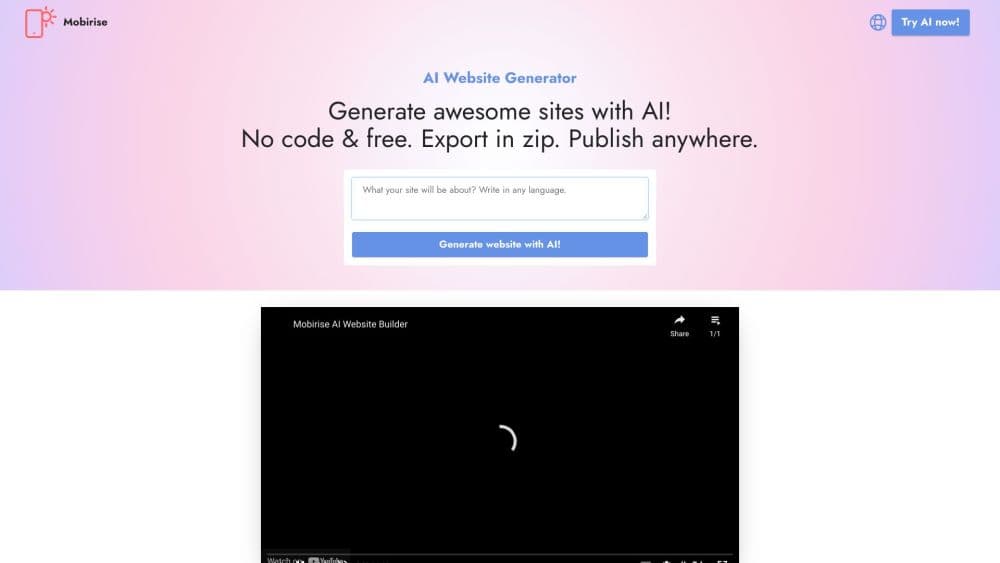
About Mobirise AI Website Generator
What Is Mobirise AI Website Generator
Mobirise AI Website Generator is a tool for building a website by describing it in plain text. You type a prompt in any language, and the builder designs a full page layout for you, complete with sections, headings, images and placeholder copy. From there you edit the result in a desktop app and publish it as a live site.
The idea is to remove the two things that slow most people down when they build a site: picking a template and wiring the sections together. Instead of dragging blocks for an afternoon, you start from a design the AI already laid out, then adjust what you do not like. Because the app runs on Windows, Mac and Linux, you can work offline and keep the project files on your own machine.
The clear limit is control at the edges. AI layouts cover common page types well, but a highly custom interface or a complex web app still needs hand coding. The generator is aimed at landing pages, portfolios, business sites and small storefronts, not at replacing a developer on a large product.
Getting Started
- Download the Mobirise app for Windows, Mac or Linux, or use the browser version at ai.mobirise.com, and open the AI builder from the home screen.
- Type a prompt that describes your site, such as the business name, the pages you want and the tone. The prompt can be written in any language.
- Review the generated layouts. The builder offers several design variations, so pick the one closest to what you have in mind.
- Open the project in the editor and change text, swap images, adjust colors and reorder blocks until the page looks right.
- Publish to a free Mobirise subdomain, connect your own domain, or export the site as HTML, CSS and JavaScript files to host anywhere.
Product Information
A quick look at Mobirise AI Website Generator's pricing, supported platforms, and performance.
Best for
The users, tasks, and scenarios where this tool fits best.
Users
- Small business owners with no coding skills
- Freelancers and designers who need fast drafts
- Hobbyists and personal portfolio builders
Tasks
- Turning a rough idea into a landing page
- Building a multi page business site
- Replacing placeholder copy and images
- Exporting a site to host anywhere
Scenarios
- Launching a product page before a deadline
- Rebuilding an outdated site on a budget
- Testing a business idea
Key features
Text to Website Generation
The core feature turns a written prompt into a complete page layout. You describe the business, the pages you need and the feel you want, and the builder arranges sections, headings, buttons and imagery on its own. Prompts work in any language, so you can write in the language you think in and review the result in the editor.
AI Design Variations
For each prompt the generator returns more than one layout, so you can compare directions before committing. Some variations lean image heavy, others text heavy, and you pick the one that matches your content. If none fit, a regenerate option produces new variants without costing an extra generation.
AI Content and Image Tools
The builder drafts starter text and suggests images to fill the layout, which removes the blank page problem. You can also generate images and short video backgrounds from inside the app, then drop them into a block. Everything the AI adds stays editable, so you replace it with your own words and assets at any point.
Visual and Code Editing
Pages are edited in a visual editor where you drag blocks, restyle sections and swap media without touching markup. When you need finer control, the optional Code Editor extension lets you edit HTML, CSS and JavaScript directly. Blocks can be cloned and reused, and the editor lets you set heading tags and text alignment for accessibility.
Responsive Bootstrap Output
Sites are built on Bootstrap 5, which means the layouts resize for phones, tablets and desktops by default, so the tool doubles as a responsive website maker. You preview the result at different screen sizes before publishing. The exported files are plain HTML, CSS and JavaScript, so the site runs on any hosting and is not tied to the Mobirise platform.
Publishing and Code Export
You can publish straight to a free Mobirise subdomain, connect a custom domain through DNS, or push to your own server over FTP. If you prefer to self host, the export option writes a full set of web files you upload wherever you like. The desktop app keeps your project files locally, so you can work offline and back them up yourself.
Pros and cons
Pros
- A text prompt produces a structured page in minutes, which cuts the slowest part of building a site, choosing and arranging a template.
- The generator writes starter copy and suggests images, so a blank page never blocks the first draft.
- Sites render on Bootstrap 5 and export as plain HTML, CSS and JavaScript, so you are not locked into the platform.
- Desktop apps for Windows, Mac and Linux let you build offline and keep project files on your own machine.
- AI-adapted themes can generate extra pages for an existing project, so a small site can grow without a redesign.
Cons
- The strongest AI features sit behind paid extensions, so a serious project quickly moves past the free tier. Extensions run from $29 to $99 each.
- Highly custom layouts and interactive web apps still need hand coding, since the AI targets standard marketing pages.
- No public API, so you cannot wire the generator into another app or automate site creation from a script.
Frequently asked questions
It is a no-code website builder that creates a page layout from a text prompt. You describe your site, the tool designs it, and you finish the work in a visual editor before publishing or exporting the files.
Related content
Explore related tools, skills, and articles for Mobirise AI Website Generator.
Mobirise AI Website Generator Alternatives

Base Code
Base44 (Wix) · Coding · ProductivityBase Code is a shared cloud development environment from Base44. Teammates describe changes to an existing GitHub codebase in chat, preview them live and send them back as pull requests.

Google EmbeddingGemma 2
Google DeepMind · Writing · Image · CodingGoogle EmbeddingGemma 2 is a 740M-parameter open model that turns text, code, images, audio, and video frames into vectors in one 768-dimension space, running on phones and laptops.

GitGlow
GitGlow · Coding · ProductivityGitGlow is a local-first desktop Git client that lets independent developers review their own code and their AI agents' changes in one place before shipping.