

&AI
AndAI, Inc. · Other
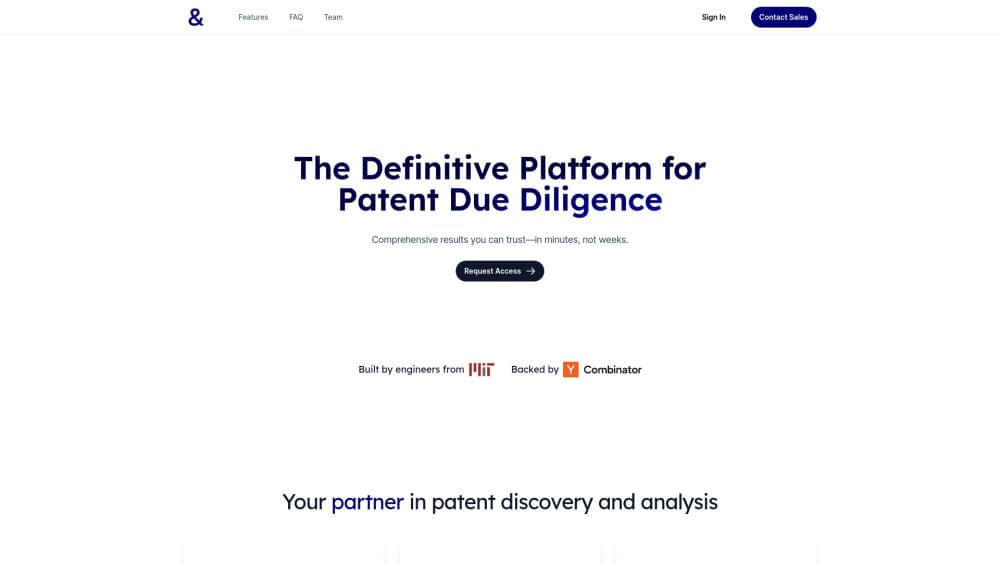
&AI is a web workspace for patent litigators. It runs prior art search, builds invalidity and infringement claim charts, and drafts contentions with citations attached, priced by credits.
About &AI
What Is &AI
&AI is a patent litigation AI workspace built for a narrow audience: lawyers who litigate patents. The company behind it is AndAI, Inc., a Y Combinator S24 startup. Rather than a general legal chatbot, it ships a set of workflows that follow how a patent case actually moves. AI for patent litigation is a crowded label, and the difference here is scope: this one stops at patents and goes deep. Find prior art, chart it against the claims, draft contentions, then turn the result into something a client or a judge will read.
The problem it attacks is volume. One invalidity contention can mean pulling a patent family apart, reading years of prosecution history, and matching dozens of references to claim limitations. That work is slow at the front of a case, which is exactly when a team is also pitching for the matter. &AI tries to compress those first weeks by pulling the record into one place and drafting a first pass an attorney can edit.
The limits matter as much as the features. Output is citation backed, not verified. Every chart and contention still needs attorney review before it leaves the firm, and the platform doesn't replace expert testimony or claim construction strategy. Pricing runs on credits instead of flat seats, so spend tracks usage. A light, single-reference chart averaged about 241 credits in the company's own 90 day figures, which is roughly $96 at the pay as you go rate. That number comes from &AI, not from an independent audit.
Getting Started
- Sign up at tryandai.com with a work email. The 7 day trial starts immediately, and the Pro plan carries 2,500 included credits.
- Create a matter, then upload the patent, its family, and any references you already have. The platform indexes the file set and the prosecution history.
- Run a prior art search, or ask the assistant for a first pass on one claim if you want a faster read.
- Select references and turn them into a claim chart, then edit the mapping limitation by limitation.
- Export the chart or deck for review, and watch the credit meter, because charts and searches scale with scope and search depth.
Product Information
A quick look at &AI's pricing, supported platforms, and performance.
Best for
The users, tasks, and scenarios where this tool fits best.
Users
- Litigation associates at Am Law firms
- In-house IP counsel
- IP boutique partners
Tasks
- Prior art search before filing
- Invalidity analysis under §101, §102, §103 and §112
- Evidence of use work for infringement detection
- Pitch decks and RFP responses
Scenarios
- Early case assessment, when a client wants a read on exposure before discovery spend is approved. Credit pricing keeps a small test cheap.
- Pitch season at a firm, when several partners need sample work product in the same fortnight.
- In-house portfolio review, where a small legal team has to triage threats it can't staff internally.
Key features
Prior Art Search Across 60 Million Patents
Search covers patents, non patent literature, and product documentation in one query box. That matters because invalidity arguments often rest on a product manual or a conference paper, not a patent. Results keep their citations, so a reference can be traced back to its source before it lands in a chart.
Claim Chart Generation
The platform drafts claim charts that map references to limitations, in a format built for expert review and court filings. You edit the mapping rather than build the table, which is where most of the hours go. Multi reference charts are handled as a batch, and each chart consumes credits based on the number of claims and references you include.
Andy, the Patent Assistant
Andy is the chat layer that turns an instruction into work product. Ask for an invalidity contention, a summary of a prosecution history, or a first pass at a pitch, and it drafts inside the matter instead of in a blank window. It's the fastest way to see whether the tool fits how your team writes, before you commit a workflow to it.
Automatic Case Context
Upload the patent and &AI surfaces the full patent family, the prosecution history, and related prior cases without manual filing. Context is the difference between a generic answer and one that cites the disclaimer the applicant made in 2019. For a litigator, that's the part that saves the reread.
Invalidity and Infringement Analysis
The workspace splits analysis by statute, so §101 eligibility, §102 anticipation, §103 obviousness, and §112 written description each get their own track. Infringement detection runs the other direction: search products, find candidate features, and draft evidence of use against the claim. Attorneys still own the legal conclusion, and the tool is explicit about that.
Practice Building Tools
Business development is unusual in a litigation tool, and it's a deliberate bet. A partner can generate a sample chart and a short deck for a prospective client from the same workspace that will later hold the real matter. Small firms feel this most, because the pitch and the staffing run through one person.
Pros and cons
Pros
- Purpose built for patent work, with statute specific tracks instead of a general legal prompt box.
- Citations stay attached to charts and contentions, which shortens the review loop with experts and partners.
- Case context loads automatically, so the patent family and prosecution history don't need manual assembly.
- Credit pricing pools at the organization level, so a quiet month doesn't waste paid seats.
- SOC 2 Type II certification, SSO, role based access, and zero data retention with model providers answer the first security question outside counsel will ask.
Cons
- No free tier. The 7 day trial is the only way to test the platform without buying credits, which is tight for a firm that needs partner sign off first.
- Credit costs are hard to forecast. The company's own averages put one light chart near $96 pay as you go, and a broad multi reference chart can run several times higher, so budgets need a per matter ceiling.
- The credit meter adds a step to daily work. Each search and chart draws from a shared balance, so teams end up checking usage mid task, and a broad search can eat a chunk of the monthly budget before anyone notices.
- Coverage skews to US practice. The statutory framing is §101 to §112, so teams handling EPO opposition or other jurisdictions will find less of their workflow represented.
Frequently asked questions
It's a workspace for patent litigation. You use it to search prior art, build claim charts for invalidity or infringement, draft contentions, and assemble pitch material, all inside one matter with citations kept intact.
Related content
Explore related tools, skills, and articles for &AI.
&AI Alternatives

Odyssey 3
Odyssey · OtherOdyssey-3 is Odyssey's foundation world model. It simulates physics in real time, turns a prompt into an interactive environment, and adapts to robots, cars and games.

JarvisCore
Prescott Data · Coding · Productivity · OtherJarvisCore is an open source Python runtime where AI agents work as equal peers on an agent mesh, claim tasks from a shared ledger, and reach external services through a zero-trust broker.
Clef
Cloudflare · Business · OtherClef is Cloudflare's open-source decision model for Workers AI. It returns calibrated probabilities for typed questions, not generated text, so agents can classify, route, and act fast.