

AICodeConvert
AI Code Converter · Coding
AICodeConvert is a free browser-based AI code converter that translates code between 100+ programming languages and turns plain English prompts into working code.
About AICodeConvert
What Is AI Code Converter
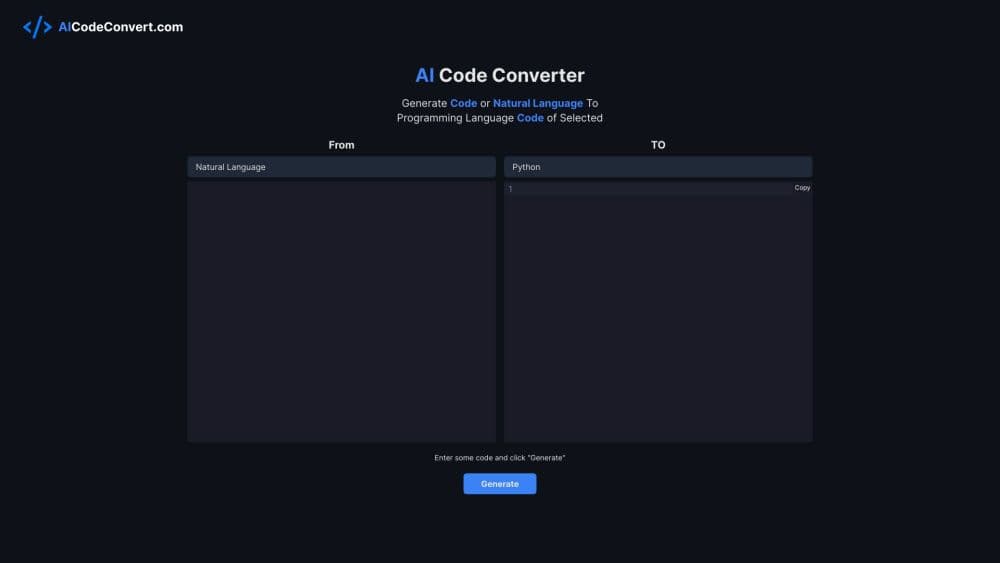
AICodeConvert is an AI code translator that does one job: move code from one language to another without you rewriting it by hand. You paste a snippet, pick a target language, and the site returns a converted version in a few seconds. The same input box takes plain English too, so a request like "sum numbers in Java" comes back as a runnable Java program.
That puts it somewhere between a snippet translator and a coding assistant. Code translation covers mainstream stacks such as Python, JavaScript, Java, C++, Go, Rust, PHP and Ruby, plus older or niche ones such as COBOL, Fortran, MATLAB, SAS and Racket. It also lists framework and platform names including React, Next.js, Django, Docker and Kubernetes, which helps when you're moving a piece of a project rather than a single function.
You can convert code online here without installing a compiler or an editor plugin. The limits matter as much as the features. Free use runs on a pool of 100 conversions, and one request can't exceed 30,000 characters. There's no public API, so anything automated has to go through the web page. Converted code needs a read-through before it ships, and the site's own terms say results may require manual review.
Getting Started
- Open aicodeconvert.com in any browser. No account is needed for the first run.
- Pick a source language, or leave it on Automatic detection when you're pasting mixed code.
- Choose the target language from the same dropdown.
- Paste your code or type a description, then press Convert, Ask Question, Explain or Debug.
- Copy the result with the button on the output panel and run your tests locally before you commit.
Product Information
A quick look at AICodeConvert's pricing, supported platforms, and performance.
Best for
The users, tasks, and scenarios where this tool fits best.
Users
- Developers porting a feature to a new stack
- Students learning a second language
- Analysts and non-programmers
- Maintainers of legacy code
Tasks
- Moving a utility function from Python to JavaScript before a migration.
- Getting a line by line walkthrough of unfamiliar code with the Explain button.
- Tracing why a snippet throws an error with the Debug button.
- Rebuilding a layout from a screenshot with the separate Image to HTML page.
Scenarios
- A quick syntax check in the middle of a code review, when you don't want to spin up a local toolchain.
- Weekend side projects where you want a starting point in a language you barely know.
- Interview prep, when you need the same algorithm in three languages before a live coding round.
- Teaching, when you want students to see the same loop in Python and in C.
Key features
Code Conversion Across 100+ Languages
The dropdown covers mainstream languages plus framework and platform labels such as React, Next.js, Django, Docker, Kubernetes and MySQL. Framework options return scaffolding rather than a straight syntax swap, so read the output before you paste it into a repo.
Natural Language to Code
Type a request in English and the code generator writes the program. It's most reliable for small scripts, test data and single functions, and it's a fast way to see how a language expresses a loop or a class.
Explain, Debug and Ask Question Buttons
Each button sends your input to a different prompt. Explain walks through what the code does, Debug looks for the cause of an error, and Ask Question answers a specific question about the snippet. A fourth button returns a shorter version of the code when you want a cleaner draft.
Automatic Language Detection
Leave the source dropdown on Automatic detection and the tool guesses the input language. It works well on common languages and gets shaky on short snippets that are valid in several of them.
Image to HTML
A separate page at aicodeconvert.com/ai/image-to-html turns a screenshot into HTML markup. It's handy when the only spec you have for a layout is a picture from a design handoff.
Browser-Only Workflow
There's nothing to install and no CLI. Everything runs in a tab, with a copy button on the output panel and a dark mode toggle for late sessions. The 30,000 character cap per request means big files get split into chunks.
Pros and cons
Pros
- The free tier gives you 100 conversions without a sign-up.
- The language list includes COBOL, Fortran, SAS and MATLAB, which most free translators skip.
- Four extra actions turn it into a light debugging aid, not just a translator.
- No install and no account, so it works on a locked-down work laptop.
Cons
- No public API, so you can't wire the conversion into a build step or a script.
- The 30,000 character cap rules out whole-project conversions.
- Framework options produce scaffolding, and accuracy drops on tricky swaps between static and dynamic languages.
- There's no pricing page, so you can't see what a credit top-up costs until you run out.
Frequently asked questions
Yes. You get 100 conversions without an account. Once the pool runs out, the site asks you to top up credits.
Related content
Explore related tools, skills, and articles for AICodeConvert.
AICodeConvert Alternatives

Base Code
Base44 (Wix) · Coding · ProductivityBase Code is a shared cloud development environment from Base44. Teammates describe changes to an existing GitHub codebase in chat, preview them live and send them back as pull requests.

Google EmbeddingGemma 2
Google DeepMind · Writing · Image · CodingGoogle EmbeddingGemma 2 is a 740M-parameter open model that turns text, code, images, audio, and video frames into vectors in one 768-dimension space, running on phones and laptops.

GitGlow
GitGlow · Coding · ProductivityGitGlow is a local-first desktop Git client that lets independent developers review their own code and their AI agents' changes in one place before shipping.