

Aidemia Co
Aidemia Co · Leaning
Aidemia Co is an AI teaching assistant that helps educators build lesson plans, worksheets, and classroom materials in minutes, aimed at K-12 teachers and tutors.
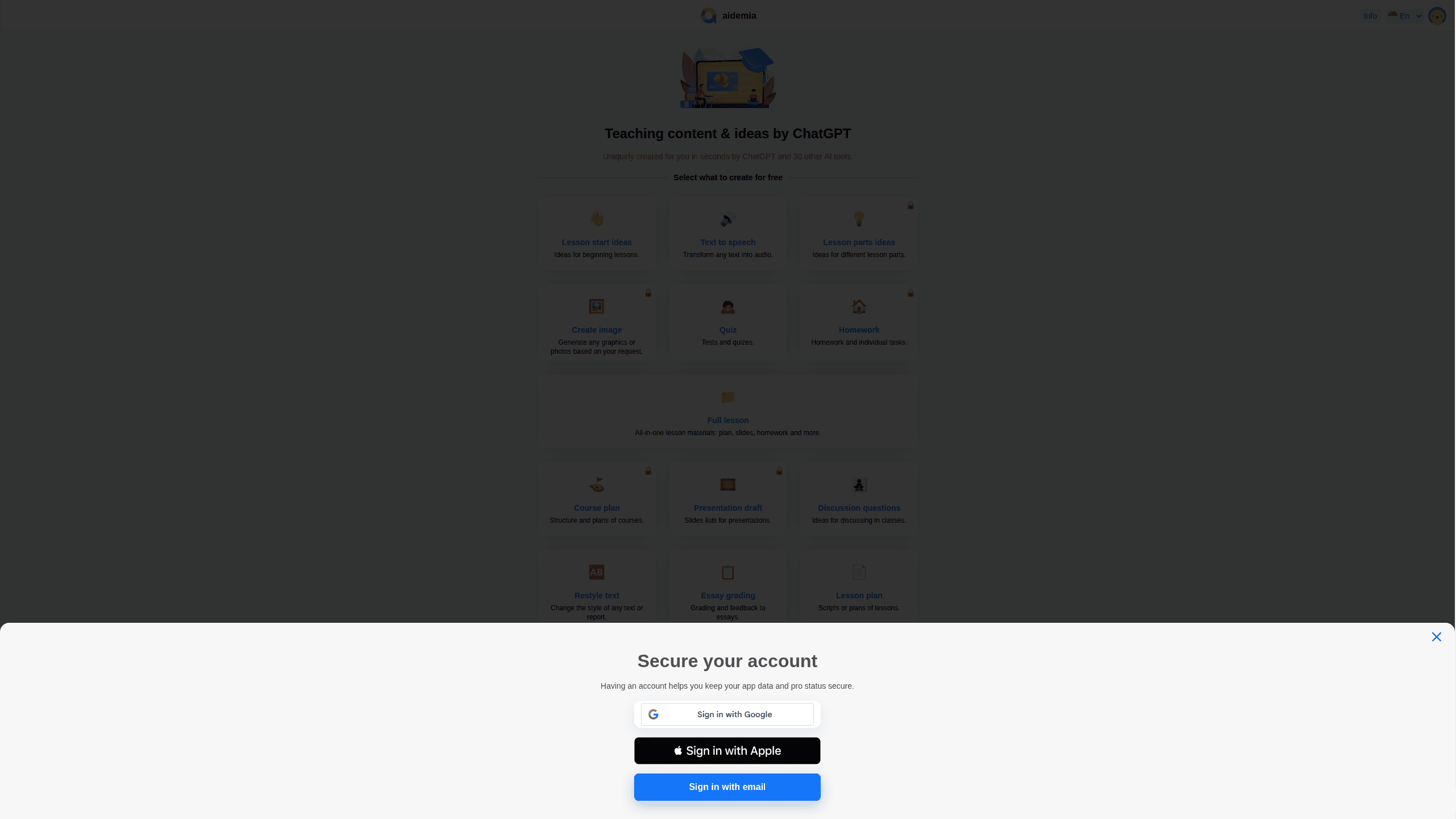
About Aidemia Co
What Is Aidemia Co
Aidemia Co is an online AI teaching assistant and lesson planning tool that helps educators turn a topic, a grade level, and a learning objective into ready-to-use classroom materials. Instead of writing prompts from scratch, teachers follow a guided sequence: pick what they want to build, describe the lesson, and let the tool draft the content. The result is a draft they can edit, print, or share with students. As a classroom materials generator, it covers the routine documents that fill a teaching week.
The tool targets the daily grind of teaching, not the big strategic questions. Lesson prep, worksheets, and routine classroom documents eat hours every week, and most of that work repeats across classes and terms. Aidemia Co exists to cut that repetition down. Simple as that.
The biggest limitation is scope. Aidemia Co generates text-based teaching materials only. It won't run your gradebook. It won't sync with a school's student information system, and it won't handle live classroom management. Treat it as a planning assistant, not a replacement for a school platform. The site also offers little public documentation, so specifics like exact plan limits, seat counts, and what each tier actually unlocks are still hard to pin down before you sign up.
Getting Started
- Open the Aidemia app in a browser and create an account with an email address.
- Choose the type of material you need, such as a lesson plan, worksheet, or set of questions.
- Enter the topic, grade level, subject, and any learning objectives for the class.
- Follow the guided steps to review and adjust the generated content.
- Export, print, or share the finished material with your students.
Product Information
A quick look at Aidemia Co's pricing, supported platforms, and performance.
Best for
The users, tasks, and scenarios where this tool fits best.
Users
- K-12 teachers
- Tutors and private instructors
- Substitute and early-career teachers
Tasks
- Drafting lesson plans
- Generating worksheets and practice questions
- Preparing classroom materials
Scenarios
- Planning a full week of lessons across multiple classes
- Filling a last-minute substitute lesson
- Adapting one lesson for different grade levels
Key features
Guided Step-by-Step Workflow
Every task follows a fixed sequence, from choosing the material type to reviewing the output. That structure removes the blank-page problem you get with a general chatbot. Teachers who aren't comfortable writing prompts can just fill in the fields and move forward. No prompt engineering required. It just asks what you're teaching.
Lesson Plan Generation
Aidemia Co builds lessons from a topic, grade level, and objective. The draft includes an outline and activities rather than a single block of text, which gives teachers something to adjust instead of something to rewrite. It works across school subjects. That last part matters more than it sounds.
Worksheet and Practice Question Builder
The tool can generate worksheets and practice questions tied to a lesson. For teachers who assign homework or in-class exercises, this covers the repetitive part of prep, the kind of task that stacks up across five classes and three grade levels until it swallows an entire Sunday afternoon. Output stays editable, so you can swap questions or change the difficulty.
Classroom Materials Support
Beyond plans and worksheets, it helps produce the routine documents that fill a teaching week. So what does that cover in practice? Handouts, notes, and the small items that quietly stack up. The point is consistency.
Accessible from a Browser
Aidemia Co runs in the web browser, so there's nothing to install and it works on school laptops and home machines alike. Teachers can pick up where they left off on a different device without rebuilding anything.
Pros and cons
Pros
- The guided process makes it easy for teachers with no prompt-writing experience to get usable output.
- Focuses on real teaching tasks like lesson plans and worksheets rather than generic chat.
- Runs in the browser, so there's no install or update to manage.
- Multiple educators report faster lesson prep and lighter weekly workloads in public reviews.
Cons
- The site publishes little about exact plan limits, so it's hard to judge value before signing up.
- It generates text-based materials only, so it won't replace a full school platform for grading or records.
- Because it's a web app, teachers who need offline access will be stuck when there's no connection.
Frequently asked questions
It's a web-based AI teaching assistant that drafts lesson plans, worksheets, and classroom materials from a topic and grade level. Teachers use it to cut down time spent on routine planning.
Related content
Explore related tools, skills, and articles for Aidemia Co.
Aidemia Co Alternatives

Kaggle AI
Google · Coding · LeaningKaggle AI is a community platform where people build, test, and compare machine learning models against shared data. It combines data science competitions, tens of thousands of public datasets, and free cloud notebooks with GPU and TPU access, so anyone with a browser can train a model without buying hardware. Google owns the platform, and joining costs nothing.

Bunch
Bunch AI · Leaning · BusinessBunch is an AI leadership coaching app that turns a few spare minutes a day into real management practice. It hands you one short, personalized tip each day, tracks how you respond, and lets you compare notes with peers inside private groups. The pitch is simple: you lead better by practicing a little, often, instead of sitting through a weekend seminar. Think of it as a leadership training app you actually open.

AI Mock Interview
SQLPad · Coding · LeaningAI Mock Interview is a practice tool built into SQLPad that simulates real job interviews and gives you instant feedback on both what you say and how you say it. You pick a role template or upload a job description, answer questions out loud in real time, and then review a transcript with notes on structure, clarity, and grammar. It's aimed at data professionals prepping for SQL, Python, data engineering, machine learning, and system design roles, and it works entirely in the browser. No install needed.