
AI Logo Maker
Logomakerr · Other
Logomakerr.AI is an AI logo maker that turns a business name and a few style choices into hundreds of logo designs, then sells a one-time package with brand kit templates.
About AI Logo Maker
What Is Logomakerr.AI
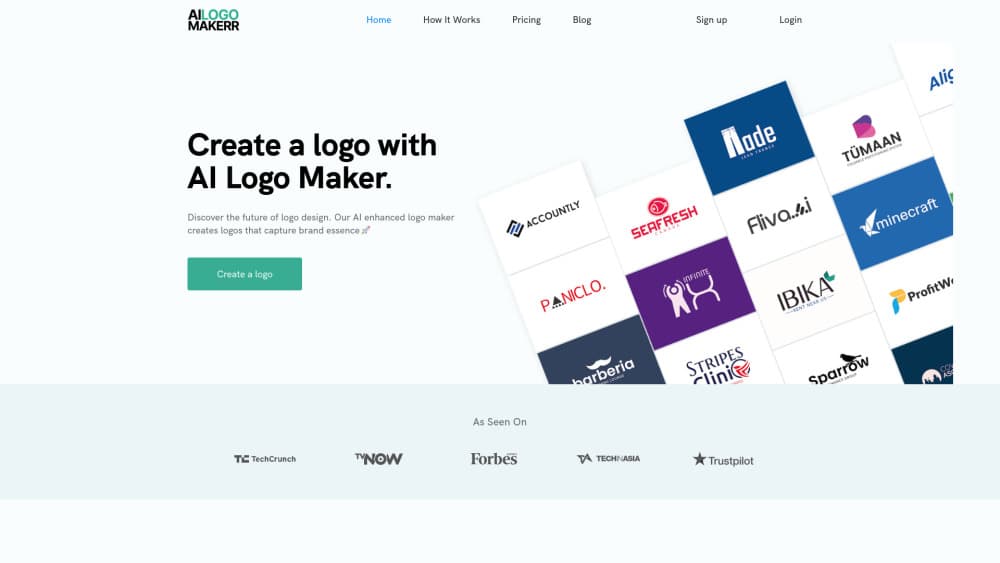
Logomakerr.AI is a browser-based AI logo generator for people who need a business logo and have no design training. You enter a company name, pick an industry, and choose the look you want. The tool returns logo concepts built around that brief instead of handing you a blank canvas. The old domain ailogomakerr.com now redirects here, so both addresses lead to the same product.
The problem it targets is cost and sameness. A freelance designer charges hundreds for a first round of concepts, and free template sites push the same shapes to thousands of businesses. Logomakerr generates many variations from your name and industry, then lets you swap fonts, colors, symbols, and layouts until one fits. The company also throws in brand kit templates for cards, letterheads, flyers, and social posts, which saves a second trip to another tool.
The limits matter before you start. Designing is free, but every download sits behind a one-time payment that runs from $29 to $99. The cheapest plan gives you JPG, PNG, and PDF only, so print work that needs clean scaling requires the PRO or BRAND package. Copyright covers the finished logo as a whole, not the individual symbols and fonts inside it. There's also no public API, which rules out automated batches for agencies.
Getting Started
- Open logomakerr.ai in a browser and start a logo project with your business name.
- Add the industry and the style you have in mind, then set preferred colors and fonts so the first batch lands close to your taste.
- Review the generated options, open the ones that work, and edit text, symbols, colors, and layout. Regenerate when a direction feels wrong.
- Check the logo mockup on cards and signage, then pick a package at checkout and download the files.
Product Information
A quick look at AI Logo Maker's pricing, supported platforms, and performance.
Best for
The users, tasks, and scenarios where this tool fits best.
Users
- Solo founders and small business owners
- Freelancers building a personal brand
- Community groups and event teams
Tasks
- Creating a first logo for a new business
- Refreshing an outdated logo
- Producing basic brand collateral
Scenarios
- A launch deadline in a few days
- Testing a business name before committing
- A local shop that needs print-ready artwork
Key features
Logo generation from a written brief
The generator works from your business name, industry, and style preferences rather than a fixed template list. It returns a batch of concepts that share your name but differ in symbol, type treatment, and color. That range is the point: you compare directions instead of tweaking one default design. Regeneration is free, so a weak first batch costs nothing but time.
Editing controls for fonts, colors, and layout
Once you pick a direction, the editor lets you change typefaces, color palettes, symbols, and the arrangement of elements. The library runs into thousands of fonts and symbols, which is more freedom than most logo builders give at this price. You can also produce variations of one logo for different uses. Designers will still notice the limits on spacing and custom drawing.
Brand kit with 300+ marketing templates
The package includes more than 300 templates for business cards, letterheads, posters, flyers, social posts, and presentation decks. Each one inherits your logo and colors, so a new business can look consistent on day one. This is the main reason to pick Logomakerr over a plain logo generator. The templates are editable, not print-ready art directed.
Logo mockup previews
Before you pay, the tool shows your logo mockup on cards, signage, and merchandise-style placements. Seeing the mark away from a white background exposes problems that a flat preview hides, such as thin strokes or a symbol that disappears at small sizes. It's a practical check, not a full brand simulation.
File formats that scale with the plan
The $29 BASIC package exports JPG, PNG, and PDF. PRO and BRAND add high-resolution vector logo files in SVG and EPS, plus animated versions for video intros. If the logo will end up on a storefront or a printed banner, the vector formats are the ones a print shop asks for. Web and social use is fine on BASIC.
Designer Fix for stubborn edits
For $40, an in-house designer adjusts the logo by hand, with up to three revisions included. This suits buyers who like a concept but can't get the spacing or type pairing right. It's optional and priced separately from the logo package.
One-time payment instead of a subscription
You pay once for the package you choose, and the price doesn't renew. That structure fits a small business that needs a logo now and doesn't want another recurring charge. The tradeoff is that later changes beyond the three-day window mean buying again or editing the files elsewhere.
Pros and cons
Pros
- Free generation with no card required, so you can judge output quality before spending anything.
- One-time pricing from $29 to $99 beats a year of subscription fees at most logo services.
- Brand kit templates cover cards, letterheads, flyers, and social posts in the same visual style.
- Editing depth on fonts, colors, symbols, and layout gives non-designers room to fix weak concepts.
- The $40 Designer Fix option adds a human pass when self-editing stalls.
Cons
- The free plan produces previews only. You can't download a usable file until you pay.
- BASIC lacks SVG and EPS, so print projects need the PRO or BRAND plan.
- Copyright applies to the finished logo, not the symbols and fonts inside it, which complicates trademark filing.
- No public API means agencies can't automate logo production for many clients.
Frequently asked questions
Generating and editing logos costs nothing. You pay only when you download a package, and the site says you can create hundreds of designs with your business name before deciding.
Related content
Explore related tools, skills, and articles for AI Logo Maker.
AI Logo Maker Alternatives

iFixAi
iFixAi · Business · OtheriFixAi is an open-source auditor for AI agents. It runs your agent through a simulation of your business, grades every reply, and returns an A to F scorecard backed by evidence.
PixVerse R2
PixVerse (AIVORA PTE. LTD.) · Video · OtherPixVerse R2 is a real-time world model that turns AI video into a continuous world you can walk through, prompt, and reshape while it keeps generating.

Opencontroller by lyzr
Lyzr AI · Productivity · Business · OtherOpencontroller by Lyzr is an agent control plane that finds every AI agent across clouds, laptops and vendor platforms, then enforces identity, policy and budget on each call it makes.