

Aimi
Aimi, Inc. · Writing · Voice & Language
Aimi is a browser-based AI music studio where its AI producer turns a text prompt into an editable multi-track session you keep, tweak, and release. The studio is free; AI turns cost credits.
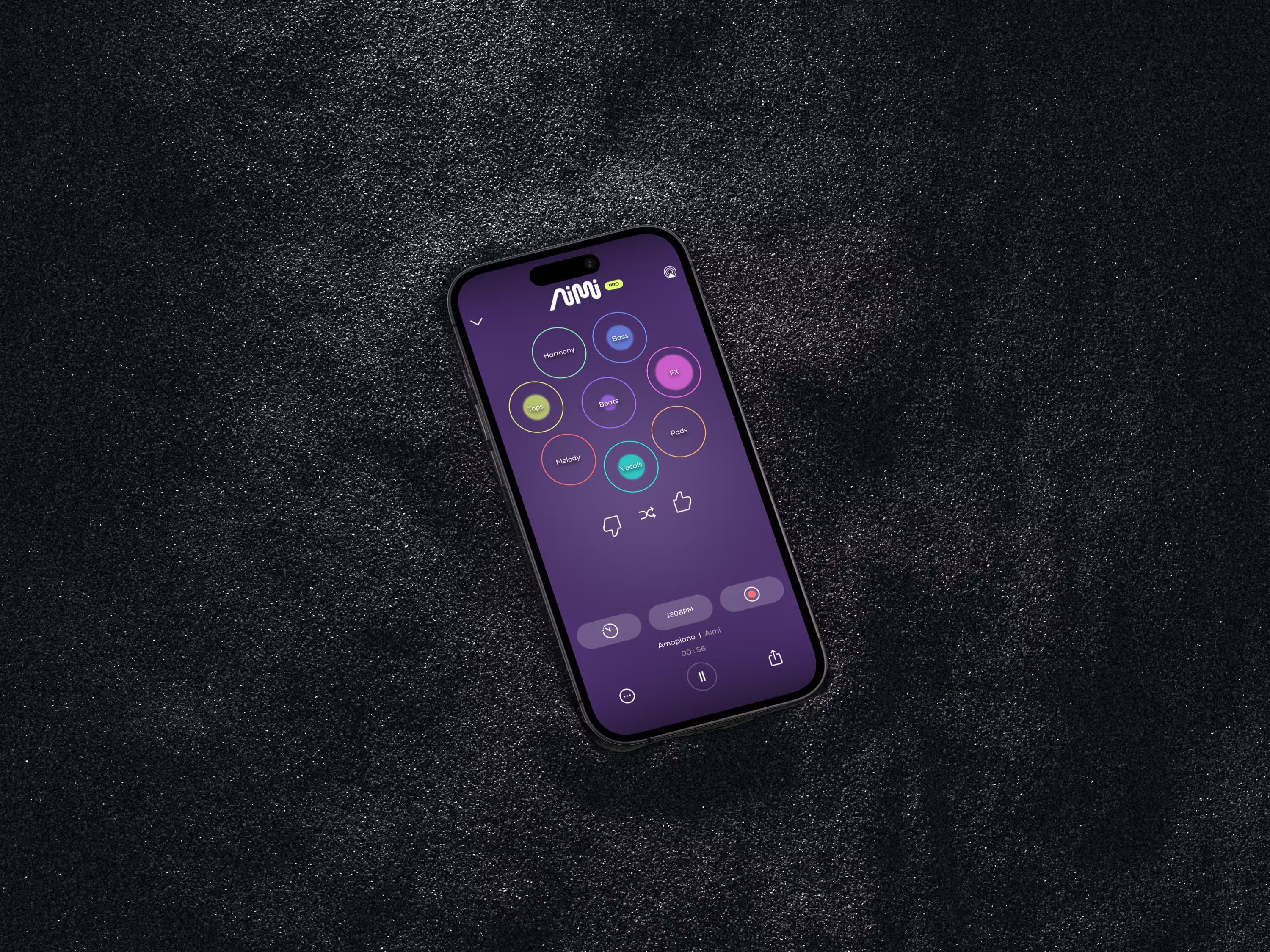
About Aimi
What Is Aimi
Aimi is a web app built by Aimi, Inc. that puts an AI producer and a full music studio in the same browser tab. You type a prompt like "moody UK garage, 132 BPM, female vocal chops," and Aimi builds a real project: separate tracks, clips, effects, and an arrangement. Nothing is bounced to a flat file you can't reach into.
That's the main difference from an AI song generator or AI song maker that hands back a finished MP3. Here the output is a session, which means every knob Aimi can touch, you can touch too. You can talk to it in plain language ("brighter chorus, half-time bridge") or grab the faders yourself. It reads the arrangement and works alongside you instead of locking you out after the first render.
Aimi, Inc. also runs Mixtape, a public listening site. Publish a track from Session and it lands on a page anyone can play, share, and follow without an account. Members can fork and remix published sessions, and credit flows back to the original artist automatically. The tradeoff is real: publishing opens a project to remixing and gives Aimi's models learning material, so if you want to keep work private, you should not publish it. Private projects stay out of training.
Getting Started
- Create an account with an email address and a password at aimi.fm. Signing up before 1 November 2026 loads 3,000 credits; after that, new accounts get 1,000. Both grants are one-time and never expire.
- Open Session and describe the track you want. Name a genre, a tempo, and a mood, and Aimi builds a multi-track project from its loop library and generated stems.
- Tweak it. Ask Aimi for changes in the chat, or edit tracks, clips, and effects by hand. Add MIDI parts and run them through the built-in virtual instruments.
- Export your audio for free whenever you like, or publish with one click to send the track to Mixtape under your name with a commercial release licence.
Product Information
A quick look at Aimi's pricing, supported platforms, and performance.
Best for
The users, tasks, and scenarios where this tool fits best.
Users
- Beginners who want to make music but stall at a blank DAW
- Producers and DJs sketching ideas fast
- Bedroom artists who want to release tracks
Tasks
- Turning a genre and mood prompt into an editable arrangement
- Iterating on a song's structure
- Writing MIDI melodies and parts
- Remixing another member's published session
Scenarios
- A weekend session with no setup
- Learning how a track is put together
- Finding a first audience
Key features
AI Producer That Builds Sessions
Aimi turns a text prompt into a multi-track project with tracks, clips, effects, and an arrangement, not a single exported file. You can keep working on it the same way you would in a DAW, because it was built AI-native rather than bolted onto a traditional editor. Ask for a genre, a tempo, and a vibe, and you get a structure you can shape.
Conversational Editing
You direct Aimi by talking to it. Type or say "brighter chorus, half-time bridge," and it changes the arrangement while reading what is already there. Anything it does, you can undo or take over by hand, and it batches work to avoid wasting credits on filler.
Owned Loop Library and Generated Stems
Aimi builds tracks from a loop and sample library it owns, plus stems it generates on the spot. You get a permanent, royalty-free licence to use those sounds inside the music you make. The library itself stays Aimi's, so you can release your track but not resell the raw samples.
MIDI and Virtual Instruments
Aimi can write MIDI parts, and you can draw them in yourself. The built-in virtual instruments play them, with controls for cutoff, voices, detune, and more in the instrument rack, so you shape the sound live instead of stopping at a preset.
Publish and Remix Community
One click publishes a track to Mixtape, a public listening site with its own pages, plays, reactions, and comments. Members can open any published session, fork it, and build on it, and credit flows back to the original artist automatically. This makes the AI music generator a remix music platform first, not just a place to park finished songs.
Free Studio With Turn-Based Credits
Recording, editing, mixing, uploading, exporting, publishing, and remixing are free for every account, with no subscription. Only Aimi's turns cost credits, at 10 credits each, and whatever a turn creates is included. Signup grants and bought packs never expire, and exporting audio is always free.
Pros and cons
Pros
- The output is an editable session, so you keep full control of tracks, stems, and effects instead of getting a locked MP3.
- The studio costs nothing and there is no subscription; you only pay for AI turns, and credits carry over indefinitely.
- Exports are free and the commercial release licence does not depend on buying credits.
- Remix-native publishing lets other members build on your tracks with credit flowing back to you.
- Projects live in the cloud and run in a browser, so there is nothing to install and work follows you across devices.
Cons
- You need credits to keep Aimi working after the signup grant runs out, so heavy use costs money in packs.
- Publishing a project opens it to remixing and to training Aimi's models; keeping work out means keeping it private and off Mixtape.
- The AI producer interprets prompts loosely and gives different results for the same input, so you have to listen and correct before releasing.
- Generative output is not unique, and in some countries purely AI-made material may not attract copyright, which limits how you can protect a release.
Frequently asked questions
Yes. You keep ownership of your sessions, uploads, and tracks, and you can release, share, and sell them. The licence to release commercially does not depend on buying credits. The loops and samples stay Aimi's, but you hold a permanent licence to use them inside your music.
Related content
Explore related tools, skills, and articles for Aimi.
Aimi Alternatives

Google EmbeddingGemma 2
Google DeepMind · Writing · Image · CodingGoogle EmbeddingGemma 2 is a 740M-parameter open model that turns text, code, images, audio, and video frames into vectors in one 768-dimension space, running on phones and laptops.

MePersona
MePersona, Inc. · Writing · Productivity · MarketingMePersona is an AI unified inbox for creators. It learns your voice, drafts replies to fan messages from 12 platforms, and sends only what you approve.

Fluence
Yay Software (Yannick Huchard) · Writing · Voice & Language · ProductivityFluence is an Android app that reads PDFs, EPUBs, Word files and web articles aloud, follows each sentence as it speaks, and answers questions about the text on the phone itself.