

AI Music Generator
AI Song Maker · Voice & Language
AI Music Generator is a web-based AI song maker that turns a short text prompt or your own lyrics into a full track with vocals, then lets you download it royalty-free.
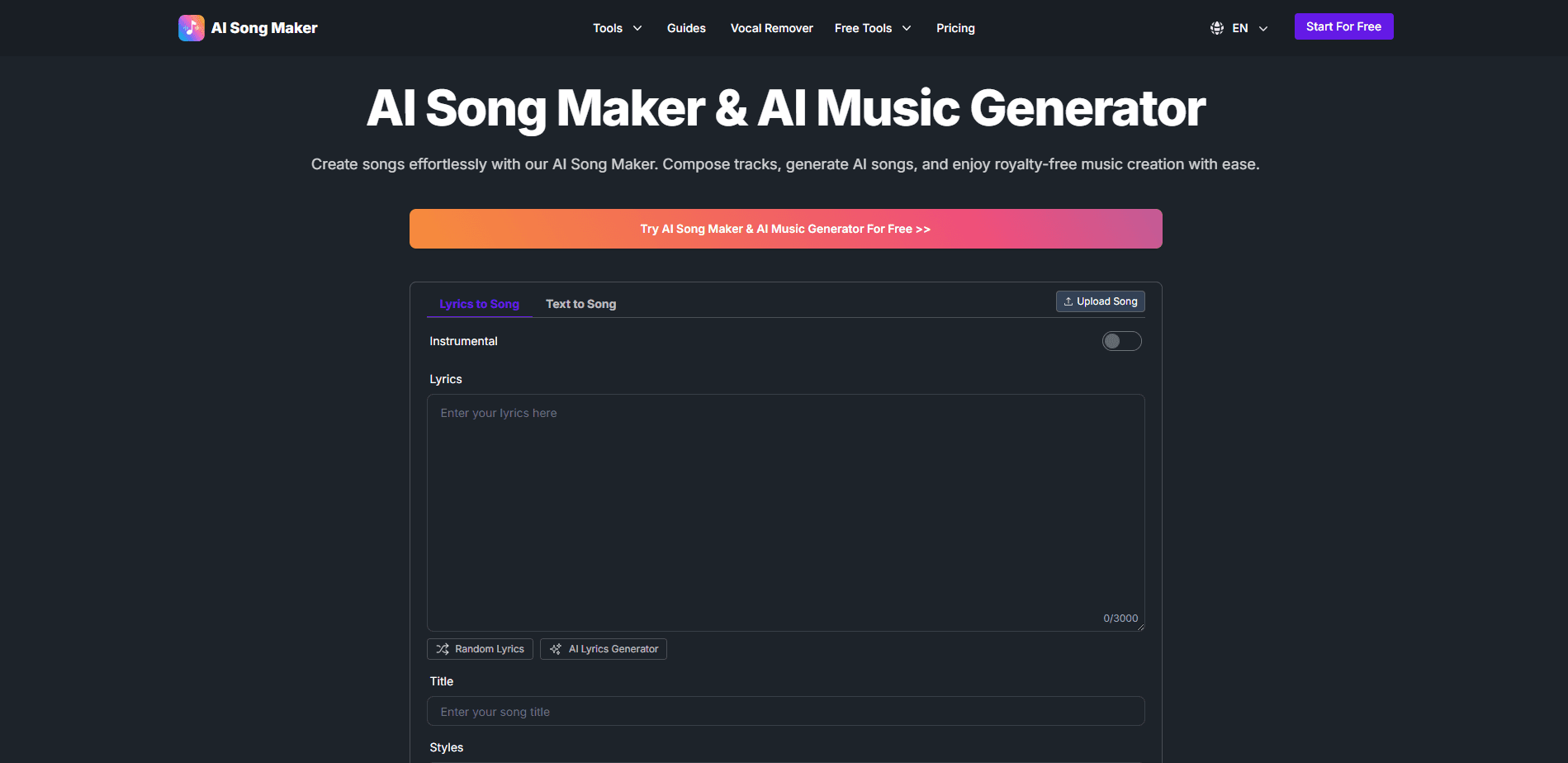
About AI Music Generator
What Is AI Music Generator
AI Music Generator is an online studio that writes and produces songs for you. You describe what you want or paste in lyrics, pick a style, and the tool returns a finished track with singing, instruments, and mixing. The site is run by AI Song Maker, which offers the same engine through a set of related tools for lyrics, covers, and video.
The appeal is speed and access. You don't need an instrument, a producer, or any theory to get a track you can use. Type a mood like a mellow lo-fi beat for late-night studying, choose a genre, and the generator handles melody, arrangement, and vocals in about a minute. Everything it makes is royalty-free, so you can drop it into a video, a podcast, or a game without chasing a license.
The limits matter as much as the features. Free accounts get 20 credits a day, which works out to about four songs, so this won't cover daily production work without a paid plan. Uploads of your own audio are trimmed to one minute on the free tier, and some tools like voice cloning sit behind the paid tiers. It's a web tool, so there's no phone app, and the site doesn't publish a public API.
Getting Started
- Sign in at aisongmaker.io to unlock 20 free credits per day, or start from the guest workspace.
- Choose a music type: text to song, lyrics to song, or an instrumental track with no vocals.
- Add a style and title, then set the genre, mood, tempo, and a male or female voice.
- Generate the track, which typically lands in under a minute, and preview the result.
- Download in MP3, WAV, or MIDI, or share it straight to your channel.
Product Information
A quick look at AI Music Generator's pricing, supported platforms, and performance.
Best for
The users, tasks, and scenarios where this tool fits best.
Users
- Social media creators
- Podcasters
- Hobby songwriters
- Game and app developers
Tasks
- Turning written lyrics into a produced track
- Creating an instrumental
- Making a royalty-free song cover
- Removing vocals for karaoke
Scenarios
- A YouTube upload due tonight
- A school music assignment
- A small ad campaign
Key features
Text to song and lyrics to song
The two entry points cover most uses. Describe a vibe and the AI composes melody, arrangement, and vocals; or paste finished lyrics and it builds a track around your words. Both run in about a minute, which makes iterating on an idea cheap. The difference matters when you already know the words versus when you only have a mood.
AI vocals in many genres
The generator sings. You pick a genre such as pop, rock, rap, lo-fi, or classical, choose a male, female, or random voice, and set the tempo. Vocals come out matched to the style rather than fighting it. Instrumental mode drops the singing when you'd rather have a clean bed for narration.
Song covers and vocal remover
Two editing tools extend what you generate. The cover tool reworks a track in a new style, and the vocal remover strips the lead voice to leave a karaoke-style instrumental. Both are free to try, and heavier voice-cloning features need a paid plan. They let you reshape output without leaving the site.
Extend and replace sections
Tracks aren't locked once made. You can loop a chorus, build an outro, or swap the intro for a different section while the generator keeps the rhythm and tone consistent. That's the difference between a one-shot demo and something you can actually shape into a finished song.
AI music video and singing photo
Beyond audio, the platform turns a track into an AI music video by matching scenes to the beat, and there's a singing photo tool that animates a still image. The free tier caps these at ten seconds, while paid plans stretch them to a few minutes. Handy when you need a visual to go with the song.
Royalty-free downloads in MP3, WAV, or MIDI
Every track is yours to use, and you can export as MP3 for quick sharing, WAV for editing, or MIDI to pull the notes into a DAW. Stems and stems-style editing matter to anyone finishing a project elsewhere. The commercial license is included, so there's no separate clearance step.
Pros and cons
Pros
- Fast output: a full track in about a minute, so you can test several directions without waiting.
- Royalty-free with a commercial license: usable in videos, podcasts, and ads without a separate music fee.
- Broad tool set: covers, vocal removal, section editing, and video all live in one place.
- Generous free tier: 20 daily credits, about four songs, is enough to judge the quality before paying.
- Flexible exports: MP3, WAV, and MIDI cover quick sharing, editing, and DAW work alike.
Cons
- Credits run out fast: four free songs a day won't sustain steady content production, so regular users will pay.
- One-minute upload cap on free: you can't feed long source audio into the free tools, which blocks some cover and remix work.
- Voice cloning is paid: training a custom voice model sits behind Basic and up, so that feature isn't available on the free plan.
- No public API: automating generation from your own app isn't an option, since the site doesn't document a developer interface.
Frequently asked questions
AI Music Generator makes original songs and instrumentals from text or lyrics, aimed at creators who need music fast. You write a prompt or paste lyrics, choose a style, and it produces a finished track with vocals you can download royalty-free.
Related content
Explore related tools, skills, and articles for AI Music Generator.
AI Music Generator Alternatives

Off the Record
Weird Machines · Voice & Language · ProductivityOff the Record is a macOS app from Weird Machines that reshapes your voice in real time to block AI transcription, so people hear you normally and notetakers get nothing usable.
Cekura Bench
Cekura · Voice & Language · BusinessCekura Bench is a public benchmark that runs speech-to-speech models and deployed voice agents through 82 simulated phone calls, three times each, then publishes pass rates, latency and cost.
Griffin by Tavus
Tavus · Voice & Language · Video · ChatbotGriffin by Tavus is the first Human Interaction Model: a full-duplex, video-to-video system that watches, listens, and answers during a live video call in real time.