

AIMusics.Net
AIMusics.Net · Writing · Voice & Language
AIMusics.Net is a browser-based AI music generator that turns a text prompt or your own lyrics into two MP3 tracks with cover art in a few minutes.
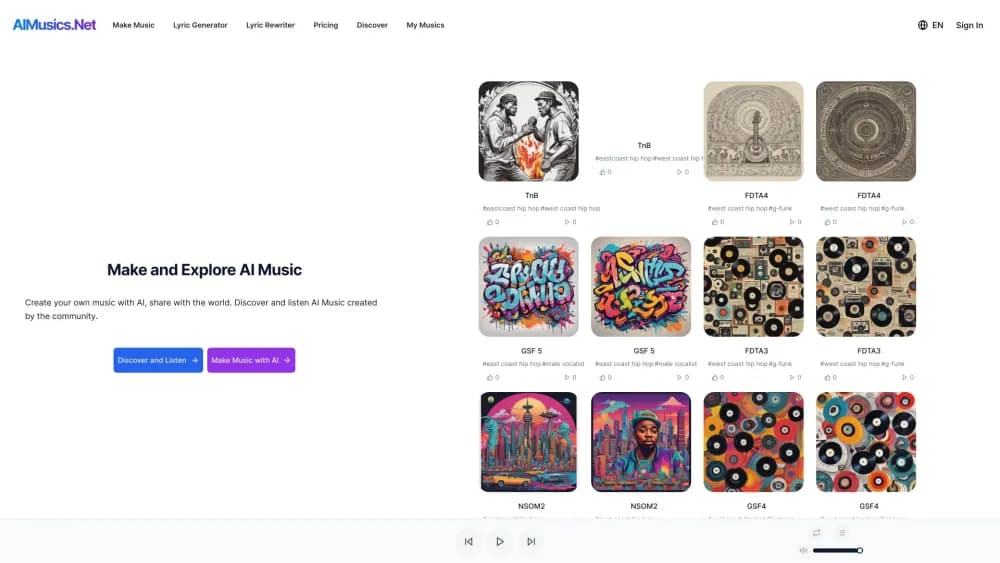
About AIMusics.Net
What Is AIMusics.Net
AIMusics.Net is a web app for making songs from written descriptions. It's an AI song generator first and a text to music tool second, and the difference is small in practice: you type what you want, choose a style, and get finished audio back instead of a loop or a sample pack. No instrument, DAW, or mixing knowledge is needed at any point.
The tool splits the job into two paths. Default mode takes one short description and returns a track. Custom mode asks for lyrics, a style, and a title, which gives you more say over structure and mood. Each run produces two versions of the song plus cover images, so you can keep the better take without spending another credit.
The limits matter more than the feature list. Credits are the gate. New accounts start with a small free balance, and steady use means buying more. Output quality moves with the genre too: pop, electronic, and simple acoustic sketches land closer to usable than dense orchestral writing. One more caveat deserves a line of its own. As of October 2026, aimusics.net redirects to an unrelated site, after the domain was registered again in June 2026. Check that the service is reachable before you build a project around it.
Getting Started
- Open aimusics.net in a browser and create an account. The free credit balance lands on signup.
- Choose a mode. Default asks for one sentence about the song. Custom asks for lyrics, a musical style, and a title.
- Describe the result you want in plain language, including mood, tempo, and instruments if they matter to you.
- Wait a few minutes. The generator returns two AI-generated tracks and the matching cover art.
- Play both versions, then download the zip file from the track page or your library.
Product Information
A quick look at AIMusics.Net's pricing, supported platforms, and performance.
Best for
The users, tasks, and scenarios where this tool fits best.
Users
- Beginner songwriters
- Video and podcast creators
- Indie game and app developers
- Music hobbyists
Tasks
- Turning a lyric draft into a sung demo
- Producing background music for a clip
- Making alternate takes of an existing idea
- Drafting a jingle for a small campaign
Scenarios
- A video edit is due tomorrow and the licensed track you wanted costs more than the project pays.
- You want to test whether a genre direction suits a project before booking studio time.
- You need a small library of background music for tutorials, streams, or a course, and you'd rather generate it than license it.
Key features
Default Mode for Fast Drafts
Default mode is the shortest path from an idea to audio. You write one description, submit it, and generate music from text with arrangement, instrumentation, and vocals on its own. It suits people who know the mood they want but not the musical vocabulary to describe it.
Custom Mode with Your Own Lyrics
Custom mode takes a lyric sheet, a style, and a title. That extra input gives you control over verse and chorus structure, and over how the vocal sits against the beat. Writing your own words also keeps the song closer to your voice than a prompt-only run does.
Two Tracks and Cover Art per Generation
Every generation returns two versions of the same brief plus cover images, one compressed and one high resolution. Two takes let you judge which arrangement works before spending another credit. The artwork is a small bonus, useful for a thumbnail or a private playlist.
Multi-Language and Multi-Genre Input
The prompt box accepts text in several languages, so you can write lyrics in Spanish, Portuguese, or Japanese and hear them sung back. Pop, rock, electronic, classical, and jazz all sit inside the supported range, with results that vary by how dense the arrangement gets.
MP3 Downloads with Artwork
Finished songs arrive as MP3 files, bundled in a zip with the cover images. MP3 plays anywhere, which matters if you're dropping a track into a video editor, a podcast host, or a phone. There's no lossless export listed, so mastering work starts from a compressed source.
Runs in a Mobile Browser
The whole flow works on a phone or tablet through the browser, with no app install. That makes it practical to start a song on a commute and finish the download on a laptop later.
Public Track Feed
Generated songs can be shared to a public feed where other users listen and browse by style. It's a light community layer rather than a marketplace, and it's the fastest way to hear what the model does with genres you haven't tried.
Pros and cons
Pros
- Two tracks per generation doubles your options at no extra credit cost.
- Custom mode accepts your own lyrics, which keeps the writing yours.
- The interface needs no musical training, and a first song takes minutes.
- Lyrics in several languages get sung rather than spoken, which helps non-English projects.
- MP3 output plus bundled artwork removes the usual export chores.
Cons
- Free credits run out quickly, and the paid credit packs are the only way to continue.
- Dense arrangements, especially orchestral ones, sound thinner than simple pop or electronic tracks. Expect to simplify your brief.
- The official domain currently redirects to an unrelated site, so account access and support are unreliable right now.
- No lossless export means you can't take a track into a mastering chain at full quality.
Frequently asked questions
It starts free. New accounts get a small credit balance, and each generation spends credits. Once that balance is gone, you buy credit packs. The site hasn't published a public rate card in a form we could verify.
Related content
Explore related tools, skills, and articles for AIMusics.Net.
AIMusics.Net Alternatives

Claude for Google Workspace
Anthropic · Writing · Productivity · BusinessClaude for Google Workspace puts Claude in a sidebar inside Google Docs, Sheets, and Slides, where it reads the file you have open and edits it in place.

Claude Haiku 5.5
Anthropic · Writing · Coding · ChatbotClaude Haiku 5.5 is Anthropic's fastest and cheapest small model, built for high volume tasks at $0.10 per million input tokens with a 1M token context window.

NoteWorthy
Suman Hansada · Writing · Productivity · AI AssistantNoteWorthy is a notes app for iPhone, iPad and Mac that writes titles, tidies formatting, summarizes long notes and files each one with on-device AI. No account, no upload, no network requests.