

NoteWorthy
Suman Hansada · Writing · Productivity · AI Assistant
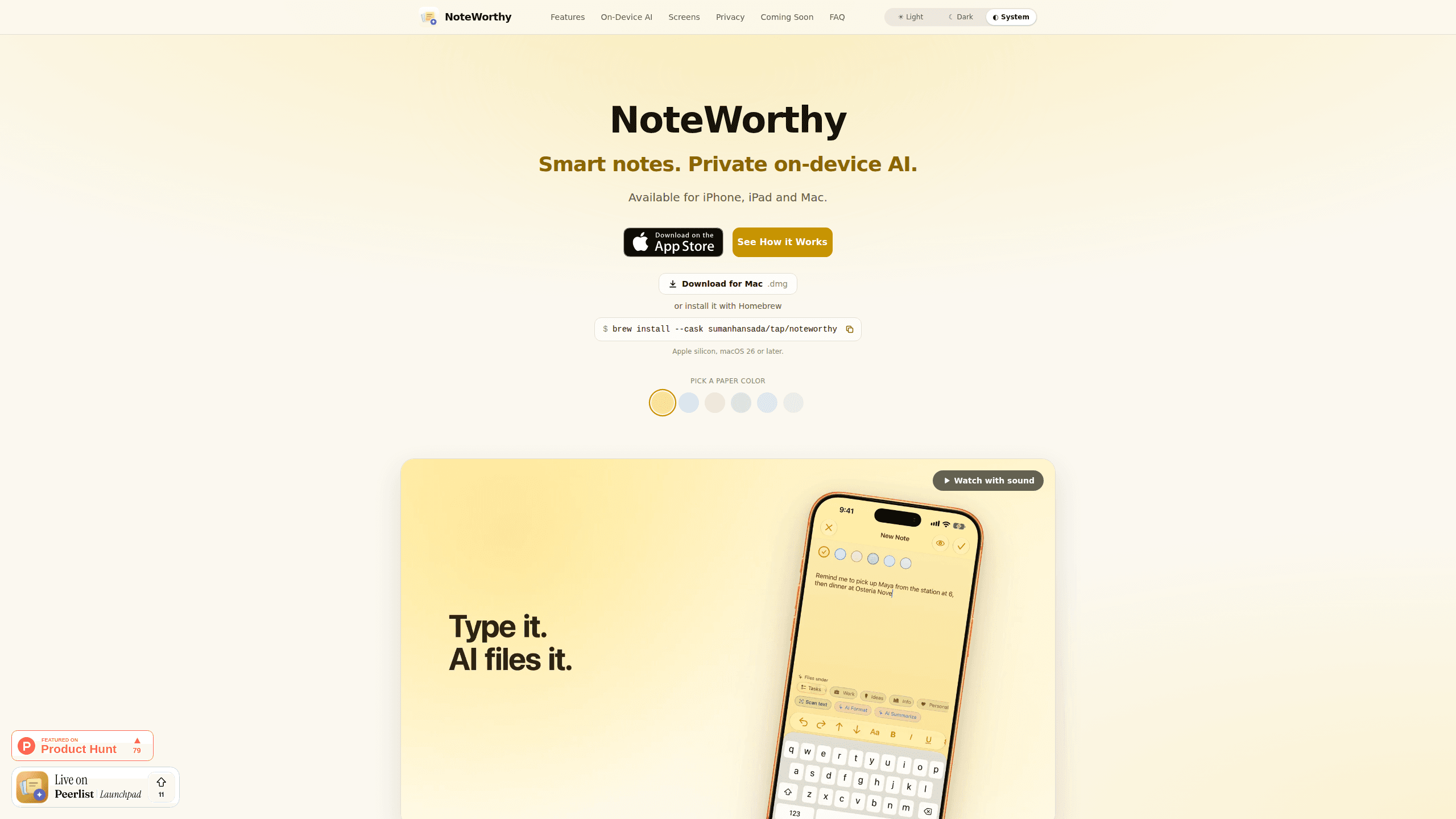
NoteWorthy is a notes app for iPhone, iPad and Mac that writes titles, tidies formatting, summarizes long notes and files each one with on-device AI. No account, no upload, no network requests.
About NoteWorthy
What Is NoteWorthy
NoteWorthy is a notes app for Apple devices where the AI runs on the device itself. You type, and the app does the tidying: a half-formed thought gets a title, a label and, if it runs long, a one-line summary at the top.
The scope is deliberately small. This is a note organizer, not a workspace: no databases, boards or team permissions, and no web app. Four labels come built in (Tasks, Ideas, Info, Personal). You can add your own with an icon and a color, then pin the ones you use to the tab bar. On iPhone it behaves like sticky notes, on iPad you get a sidebar and a note board, and on a Mac it waits at the edge of the screen as a notebook you can pull over any app.
The AI is split in two. Titles, summaries and the Markdown rewrite come from Apple's Foundation Models running on the Neural Engine. Filing uses a 300M-parameter embedding model bundled inside the app, which compares meaning instead of keywords and can decide that none of the labels fit. Hardware without Apple Intelligence falls back to built-in heuristics, so writing, filing and search still work without the generated text.
Two limits decide whether it fits you. It needs iOS or iPadOS 26, or a Mac with Apple silicon on macOS 26, which rules out Android, Windows and older iPhones. Notes also don't sync between devices yet. iCloud Sync is listed as coming, and until it ships you move a note across by exporting it as Markdown.
Getting Started
- Install NoteWorthy from the App Store. It's a universal purchase, so one download covers iPhone, iPad and Mac.
- Read the three onboarding screens. They explain what the labels do, what AI Organize does, and what happens to your writing.
- Write a note the way you'd scribble it, then tap AI Organize. The app adds a title, picks a label and leaves the text alone.
- Create labels for your own subjects and pin them to the tab bar. The Mac build keeps the same label rail on the edge of the screen.
- Turn on the app lock under Settings, Privacy if you want Face ID or Touch ID in front of your notes. Export any note as Markdown whenever you want it somewhere else.
Product Information
A quick look at NoteWorthy's pricing, supported platforms, and performance.
Best for
The users, tasks, and scenarios where this tool fits best.
Users
- Students and researchers
- Developers and makers
- Anyone who wants a private notes app rather than a cloud account
Tasks
- Capturing a thought before it disappears
- Cleaning up a note written in a hurry
- Finding an old note
Scenarios
- A meeting where you only type fragments
- Packing for a weekend trip
- A long writing session on a Mac
Key features
One Tap Sorts the Whole Library
AI Organize reads each note and gives it a title plus a label: Tasks, Ideas, Info, Personal or one of your own. Filing works from what's already stored, so running it twice doesn't shuffle anything. That last part matters once you have a few hundred notes, because a re-sort that changes its mind every time makes the labels useless.
Formatting That Keeps Your Sentences
AI Format rewrites the structure of a note, not the content. A run-on paragraph becomes headings, bullets and checkboxes, and your phrasing stays as you wrote it. You see a preview and can copy the result, insert it or replace the note, so a bad rewrite costs one tap to undo.
Summaries Built for Skimming
Long notes get a single sentence at the top. On a phone, that's often the difference between opening a note and scrolling through it. The AI summarizer is also exposed as a Shortcut action, which means you can run it on text from another app before that text ever becomes a note.
Two On-Device Models, No Server
Titles, summaries and the Markdown rewrite come from Apple Intelligence on the Neural Engine. Filing uses a separate embedding model that ships inside the app and runs through MLX. Neither needs a connection, and the app has no networking code to fall back on. That makes it a true offline notes app rather than one with a cached mode. On a device without Apple Intelligence, heuristic rules take over for filing and search.
Markdown In, Markdown Out
You edit rich text with headings, bold, italic, tables and images, and the file underneath is Markdown. Most Markdown notes apps treat the format as an export option; here it is the storage layer. Any note exports as a file that opens in Obsidian, iA Writer or a plain text editor. Nothing is trapped in a proprietary format, which is the main reason a small app like this can be trusted with years of notes.
Hooks Into the Rest of the System
Spotlight indexes every note, so a system search opens the note directly. Widgets come in four sizes with checkboxes you can tick without launching the app. Five Shortcuts actions handle capture, summarize and format, and the share sheet turns a Safari selection into a note. A date becomes a calendar event, a name links to Contacts and an address opens in Maps, each one behind a system permission prompt.
App Lock Without an Account
There's no sign-in, no email and no profile. The app lock under Settings, Privacy asks for Face ID or Touch ID before your notes appear, with the device passcode as a fallback. On iPhone and iPad, notes are written to disk with Apple's file protection; on a Mac they stay inside the app sandbox.
Pros and cons
Pros
- Everything it does today is free, with no ads and no subscription, and the developer says on-device features will stay free.
- The privacy claim is structural: the app makes no network requests at all, so airplane mode changes nothing.
- Filing uses semantic matching, and the model is allowed to say that no label fits instead of forcing a guess.
- Notes are stored as Markdown, so leaving later takes one export rather than a migration project.
- One purchase covers iPhone, iPad and Mac, and the Mac build installs through Homebrew if you prefer that to the App Store.
Cons
- It's Apple only. Android, Windows and the web are not supported, and the app needs iOS 26 or macOS 26 on Apple silicon.
- Notes don't sync between devices yet. iCloud Sync is announced but unshipped, so a phone note and a Mac note stay separate until you export.
- Generated titles, summaries and formatting need an Apple Intelligence capable device. Older hardware keeps the filing and search but loses the writing help.
- The Mac version was still in App Store review at launch, and one independent developer stands behind the whole product, so feature timelines are best treated as intentions.
Frequently asked questions
Yes. Every feature it ships today is free, with no ads and no subscription. The developer plans a single one-time unlock for iCloud Sync and Shared Notes when those arrive, and says on-device features will stay free.
Related content
Explore related tools, skills, and articles for NoteWorthy.
NoteWorthy Alternatives

Google EmbeddingGemma 2
Google DeepMind · Writing · Image · CodingGoogle EmbeddingGemma 2 is a 740M-parameter open model that turns text, code, images, audio, and video frames into vectors in one 768-dimension space, running on phones and laptops.

MePersona
MePersona, Inc. · Writing · Productivity · MarketingMePersona is an AI unified inbox for creators. It learns your voice, drafts replies to fan messages from 12 platforms, and sends only what you approve.

Fluence
Yay Software (Yannick Huchard) · Writing · Voice & Language · ProductivityFluence is an Android app that reads PDFs, EPUBs, Word files and web articles aloud, follows each sentence as it speaks, and answers questions about the text on the phone itself.