
Albus - Daily voice assistant
Albus Technologies Limited · Other
Albus is an AI assistant and cloud workspace from Albus Technologies. It brings real-time web search, voice talk, canvas mode and document insights into one place. It runs on the web and on mobile.
About Albus - Daily voice assistant
What Is Albus
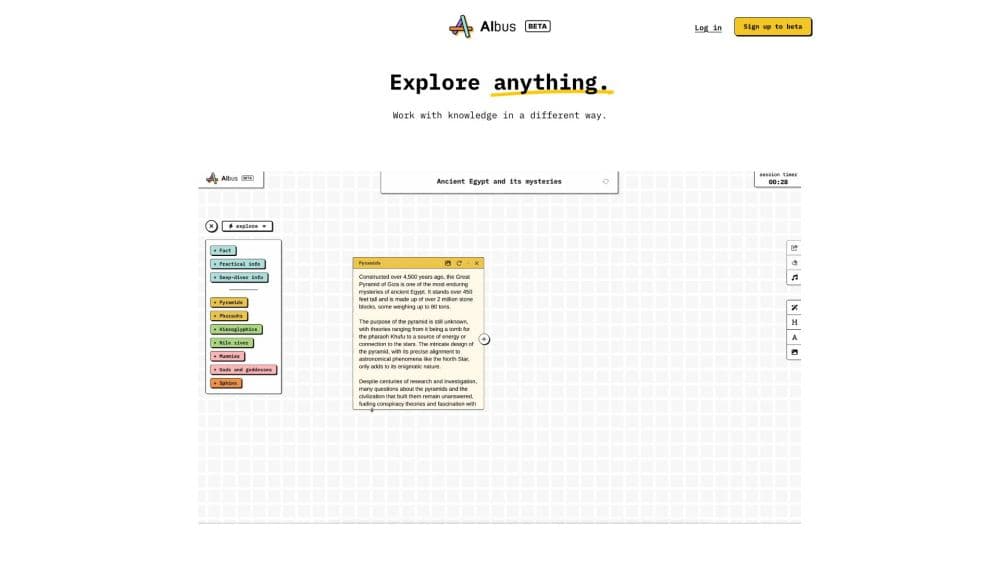
Albus is an AI assistant built as a cloud workspace, so your chats, documents and generated media sit in one account instead of scattering across separate apps. You ask a question, and it answers with live web results rather than a frozen training snapshot. You can talk to it in conversation mode, sketch ideas in canvas mode, or drop in a file and pull insights out of it.
The product aims at people who want a general AI helper that also handles real work. That covers reading a long PDF, turning notes into a podcast, reading a document aloud, or generating an image from a prompt. Instead of subscribing to one chatbot for text and another for voice or images, Albus bundles those jobs under one login and one file library.
The main limit is reach. Albus is a young product from a small UK company, and its feature set still leans on third-party models and services underneath. There is no public API, and the exact ceilings on messages and file uploads change by plan, so heavy users can hit a cap before the month is out. If you need enterprise-grade governance, the mature players have more to show.
Getting Started
- Go to albus.org and register an account, or download the mobile app for iOS or Android. The free starter plan does not ask for payment up front.
- Pick the model you want for the task. Entry models handle everyday chat, advanced models take on harder reasoning, and the reasoning tier if you need deeper analysis.
- Ask a question in the chat box, or turn on conversation mode to talk out loud. The assistant searches the web in real time and cites what it found.
- Open canvas mode when you want to write, edit or organize text and visuals side by side, or upload a document to pull insights and transcripts from it.
- Save your work to the workspace, or turn a document into audio and generate images. Upgrade to Pro or Max when you need higher file and message limits.
Product Information
A quick look at Albus - Daily voice assistant's pricing, supported platforms, and performance.
Best for
The users, tasks, and scenarios where this tool fits best.
Users
- Everyday knowledge workers
- Voice-first users
- People who read a lot
Tasks
- Researching with current sources
- Turning documents into audio
- Drafting and editing text
- Generating images from prompts
Scenarios
- Catching up on a long report before a meeting
- Working away from a desk
- Studying a complex topic
Key features
Real-Time Web Search
Albus searches the web while it answers, so replies carry current information instead of only what a model learned at training time. You can trace the sources behind an answer, which matters when a fact is recent or changes fast. It is the feature that keeps chat useful for news and live topics.
Conversation Mode
Conversation mode lets you speak to Albus and hear it reply, so the assistant feels closer to a voice helper. In practice it works as an AI voice assistant for hands-free tasks like taking notes, thinking out loud or asking a question while you cook or drive. On mobile it makes the assistant usable without a keyboard.
Canvas Mode
Canvas mode sets text and visuals on a shared surface, so you can draft, edit and reorganize material while the conversation stays in view. It fits writing, planning and reshaping a document, since a jump between a chat box and a separate editor gets clumsy. The result is an editing space that lives next to the chat that produced it.
Multi-Model Support
Albus runs on models from several providers rather than one. Entry AI models such as GPT-4o mini, Gemini 2.0 Flash and Claude 3 Haiku cover everyday chat, while advanced models like GPT-4o, Gemini 1.5 Pro and Claude 3.5 Sonnet take on harder work. Reasoning models are reserved for the tasks that need deeper analysis, which lets you match the model to the job.
Document Insights
You upload a document and Albus pulls out the key points, summaries and transcripts. Files up to 30 MB and, on higher plans, large text limits are handled, so long reports and transcripts are fair game. It saves the slow pass of reading a dense document end to end before you know what is in it.
Audio, Podcasts and Image Creation
Beyond text, Albus narrates documents, builds podcasts from your notes and generates images from prompts. The audio side uses realistic voices, and the image tools cover the everyday need for a quick visual. Keeping them in one workspace means the media you make stays with the text that produced it.
Pros and cons
Pros
- Bundles chat, voice, file reading and media creation under one account, so you replace several single-purpose tools.
- Real-time web search keeps answers tied to current sources instead of a stale training cutoff.
- Multi-model support across entry, advanced and reasoning models lets you trade speed for depth per task.
- A free starter plan and a mobile app make it cheap and easy to try before paying.
- Document insights handle large files, which suits research and report-heavy work.
Cons
- No public API, so you cannot wire Albus into your own apps or automate it the way you can with some rivals.
- Message and file limits differ by plan, and the free and Pro tiers cap you sooner, which can bite during heavy use.
- The workspace leans on third-party models and services, so its capabilities track whatever providers it uses.
- It is a young product from a small company, so the track record and the range of add-ons are thinner than the major assistants.
Frequently asked questions
Albus is used as an AI assistant and workspace for everyday work. You ask questions with live web search, talk to it by voice, read and summarize documents, and create audio or images. It gathers those jobs in one account instead of spreading them across separate apps.
Related content
Explore related tools, skills, and articles for Albus - Daily voice assistant.
Albus - Daily voice assistant Alternatives

Odyssey 3
Odyssey · OtherOdyssey-3 is Odyssey's foundation world model. It simulates physics in real time, turns a prompt into an interactive environment, and adapts to robots, cars and games.

JarvisCore
Prescott Data · Coding · Productivity · OtherJarvisCore is an open source Python runtime where AI agents work as equal peers on an agent mesh, claim tasks from a shared ledger, and reach external services through a zero-trust broker.
Clef
Cloudflare · Business · OtherClef is Cloudflare's open-source decision model for Workers AI. It returns calibrated probabilities for typed questions, not generated text, so agents can classify, route, and act fast.