

Firecrawl
Firecrawl (Mendable AI) · Coding · Other
Firecrawl is a web data API that turns pages into clean Markdown or structured JSON, so AI agents and apps can search, crawl and read the live web.
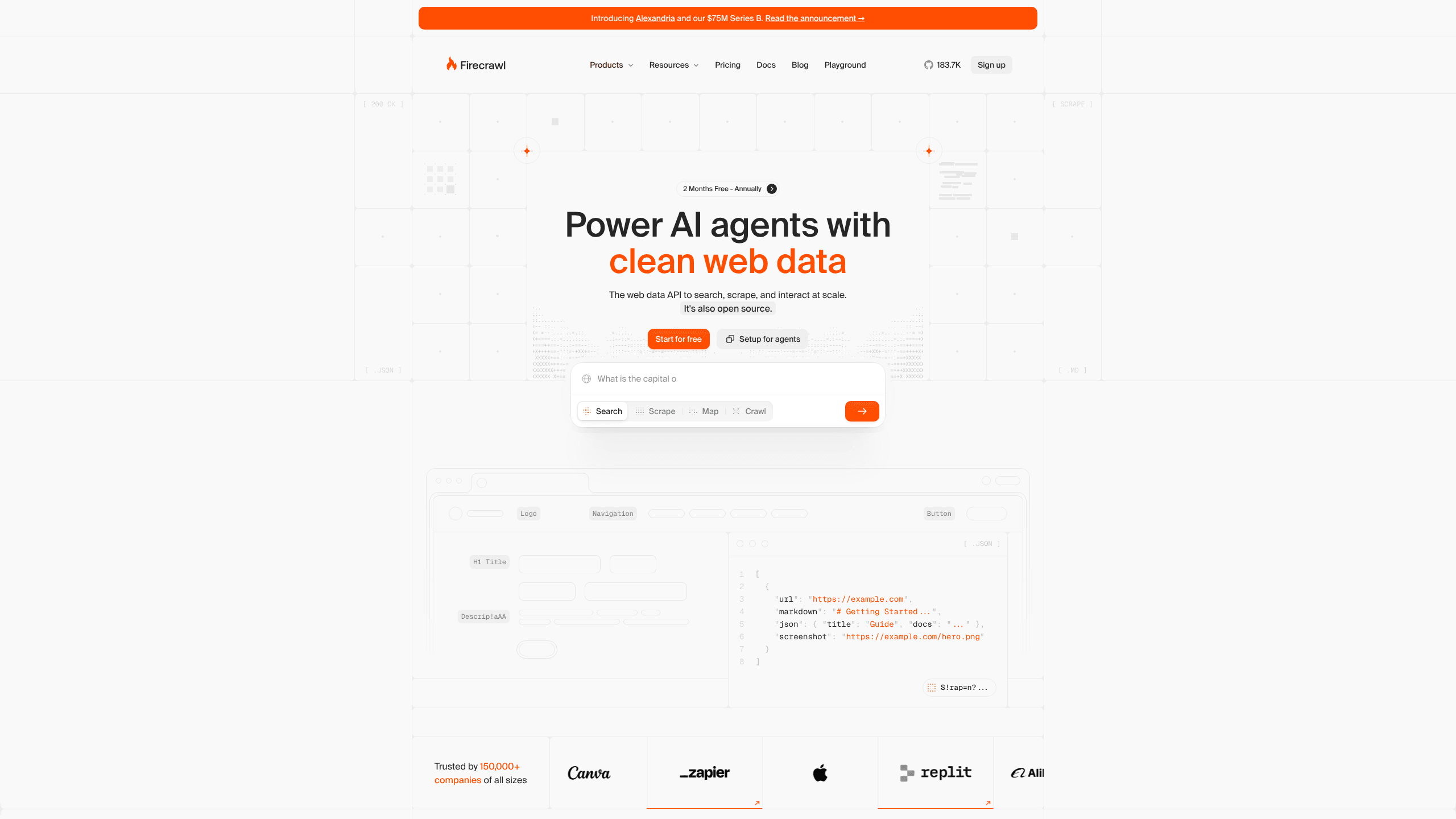
About Firecrawl
What Is Firecrawl
Firecrawl takes a URL and gives back the part of the page that matters. You send a request, it renders the page, strips navigation, ads and cookie banners, then returns Markdown, HTML or JSON that an LLM can read without cleanup. It's a web scraping API for teams that want to scrape a website to Markdown without building a parser first.
Most teams use it to feed retrieval pipelines, agents and research tools with current web content. Typical AI web scraping setups need a renderer, a proxy pool and an HTML cleaner; Firecrawl bundles those behind one crawl website API family. The same account covers search, single page scraping, whole site crawls, URL discovery, document parsing, browser actions and scheduled monitoring, which means fewer vendors and one set of API keys.
The project is open source under AGPL-3.0 and has a managed service for teams that don't want to run browsers and proxies themselves. Credit pricing is shared across endpoints, and a crawl job costs more than a single scrape, so budget checks matter before you point it at a large site.
Getting Started
- Create an account at firecrawl.dev or send a test request without a key. The keyless route is rate limited but works for a first check.
- Copy the API key from the dashboard and store it as FIRECRAWL_API_KEY.
- Send a POST request to /v2/scrape with the page URL and the formats you want, such as markdown and json.
- Install an SDK (pip install firecrawl-py or npm install firecrawl) or connect the MCP server to Claude, Cursor or VS Code.
- Add crawl, map or monitor calls when you need a whole site, a URL list or change alerts.
Product Information
A quick look at Firecrawl's pricing, supported platforms, and performance.
Best for
The users, tasks, and scenarios where this tool fits best.
Users
- AI engineers building retrieval or agent pipelines
- Developers who work inside Claude Code, Cursor or VS Code
- Research and analyst teams
Tasks
- Turning documentation into a chatbot knowledge base
- Pulling prices or listings from JavaScript-heavy storefronts
- Extracting typed records
- Tracking competitor pages
Scenarios
- A RAG prototype that needs live pages this week
- A support bot that reads a help center after every release
- An internal agent that logs into a supplier portal
Key features
Scrape pages into Markdown or structured JSON
The scrape endpoint returns the main content of a page, with navigation and ads removed, in Markdown, HTML, links, screenshots or JSON that follows your schema. Structured data extraction works from that same call, so results land in fields your database can take. PDFs and DOCX files go through the same route, so a mixed pile of URLs and documents can land in one dataset. Output is cached, which cuts repeat costs on pages that rarely change.
Search with full page content
Search sends a query to the live web and returns the full text of each result, not just titles and snippets. You can filter by domain, date or country and ask for highlights or a summary. One call gives an agent enough context to answer without a second scraping round.
Crawl a whole site
Crawl starts at a URL and follows links within the rules you set: depth, path patterns, page limits and sitemap use. Jobs run in the background and report progress, so a 5,000 page site doesn't block your app. You get one Markdown or JSON record per page.
Map a site before you crawl
Map returns the URL structure of a domain in seconds, which is useful when you don't know how a site is organized. Filter the list after the call and send only the pages you need to crawl. It's cheaper than crawling everything to find out what exists.
Interact with pages through a managed browser
Interact opens a real browser session and runs actions such as clicking, typing, scrolling and logging in. That covers pages that only load content after a click or a sign-in. Sessions are meant for short tasks, not for keeping a browser open all day.
Monitor pages for changes
Monitor checks a page, a crawl or a search on a schedule you set. When content changes or a new result appears, Firecrawl sends a webhook, an email or a Slack message. This replaces a stack of cron jobs and diff scripts for price tracking, policy pages and release notes.
Pros and cons
Pros
- Seven endpoints under one API key: search, scrape, crawl, map, parse, interact and monitor.
- Clean Markdown out of the box, with boilerplate stripped before the text reaches your model.
- Open source under AGPL-3.0, so you can self-host or read the code before you commit.
- Official SDKs for Python, Node.js, Go and Rust, plus a CLI and an MCP server.
- Free tier with 1,000 monthly credits and a keyless first request for testing.
Cons
- Credit costs differ by endpoint and by options, so a large crawl can drain a plan faster than expected.
- The free tier allows 2 concurrent requests and 10 requests per minute on scrape, which is slow for batch work.
- Interact is not built for persistent sessions, so long-running logged-in agents need another tool.
- Self-hosting means running your own browsers and proxies, and AGPL terms apply if you modify and distribute the code.
Frequently asked questions
Firecrawl gives AI applications a way to read the web. It converts pages, PDFs and documents into Markdown or JSON, and adds search, crawling and change monitoring on top of that core scraping job.
Related content
Explore related tools, skills, and articles for Firecrawl.
Firecrawl Alternatives

Base Code
Base44 (Wix) · Coding · ProductivityBase Code is a shared cloud development environment from Base44. Teammates describe changes to an existing GitHub codebase in chat, preview them live and send them back as pull requests.

Google EmbeddingGemma 2
Google DeepMind · Writing · Image · CodingGoogle EmbeddingGemma 2 is a 740M-parameter open model that turns text, code, images, audio, and video frames into vectors in one 768-dimension space, running on phones and laptops.

GitGlow
GitGlow · Coding · ProductivityGitGlow is a local-first desktop Git client that lets independent developers review their own code and their AI agents' changes in one place before shipping.