

Amped Studio
LettoPro SA · Voice & Language · Productivity
Amped Studio is a browser based online music maker and DAW for recording, arranging, and mixing songs, with built-in AI tools and VST3 plugin support and no install needed.
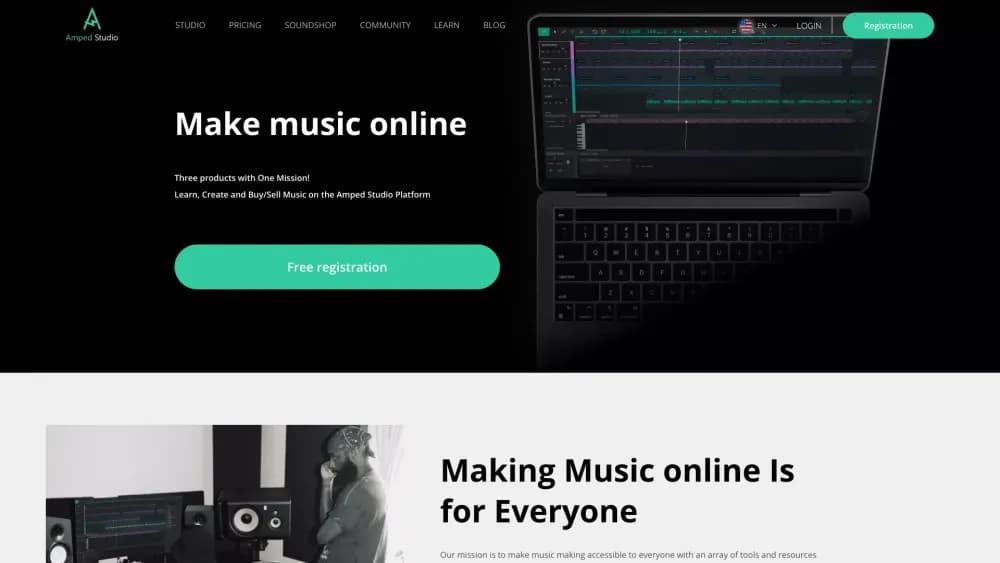
About Amped Studio
What Is Amped Studio
Amped Studio is a digital audio workstation that runs entirely in a web browser. You record vocals, arrange tracks, add effects, and mix a full song without downloading anything, and the project stays available on any computer you sign in from. It suits anyone who wants studio tools without the setup overhead of a desktop DAW.
The draw is the mix of classic production tools and AI help. The AI assistant builds a starting composition in a style you pick, the stem splitter pulls vocals and instruments apart from an uploaded song, and you still get the sequencer, mixer, and effect chain a producer expects. You can also load VST3 plugins already installed on your machine, so a browser session is not cut off from the plugins you own.
The limits are real. The free Starter tier runs ads, caps you at 5 projects and 16 tracks, and exports only in MP3. Some AI features are a one-time demo unless you pay. Everything runs in the cloud, so a weak connection or an offline moment stops work in a way a local DAW would not.
Getting Started
- Open the Amped Studio site and register a free account. No install is required to start making music.
- Create a project, set the tempo and style, and pick a starting point or let the AI assistant generate a composition.
- Add tracks, drop in instruments and samples, and record audio or MIDI from your microphone or a connected controller.
- Mix with effects and automation, then load VST3 plugins if you want the tools you already own.
- Export your project, or generate a share link so a collaborator can open and add to the same song.
Product Information
A quick look at Amped Studio's pricing, supported platforms, and performance.
Best for
The users, tasks, and scenarios where this tool fits best.
Users
- Beginners
- Singers and vocalists
- Content creators
- Advanced producers
Tasks
- Making rap beats
- Splitting a song into stems
- Recording and editing vocals
- Learning music theory
- Starting a song with AI
Scenarios
- A bedroom artist sketches a hook on a laptop at a coffee shop, then opens the same project at home to finish it, since the work lives in the browser.
- Two musicians in different cities work on one song
- A video editor needs a clean voice line for a short
Key features
Browser Based Production
The whole music production software lives in a web page, so there is nothing to download or update. You open a project on any computer and pick up where you left off, which suits people who move between devices or cannot install software on a work or school machine.
AI Music Assistant
The built-in AI music generator builds a composition in a chosen style, from hip-hop and jazz to cinematic and folk, using a set BPM as the starting point. You then edit the resulting stems, so it works as a sketching tool rather than a finished track. Some AI generation is capped as a demo until you move to a paid plan.
AI Stem Splitter
Upload any song and the splitter separates the vocal and instrumental parts into their own tracks. Producers use it to pull a sample, remix a section, or study how a mix is built. It is the kind of tool that used to need a separate paid app.
VST3 Plugin Support
Amped Studio loads VST3 plugins already installed on your computer, so the instruments and effects you own come along into a browser session. That closes the usual gap between online tools and a desktop DAW, and it means you are not stuck with the built-in set.
Recording, Editing, and Effects
Record audio and MIDI from a microphone or a connected controller, then edit with convert-to-MIDI, reverse, pitch, gain, and time stretching. The effect chain covers reverb, delay, compression, and more, and automation lets you draw curves for volume, pan, and filters over time.
Collaboration Links
You generate a link and send it to another musician, who opens the same project and adds to it. That turns a solo session into a shared one without file transfers or version juggling, and it is built for remote work between people in different places.
Drumpler and Virtual Instruments
Drumpler is the built-in drum machine, and it accepts your own one-shot samples. Alongside it sits a range of virtual instruments, from bass to lead, and the paid tiers widen the set and the sample packs you can pull from.
Pros and cons
Pros
- Runs fully in the browser, so you start making music without installing or updating software.
- VST3 support lets you use the plugins you already own inside an online session.
- The AI assistant and stem splitter give you a fast way to start a track or pull apart an existing song.
- Free Starter plan means you can test the full workflow before paying anything.
- Collaboration links make remote work on one project simple, with no file swapping.
Cons
- The free plan runs ads, limits you to 5 projects and 16 tracks, and exports only MP3, so anything serious pushes you to a paid tier.
- It needs an internet connection. A dropped connection or offline stretch halts work in a way a local DAW does not.
- Some AI features are a one-time demo on free accounts, so you cannot lean on them as a regular part of the workflow without paying.
- The paid Premium and Premium + AI tiers differ mainly in project, storage, and sample limits, which can make the upgrade decision feel less obvious.
Frequently asked questions
Amped Studio is an online digital audio workstation for making music in a browser. You record vocals, arrange tracks, add effects, and produce a full song, and the built-in AI tools help you generate a starting composition or split an uploaded song into vocals and instruments. No software install is required.
Related content
Explore related tools, skills, and articles for Amped Studio.
Amped Studio Alternatives

Off the Record
Weird Machines · Voice & Language · ProductivityOff the Record is a macOS app from Weird Machines that reshapes your voice in real time to block AI transcription, so people hear you normally and notetakers get nothing usable.
Cekura Bench
Cekura · Voice & Language · BusinessCekura Bench is a public benchmark that runs speech-to-speech models and deployed voice agents through 82 simulated phone calls, three times each, then publishes pass rates, latency and cost.
Griffin by Tavus
Tavus · Voice & Language · Video · ChatbotGriffin by Tavus is the first Human Interaction Model: a full-duplex, video-to-video system that watches, listens, and answers during a live video call in real time.