

Andi - Search for the next generation
Andi (Angela Hoover and Jed White) · Coding · Other
Andi is a free, ad-free AI search assistant that answers your questions directly with sourced summaries instead of a list of blue links.
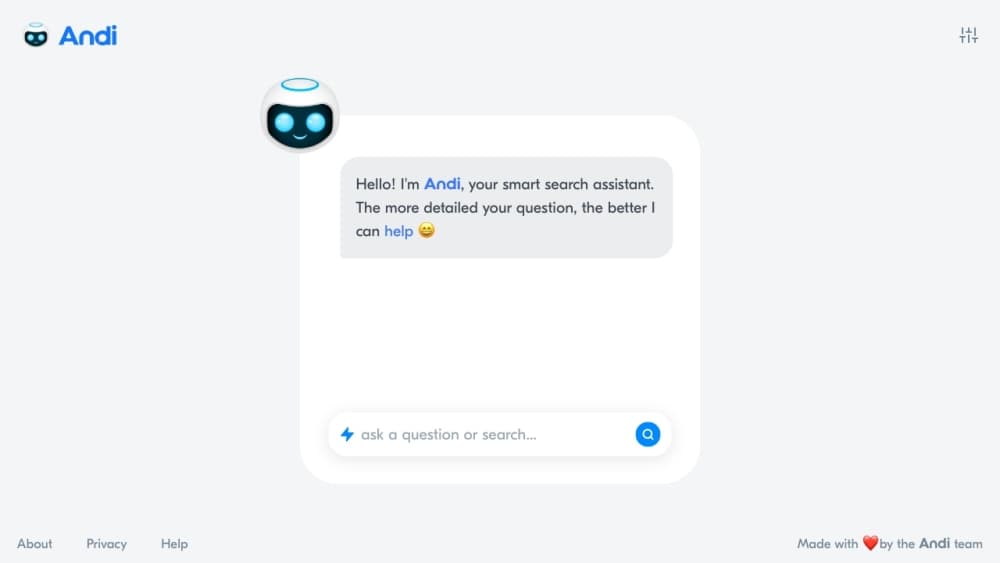
About Andi - Search for the next generation
What Is Andi
Andi is an AI search engine built to give you answers rather than a page of links. You type a question the way you'd ask a person, and Andi reads across the web, pulls the parts that matter, and hands back a short answer with the sources it used. It sits between a chatbot and a classic search engine: conversational like ChatGPT, but grounded in live web results.
The company started in 2021 when Angela Hoover and Jed White met at the Denver airport and got talking about how frustrating web search had become. They took Andi through Y Combinator's Winter 2022 batch and shipped generative AI question answering in March 2022, months before ChatGPT arrived. The pitch was simple. Gen Z was already searching through TikTok and Instagram feeds, and the blue-link page felt like it belonged to a different era.
The big draw is what Andi doesn't do. It doesn't show ads, it doesn't log your searches, and it blocks tracking and ad-tech. Founder claims aside, the honest catch is that Andi is still a small product in alpha, the team is tiny, and some features depend on which plan and platform you're on.
Getting Started
- Open andisearch.com in any modern browser. No account is required to start searching.
- Type a full question, like "how long would it take to walk to Mars" or "james webb space telescope discoveries", instead of a few keywords.
- Read the generated answer, then check the citation cards and related topics underneath it to dig deeper.
- Turn on Deep Answers in settings if you want longer research-style responses to complex questions.
- Add Andi to your home screen on a phone, or install the browser extension, so the search bar is always one tap away.
Product Information
A quick look at Andi - Search for the next generation's pricing, supported platforms, and performance.
Best for
The users, tasks, and scenarios where this tool fits best.
Users
- Students and researchers
- Privacy-conscious searchers
- Gen Z and casual browsers
Tasks
- Getting a fast answer to a factual question
- Researching a topic from scratch
- Following a train of thought
Scenarios
- Quick fact checks during the day
- Exploring something new for fun
- Browsing without ad clutter
Key features
Answers Instead of Links
The core idea is that you ask a question and Andi answers it. Instead of ranking ten blue links, it reads the top results, works out what's relevant, and writes a short summary with the sources named. According to Andi, the system combines large language models with live web data, so answers come from pages it just fetched rather than a stale index.
No Ads, No Tracking
Andi doesn't show sponsored results and says it doesn't log your searches. The company states that it blocks tracking and ad-tech, and only uses data to run and improve the service. For anyone worn down by ad-heavy search pages, that clean result page is the main reason to try it.
Deep Answers
Deep Answers is an experimental mode for complex questions. The company describes it as being like a researcher that reads up on a topic and answers from the best matches it can find. It takes longer than a normal query, but it's the closest thing Andi has to a genuine research assistant.
Visual Result Cards and Summary Cards
Andi dresses up results with visual cards and smart summaries rather than plain text. Profiles, topics, and related links show up as cards you can scan, which makes exploring a subject feel more like a feed than a spreadsheet. It's a small touch that matters if you browse for curiosity, not just answers.
Conversational Follow-Ups
Conversational search on Andi behaves more like a chat. You can refine a query, narrow it with filters, or ask a related question, and the context carries forward. That back-and-forth is what separates it from a one-shot search bar and makes multi-step questions less painful.
Install Everywhere It Fits
Andi runs in the browser, installs as a browser extension, and can be added to a phone's home screen so it behaves like an app. That spread matters for a small search startup, since the easier it is to reach, the more likely people actually switch.
Pros and cons
Pros
- Free to use, with no ads and no sponsored results cluttering the page.
- Answers come with named sources, so you can verify the summary against the original pages.
- Say it doesn't log searches and blocks tracking and ad-tech, which suits privacy-minded users.
- Deep Answers handles longer, research-style questions that a normal search bar can't.
- Works in the browser, as an extension, and as a home-screen app, so access is flexible.
Cons
- Still in alpha and developed by a very small team, so features and reliability can shift without warning.
- No website archive or depth of index behind it compared with Google, so niche or very fresh queries may come up thin.
- Paid pro and business plans with API access have been promised but aren't generally available yet, so pricing is hard to pin down.
Frequently asked questions
Yes. The core search and question answering is free, and Andi says it makes money from future pro and business plans rather than ads. Today you can search without paying or signing up.
Related content
Explore related tools, skills, and articles for Andi - Search for the next generation.
Andi - Search for the next generation Alternatives

Base Code
Base44 (Wix) · Coding · ProductivityBase Code is a shared cloud development environment from Base44. Teammates describe changes to an existing GitHub codebase in chat, preview them live and send them back as pull requests.

Google EmbeddingGemma 2
Google DeepMind · Writing · Image · CodingGoogle EmbeddingGemma 2 is a 740M-parameter open model that turns text, code, images, audio, and video frames into vectors in one 768-dimension space, running on phones and laptops.

GitGlow
GitGlow · Coding · ProductivityGitGlow is a local-first desktop Git client that lets independent developers review their own code and their AI agents' changes in one place before shipping.