

Angular.dev
Google · Coding
Angular.dev is the official home for Angular, Google's free, open-source web framework for building fast, scalable web apps with TypeScript, signals, and built-in AI tooling.
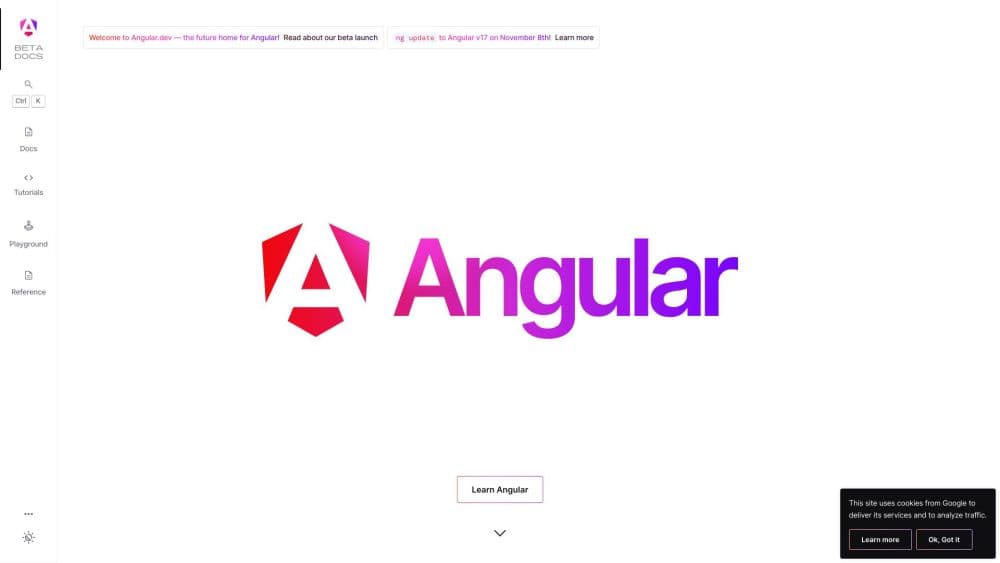
About Angular.dev
What Is Angular.dev
Angular.dev is the official documentation and learning site for Angular, a web framework maintained by a dedicated team at Google. It brings together guides, tutorials, API references, and an interactive playground in one place, so developers can learn the framework and look up answers without hunting across scattered sources.
Angular itself solves a common problem: keeping a web app fast and organized as both the codebase and the team grow. It ships a broad set of tools, libraries, and APIs, including a component system, dependency injection, and a strong build pipeline, all reachable through a single npm package.
The main catch is the learning curve. Angular is opinionated about structure, so newcomers face more concepts up front than they would with a lighter library. Teams that want minimal ceremony may find the framework heavier than they need.
Getting Started
- Install Node.js, then run
npm install -g @angular/clito add the command-line tools. - Create a project with
ng new my-appand pick whether you want routing and a styling format. - Start a local dev server with
ng serveand open the app in your browser to see live reload as you edit. - Generate components, services, and other building blocks with
ng generate, wiring them into your pages. - Build for production with
ng buildand deploy the output to any static host or server runtime.
Product Information
A quick look at Angular.dev's pricing, supported platforms, and performance.
Best for
The users, tasks, and scenarios where this tool fits best.
Users
- Frontend developers
- Full-stack engineers
- Team leads at growing companies
- Beginners with some coding background
Tasks
- Building single-page apps
- Crafting dynamic, AI-driven interfaces
- Migrating an older codebase
- Learning modern frontend patterns
Scenarios
- Standing up a new web product from scratch
- Adding AI features to an existing app
- Keeping a large team on the same page
- Shipping a site that needs to be fast on first load
Key features
Signals-Based Reactivity
Signals let you track state changes and update the interface only where it matters, instead of re-checking the whole page. Angular graduated its core signal APIs to stable, so this is now the standard way to manage data and reactivity in an app. The payoff shows up as smoother updates and less code spent on manual change tracking.
Zoneless Change Detection
Zoneless mode runs an app without zone.js in the bundle, which trims overhead and makes debugging clearer. It became stable in Angular v20.2 and is now the default direction for new projects. The result is a smaller package and behavior that is easier to reason about.
Built-In Control Flow and Deferred Loading
Templates support @if, @for, and @switch blocks, plus @defer for loading parts of a page only when a user needs them. This replaced the older structural directives and cut the cost of rendering large lists. Deferred blocks also drive incremental hydration, so a page can become interactive piece by piece.
Server-Side Rendering and Incremental Hydration
Angular can render pages on the server, then reuse the existing DOM in the browser instead of rebuilding it. The team reports consistent gains in Core Web Vitals, including faster Largest Contentful Paint, on real apps. This matters if search ranking and first-load speed carry weight for your site.
Official AI Integration Guides
Angular.dev devotes a whole section to adding AI to an app, covering Genkit, Firebase AI Logic, and the Gemini API with starter kits and example repos. It also ships an MCP server with tools like get_best_practices and find_examples for AI coding assistants. Developers get a documented path instead of figuring out integrations alone.
Full CLI and Build Tooling
A single command-line tool handles project creation, code generation, testing, and production builds. The build pipeline runs on Vite and esbuild, and ng update automates version migrations. Vitest is the default test runner as of Angular v21.
Pros and cons
Pros
- Maintained by a dedicated Google team with a published roadmap and a 24-month support window for each major release.
- Free and open source under the MIT license, with no paid tiers to unlock core features.
- Signals, zoneless change detection, and SSR ship in the framework, so teams avoid stitching together separate libraries.
- Extensive official documentation, tutorials, and a live playground make self-directed learning practical.
- Regular release cadence gives developers fresh features while keeping yearly major changes predictable.
Cons
- The learning curve is steep for newcomers, since the framework expects you to adopt its structure before you get productive.
- Because the core stays opinionated and evolves each year, teams must plan time for major version updates, and each step can only move one version at a time.
- Angular bundles more concepts and boilerplate than a minimal library, which can feel heavy for small projects that do not need the full framework.
Frequently asked questions
Yes. Angular itself is free and open source under the MIT license, and Angular.dev hosts the documentation and tutorials at no cost. You pay only for your own hosting, tooling, or any third-party services you connect.
Related content
Explore related tools, skills, and articles for Angular.dev.
Angular.dev Alternatives

Base Code
Base44 (Wix) · Coding · ProductivityBase Code is a shared cloud development environment from Base44. Teammates describe changes to an existing GitHub codebase in chat, preview them live and send them back as pull requests.

Google EmbeddingGemma 2
Google DeepMind · Writing · Image · CodingGoogle EmbeddingGemma 2 is a 740M-parameter open model that turns text, code, images, audio, and video frames into vectors in one 768-dimension space, running on phones and laptops.

GitGlow
GitGlow · Coding · ProductivityGitGlow is a local-first desktop Git client that lets independent developers review their own code and their AI agents' changes in one place before shipping.