

Annotate
K.G. · Coding
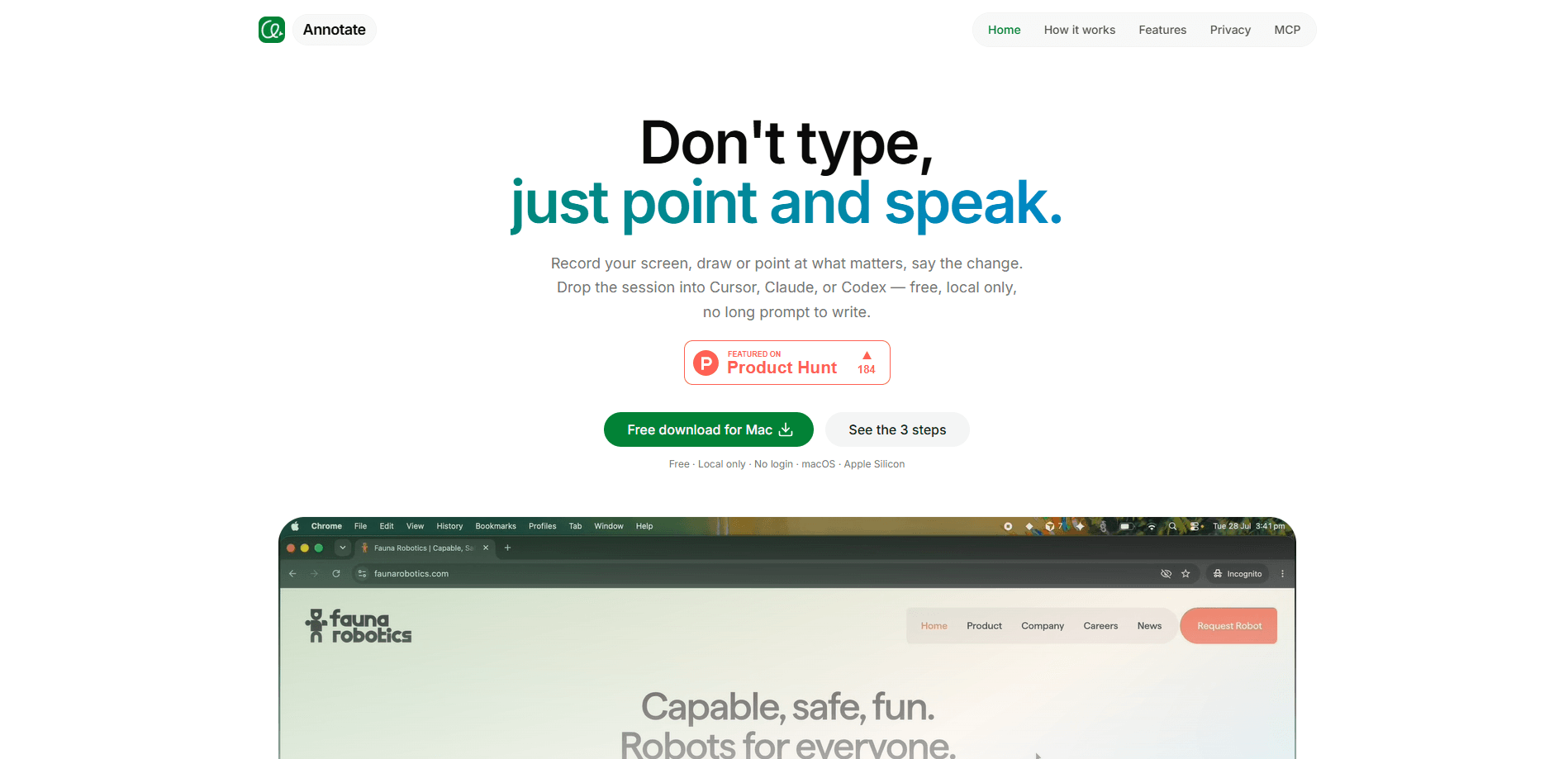
Annotate is a free desktop tool for macOS and Windows that turns a screen recording into a prompt for coding agents. You record what's on screen, draw or point at what matters, and say the change out loud. Then you hand the session to Cursor, Claude Code, or Codex. Frames, drawings, and transcripts stay on your machine.
About Annotate
What Is Annotate
Annotate is a desktop app made for a specific, annoying problem: some tasks are easier to show than to write. Instead of typing a long brief that describes "the third button on the settings panel," you record your screen, circle the button, and say what you want changed. The recording, your marks, and your voice become the input an AI coding agent works from, which is faster than wrangling a paragraph that still leaves room for the agent to guess wrong.
It's built around agents that read folders rather than guess from a screenshot. A still image can't show what changed between two moments, which clicks happened first, or what you said while clicking, so the agent ends up filling in the gaps on its own. Annotate keeps the motion, so the agent sees the sequence instead of one frozen frame. The tool is operated by K.G., and the desktop app runs on both Windows and macOS.
Privacy is the part worth reading twice. According to the developer, recordings aren't uploaded to their servers during normal use. Frames, drawings, spoken audio, and transcripts stay on your device, and you don't need an account to use any of it, but the freedom of a local tool comes with a small cost in convenience that's worth understanding before you commit. The tradeoff is that "local" also means "your machine": there's no cloud library, no sync between computers, and Apple Silicon is the only Mac build mentioned on the site. If you install it on Windows too, don't expect the two to share anything automatically.
Getting Started
- Download the app from the official site and install it for macOS or Windows.
- Launch it and grant the permissions it asks for. Screen capture and microphone access are required to record and transcribe.
- Start a recording, pick one window or every display, then draw or point at what needs to change while you explain it out loud.
- Stop the recording and open the finished session in Cursor, Claude Code, or Codex to let the agent act on it.
- Re-record and hand off again whenever the task is easier to show than to describe.
Product Information
A quick look at Annotate's pricing, supported platforms, and performance.
Best for
The users, tasks, and scenarios where this tool fits best.
Users
- Developers working with coding agents
- Product designers and founders who hand off UI tweaks
- People who think out loud
Tasks
- Describing UI changes
- Explaining multi-step bugs
- Walking an agent through a feature request across two monitors
Scenarios
- Handing work to Cursor, Claude Code, or Codex without writing a long prompt.
- Onboarding an agent to an unfamiliar codebase by showing, not telling.
- Recording a walkthrough you can review before it ever leaves your device.
Key features
Record and annotate in one pass
Capture a single window or every display in the same session, then draw with a pen, rectangle, or text while the recording runs. Why does the timing matter so much? The marks land on the timeline, so the agent knows which button you meant at the moment you meant it.
Voice synced to the screen
Your spoken explanation is transcribed and lined up with what was on screen when you said it. Instead of a wall of prose, the agent gets a short transcript tied to specific frames. Less ambiguity, fewer wrong turns.
Fewer tokens than a video dump
The agent reads the session through MCP. It gets frames and speech rather than a giant video file, which keeps the input smaller and the intent clearer. That matters when you're paying per token or working inside a context limit.
Handoff to the agents you already use
Sessions open in Cursor, Claude Code, or Codex. There's no new chat app to learn, because the tool assumes you've already picked your agent and just need a better way to brief it.
Multi-monitor in a single take
If your app is on one display and your editor on another, both can be captured together. This matters for front-end work, where the thing you're pointing at and the code that produces it rarely live on the same screen.
Local by design
Recordings stay on your Mac or Windows machine and aren't uploaded as part of normal use. No account, no cloud library. Nothing leaves the device unless you choose to share it, and for client work that's not a small thing.
Pros and cons
Pros
- Free to use, with no login or account setup.
- Works with Cursor, Claude Code, and Codex out of the box, so it fits an existing workflow.
- Voice plus on-screen marks remove most of the guesswork from a written prompt.
- Recordings stay on your device, which is a real advantage for private or client work.
- Multi-monitor capture in a single session saves stitching separate takes together.
Cons
- Requires screen and microphone permissions, which some workplaces restrict. If you can't grant them, the app can't record.
- Local-only with no cloud sync means switching machines means starting fresh; there's no shared library.
- Mac support is described for Apple Silicon, so older Intel Macs may not be a good fit.
- Learning to speak your intent clearly takes a little practice; a rambling recording is still a rambling prompt.
Frequently asked questions
Yes. The official site lists it as free, with no login and no subscription mentioned. There's no paid tier published at this time.
Related content
Explore related tools, skills, and articles for Annotate.
Annotate Alternatives
Forefront
Forefront · CodingForefront is a web platform for building with open-source AI. It lets you fine-tune leading open-source language models on your own data, evaluate how they perform, and run them through an API or export them to host yourself. Developers who want the convenience of a closed-source platform but insist on owning their models and data are the target audience here.

Startkit
StartKit.AI · CodingStartkit is a boilerplate for building AI SaaS and AI wrapper products. Think of it as an AI startup boilerplate with the boring parts already wired up: authentication, Stripe and Lemon Squeezy payments, usage limits, transactional email, and an AI API starter that talks to OpenAI, Anthropic, Groq, or Llama. You clone the repo, set your price, and start on the part of your product that people actually pay for. It's Next.js under React and Tailwind, so most of the boilerplate code already feels familiar.
Testim
Tricentis · CodingTestim is an AI-powered test automation platform for building and running end-to-end tests across web, mobile, and Salesforce applications. It leans on machine learning to keep tests stable when an interface changes, so teams spend less time fixing broken selectors. Not bad for an automated testing tool you can start using today. You create tests by recording actions in a browser, then optionally add JavaScript when you need more control. It's a solid pick for busy QA teams.