

Antideploy
Antideploy · Coding · Productivity
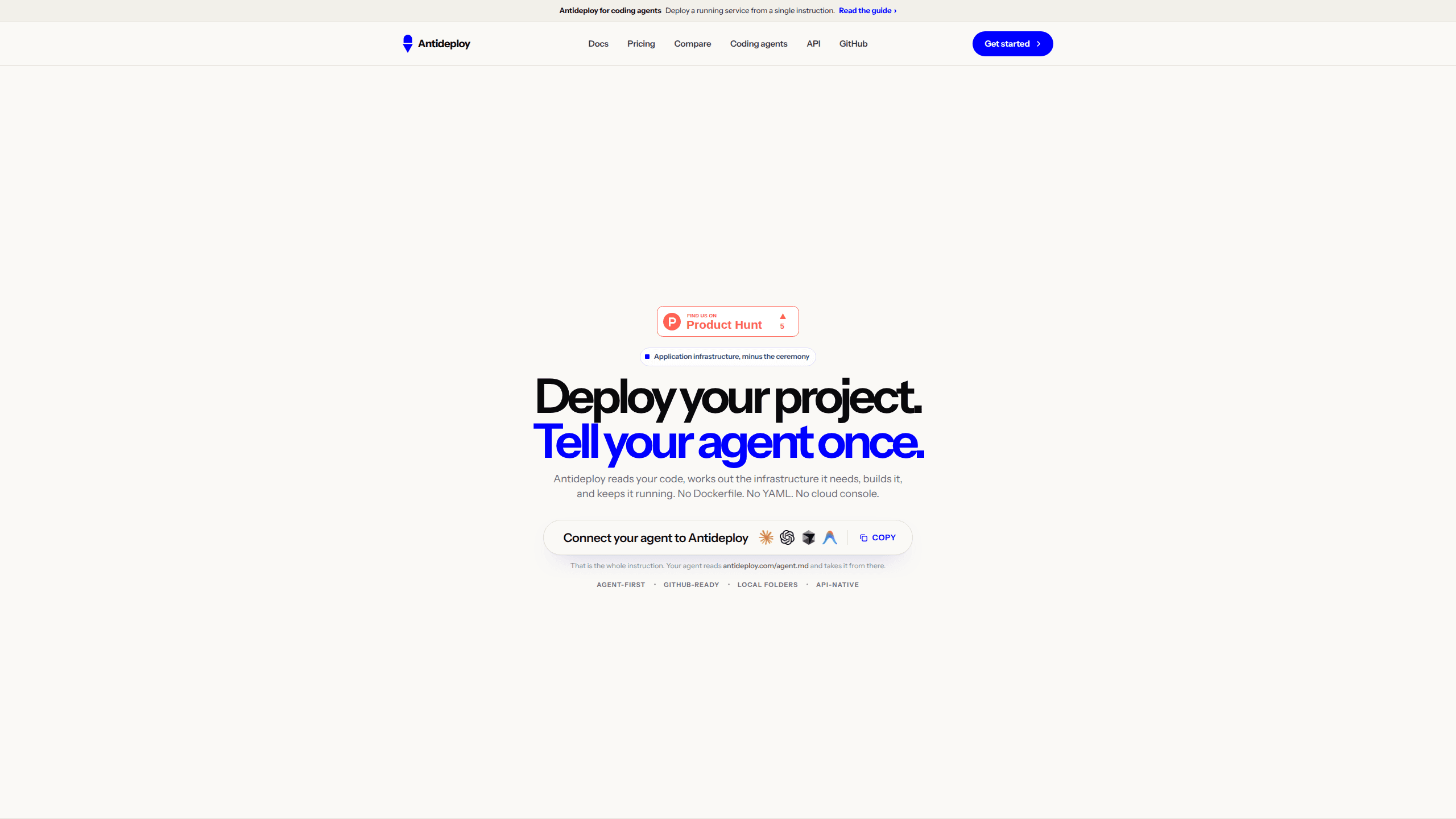
Antideploy is a deployment platform for apps built by coding agents: paste one sentence, approve once, and your project gets a live HTTPS URL with Postgres, storage, email, and logs.
About Antideploy
What Is Antideploy
Antideploy starts from an assumption most cloud platforms ignore: the person shipping the app may never want to open a cloud console. You copy a sentence from antideploy.com, paste it into Claude Code, Codex, Cursor, Antigravity, Windsurf, or any agent that can read a web page, and the agent follows instructions written for machines. After you approve one link in your browser, the project goes live on an HTTPS address.
The platform handles everything that isn't your application. A Postgres 17 database appears when your code imports one. An S3-compatible bucket takes uploads that would otherwise vanish on the next deploy. Sign-in, outbound email, cron jobs, and logs are switched on from the same account. Before building, it reads your repository and works out the language, framework, build and start commands, port, and database requirement. Each conclusion names the file it came from, and the analysis is deterministic, so the same code always gets the same answer.
What it doesn't do matters just as much. Every app runs as one instance on a shared vCPU with 1 GB of memory, with no load balancer behind it. There is no MySQL, MongoDB, or Redis. Local disk is wiped on each deploy, apps sleep when idle, and there are no per-branch preview environments. Teams that need horizontal scale or a staging stack should look elsewhere.
Getting Started
- Open antideploy.com and copy the sentence from the pill. No account is needed at this point.
- Paste it into your coding agent. The agent fetches antideploy.com/agent.md and reads the instructions written for it.
- Follow the activation link the agent prints. Check that the code matches the one in your terminal, sign in with GitHub or an email link, then click Approve once.
- Let the agent deploy. It reads your files, builds the project, creates a database if your code calls for one, and returns the live URL.
- After the first deploy, ask for changes in the same conversation. Every later deploy is one message, and the agent reads the build result and fixes what broke.
Product Information
A quick look at Antideploy's pricing, supported platforms, and performance.
Best for
The users, tasks, and scenarios where this tool fits best.
Users
- Solo builders with a side project
- Developers who already work inside a coding agent
- Small teams in India and Southeast Asia
Tasks
- Turning an agent-built prototype into a shareable demo
- Shipping small changes every day
- Publishing portfolios, landing pages, and documentation
Scenarios
- A weekend project needs a working URL before Monday
- An app written by an agent needs uploads and sign-in
- A founder wants to test an idea with real users before paying for infrastructure
Key features
One-Sentence Deploy From Your Agent
The whole entry point is a sentence you paste into a chat. It points the agent at a page written for machines, so you don't explain your stack, your build command, or your hosting preferences. The agent reads the page, connects to your account, and deploys. No repository has to be connected first, and nothing is added to your project files.
Deterministic Project Analysis
Before a build starts, Antideploy reads your code and names the runtime, framework, build command, start command, port, and database from specific files. The result is not a model's guess, so two runs over the same repository produce the same spec, and you can check each line against the file it cites. It also flags hazards that only appear in production, such as uploads written to local disk, before anything is built.
Managed Postgres and S3 Storage
Import a Postgres client and a database is provisioned for you, with DATABASE_URL already set when the app starts. Uploads get a private S3-compatible bucket whose keys are injected as environment variables, and the bucket survives every deploy. The database is reused across deploys rather than recreated, which keeps your data in place when you push a new version.
Fifteen Services in One Account
Beyond hosting, the account includes authentication for your app's own users, transactional email through the Resend package, cron jobs, custom domains with automatic certificates, encrypted environment variables, AI model access through a single key, logs, and deployment history. Each service has its own limit by plan, and the free tier includes the pre-deploy checks and every way of deploying.
Scoped Agent API and MCP Server
An agent can deploy, set environment variables, and read status and logs. It cannot delete an app, drop a database, read a secret back, or add money to your wallet. Those actions stay in the browser on purpose. For clients that speak MCP, the server runs with npx, so the same permissions apply whether the agent connects through a web page or through the protocol.
Security Checks and Monitoring
Every deploy is scanned for leaked keys, exposed files, and open CORS settings right after it goes live, at no extra cost. Health checks run every few minutes, with an email when an app goes down and another when it recovers. Logs cover what the app printed, every deploy it has had, and a plain sentence explaining why a failed one failed.
Pros and cons
Pros
- The deploy path removes cloud console work entirely, which matters when the person shipping the app is not an infrastructure specialist.
- Project analysis is deterministic and cites its sources, so you can verify the spec instead of trusting a model's summary.
- Production hazards are flagged before the build, which catches problems like disk-based uploads before users hit them.
- The free plan includes one live app, thirty deploys a month, a database, and unlimited static sites, with no card required.
- Agent permissions are limited by design, so a compromised or confused agent cannot delete an app or read secrets back.
Cons
- One instance per app with no load balancer means there is no horizontal scale, so traffic spikes have nowhere to go.
- Apps sleep on every plan, and the first request after idle took 2.9 to 13.9 seconds in the company's own measurements.
- Postgres is the only database, and local disk is wiped on each deploy, so apps that depend on MongoDB, Redis, or persistent local files need changes.
- There are no staging or per-branch preview environments, and hosting is limited to a single Singapore region.
Frequently asked questions
Antideploy is a deployment platform for apps and static sites. You hand it a project through a coding agent, and it builds the app, provisions supporting services such as a Postgres database, and returns a live HTTPS address. It also exposes a REST API and an MCP server for agents that connect directly.
Related content
Explore related tools, skills, and articles for Antideploy.
Antideploy Alternatives

Base Code
Base44 (Wix) · Coding · ProductivityBase Code is a shared cloud development environment from Base44. Teammates describe changes to an existing GitHub codebase in chat, preview them live and send them back as pull requests.

Google EmbeddingGemma 2
Google DeepMind · Writing · Image · CodingGoogle EmbeddingGemma 2 is a 740M-parameter open model that turns text, code, images, audio, and video frames into vectors in one 768-dimension space, running on phones and laptops.

GitGlow
GitGlow · Coding · ProductivityGitGlow is a local-first desktop Git client that lets independent developers review their own code and their AI agents' changes in one place before shipping.