

Anycast+
Kindjeff · Voice & Language
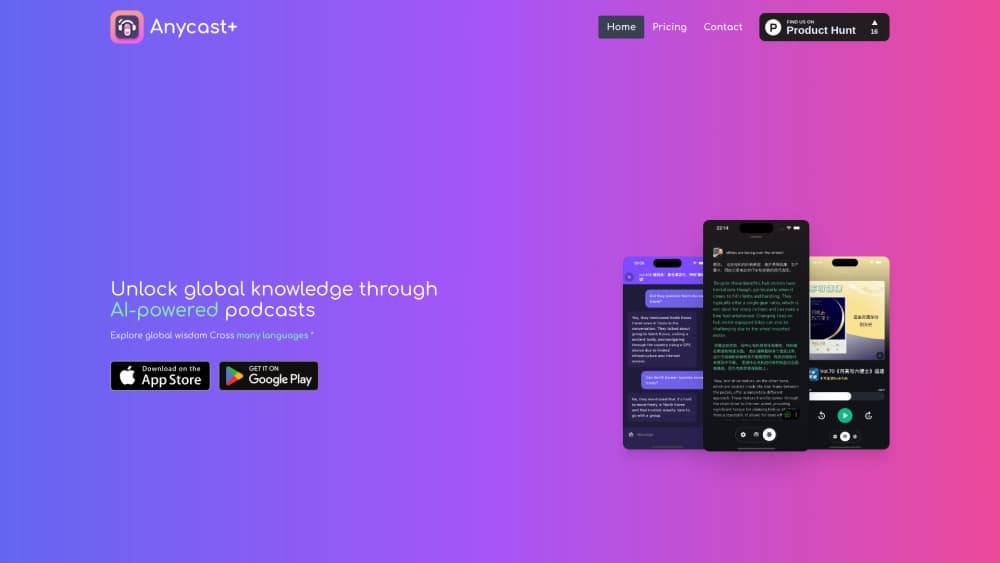
Anycast+ is an AI podcast app for iOS and Android. It transcribes episodes in more than ten languages, shows bilingual subtitles, and answers questions about any show you play.
About Anycast+
What Is Anycast+
Anycast+ is a podcast player with a transcription and chat layer bolted on top. It comes from an independent developer who publishes as Kindjeff, and the app has been on the App Store since August 2024. The code is open source under the MIT license on GitHub, which is rare for a consumer podcast app and makes the app easy to judge on its own terms.
The idea is simple. You subscribe to any show through a standard RSS feed, play it like you would in any other podcast player, and then ask the app to turn the audio into text. From there you get subtitles that follow the audio, a second language under the first one, and a chat box that answers questions using that episode as its source. The AI features are the reason people switch, not the player itself.
Two limits matter before you install it. The AI side runs on a server, so transcription and chat need an account and a network connection. And free accounts get a fixed number of transcriptions rather than an unlimited one, which is where the Anycast+ subscription comes in.
Getting Started
- Install the app from the App Store on iOS 15 or later, or grab the Android build, then create an account. You can browse and listen without one, but the AI buttons stay locked.
- Add shows by searching the Apple podcast catalog, pasting an RSS URL, or importing an OPML file from your old app.
- Open an episode and tap Generate transcript. A one-hour show usually takes a few minutes to process, and the result is cached so you only pay for it once.
- Read along, switch on translation for a second language, or open chat to ask what was said about a specific topic. Export the transcript when you want it in your notes app.
Product Information
A quick look at Anycast+'s pricing, supported platforms, and performance.
Best for
The users, tasks, and scenarios where this tool fits best.
Users
- Language learners
- Listeners who follow shows from other countries
- People who read faster than they listen
- Privacy-minded listeners
Tasks
- Skimming a long interview before a commute
- Checking a quote before you repeat it
- Practicing a language on real speech
- Keeping notes from an episode
Scenarios
- A noisy train
- Prepping for a meeting
- Studying on a walk
Key features
AI Transcription in More Than Ten Languages
The transcription engine handles English, Spanish, French, German, Italian, Japanese, Chinese, and several more. You get a timestamped transcript per episode, generated on demand rather than pulled from a publisher's feed. That means shows without official transcripts still become searchable text.
Bilingual Subtitles With Instant Translation
Subtitles scroll with the audio, and a second track can sit under the first in a language you pick. Spanish over English, Japanese over Chinese, whichever pair you need. Translation is generated per episode and cached, so revisiting a show doesn't trigger a second run.
AI Podcast Chat Per Episode
Chat is scoped to a single episode. You ask what the guest said about funding, or where the host pushed back, and the answer comes from that transcript rather than the open web. It's the feature that separates this app from a plain transcription tool.
Transcript Export to Your Notes App
Generated text leaves the app as a file or through the share sheet, and subtitle export in LRC format is available too. Anyone who keeps a reading log or writes summaries gets the raw material without retyping it.
RSS Podcast Feeds and OPML Import
Any iTunes-compatible feed works, and OPML import and export move your whole subscription list in one step. There's no exclusive catalog, no login wall on playback, and no algorithm deciding what you see first.
Player Controls for Long Episodes
Speed control, a sleep countdown, skip silence, and continuous play cover the basics, and playlists let you group episodes by project rather than by show. History and inbox limits keep local storage from growing without bound.
Pros and cons
Pros
- Transcription and translation in one pass, for shows that never publish a transcript
- Bilingual subtitles are genuinely useful for language practice, not a gimmick
- Open source under MIT, so the privacy claims can be checked in the repository
- RSS and OPML support means no lock-in if you leave later
- Feeds load directly from publishers, which keeps the listening side light on tracking
Cons
- Free accounts get a fixed pool of transcriptions, and a heavy listener will burn through it in a couple of weeks
- AI features require an account and a connection, so the app is only half useful offline
- Transcripts arrive with speech-to-text errors on names, jargon, and accented speech, which you have to correct by ear
- No web or desktop player, so the reading experience stays on a phone screen
Frequently asked questions
It's a podcast player first and an AI reader second. You listen through it, and it turns episodes into searchable text with translation and a per-episode chat, which is useful when you want to skim, quote, or study a show.
Related content
Explore related tools, skills, and articles for Anycast+.
Anycast+ Alternatives

Off the Record
Weird Machines · Voice & Language · ProductivityOff the Record is a macOS app from Weird Machines that reshapes your voice in real time to block AI transcription, so people hear you normally and notetakers get nothing usable.
Cekura Bench
Cekura · Voice & Language · BusinessCekura Bench is a public benchmark that runs speech-to-speech models and deployed voice agents through 82 simulated phone calls, three times each, then publishes pass rates, latency and cost.
Griffin by Tavus
Tavus · Voice & Language · Video · ChatbotGriffin by Tavus is the first Human Interaction Model: a full-duplex, video-to-video system that watches, listens, and answers during a live video call in real time.