

API to MCP
API to MCP · Coding
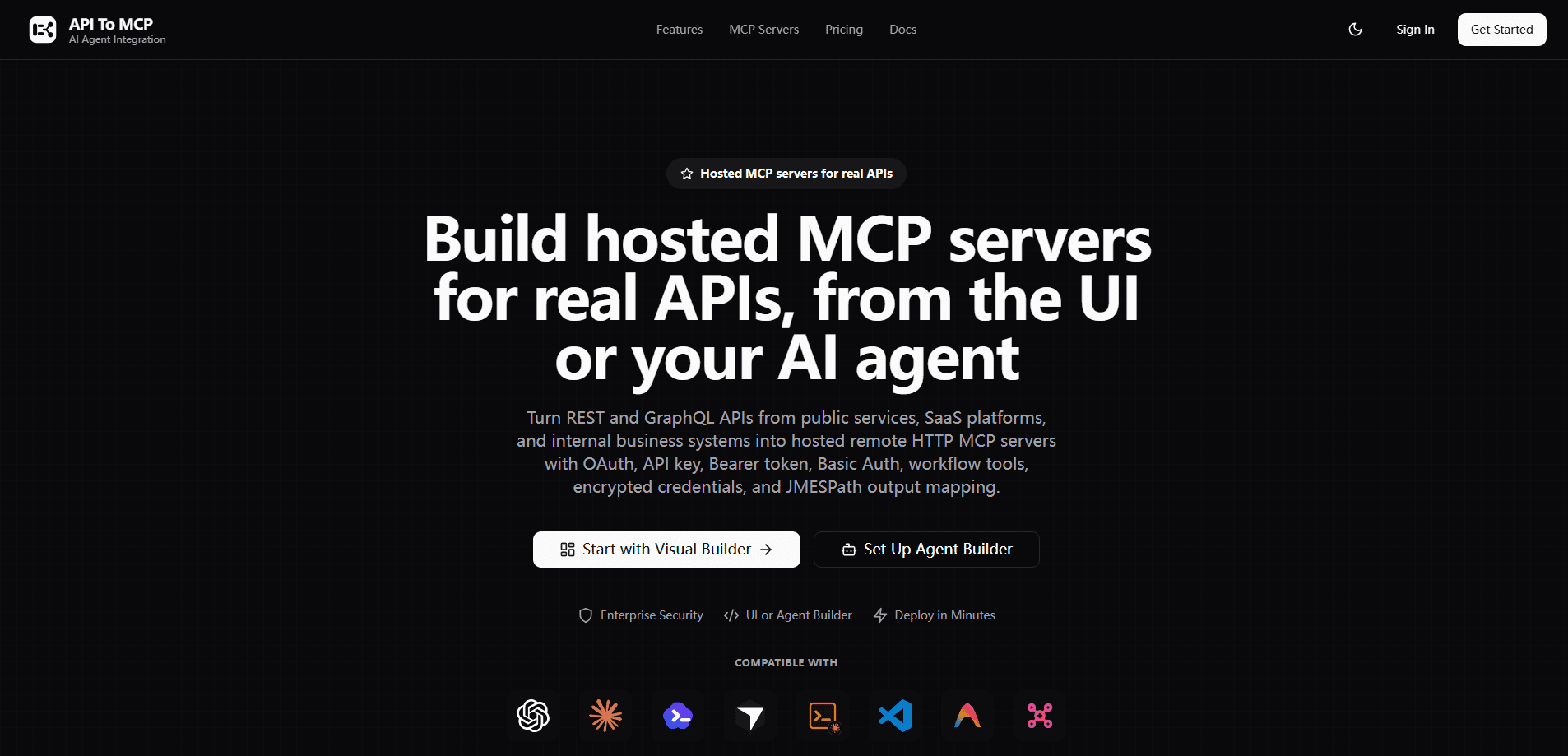
API to MCP is a hosted platform that turns REST and GraphQL APIs into remote MCP servers your AI agents can call. Point it at a public service, an internal business system, or a SaaS endpoint, and it builds, tests, and deploys a production MCP URL with OAuth or API key auth, workflow tools, and output mapping. It's built for teams that want their data reachable from ChatGPT, Claude, Cursor, Codex, and other MCP-compatible clients without hand-writing a server each time.
About API to MCP
What Is API to MCP
API to MCP is a web platform that works as an MCP converter. You describe an API, pick how it authenticates, and the service hosts an MCP endpoint that any compatible AI agent can discover and call.
The main problem it solves is integration busywork. Connecting an agent to a CRM, a billing system, or an internal support platform normally means writing and maintaining a custom server. Here, that work moves into a dashboard. So the API stays the same. Only the wrapper changes.
The biggest limit is scope. This is a developer-facing tool, not a no-code app for casual users. You need to understand auth flows, endpoints, and JSON to get a useful server out the other end.
Getting Started
- Sign in to the dashboard at apitomcp.ai and connect the API you want to expose.
- Set the base URL and choose an auth method: OAuth, API key, Bearer token, or Basic Auth.
- Define tools for the endpoints you care about, and group them into workflow tools if a task needs several calls.
- Test each request in the dashboard before you publish.
- Deploy the MCP endpoint, then paste its URL into your AI client (ChatGPT, Claude, Cursor, Codex, and others).
Product Information
A quick look at API to MCP's pricing, supported platforms, and performance.
Best for
The users, tasks, and scenarios where this tool fits best.
Users
- Developers who need an agent to reach a private API
- Platform and ops teams exposing internal systems to employees
- Coders who build with Cursor, Claude Code, or Codex
Tasks
- Turning a REST or GraphQL API into callable agent tools
- Chaining several API calls into one workflow tool
- Giving a coding agent controlled access to repositories, deploys, issues, or observability data.
Scenarios
- Marketing and SEO reporting
- Commerce and billing lookups
- Publishing open data
Key features
Hosted MCP servers
Every server you build runs on API to MCP's infrastructure. You don't manage containers, uptime, or scaling. The output is a remote HTTP MCP URL that compatible clients connect to directly. That's the difference from local setups, where each machine needs its own process running.
Visual builder
The dashboard walks you through auth, base URL, tools, output mapping, and deployment in one flow. Test a request before you ship it. That catches auth mistakes early. For teams that want to review changes before they go live, this is the safer of the two build paths.
Agent builder
Connect the manager server at mcp.apitomcp.io to your coding agent. Create a scoped token. Then describe the API you want in plain text. The agent creates, updates, tests, and deploys the server from chat. It's a fast loop if you already work inside an IDE agent all day.
Multiple authentication types
Upstream API auth is kept separate from MCP server access, which matters a lot when employees each need to connect their own account instead of sharing one credential. Supported methods include API keys, Bearer tokens, Basic Auth passwords, and OAuth client secrets with access and refresh tokens. Credentials are stored encrypted.
REST and GraphQL support
You're not limited to one API style, and that flexibility means public data APIs, SaaS platforms, and internal endpoints can all serve as sources for the same agent setup. It widens what your agents can actually reach.
Workflow tools
Instead of exposing one tool per endpoint, you can bundle several calls into a single workflow tool. An agent then handles a multi-step task with one call. That cuts the back-and-forth and the chance of wrong sequencing.
Output mapping
A JMESPath mapping step reshapes API responses before the agent sees them, which is how you trim a bloated JSON body down to just the fields that actually matter for the task. That keeps context windows smaller and answers cleaner.
Testing before deploy
Each request can be run in the dashboard before publishing. You see the real response and confirm the tool behaves, so a broken endpoint doesn't reach your agent.
Pros and cons
Pros
- Turns REST and GraphQL APIs into hosted remote MCP servers without you running infrastructure.
- Two build paths: a review-friendly dashboard and an agent-driven flow for people who live in Cursor or Claude Code.
- Auth support covers API keys, Bearer tokens, Basic Auth, and OAuth, and credentials are encrypted.
- Workflow tools and JMESPath output mapping reduce the number of calls and the size of each response.
- Works with ChatGPT, Claude, Codex, Cursor, VS Code, and custom agents.
Cons
- It's aimed at developers. If you can't read an API's docs or work with JSON, the setup is a wall.
- Most useful servers need an API to point at, so cost and limits of the upstream service still apply.
- The hosted model means your API traffic routes through their platform, which some security teams won't accept.
Frequently asked questions
It converts an existing REST or GraphQL API into a hosted MCP server. You define the endpoints and auth, it publishes a remote URL, and MCP-compatible AI clients call that URL as a tool. Think of it as an MCP converter you don't have to host.
Related content
Explore related tools, skills, and articles for API to MCP.
API to MCP Alternatives
Forefront
Forefront · CodingForefront is a web platform for building with open-source AI. It lets you fine-tune leading open-source language models on your own data, evaluate how they perform, and run them through an API or export them to host yourself. Developers who want the convenience of a closed-source platform but insist on owning their models and data are the target audience here.

Startkit
StartKit.AI · CodingStartkit is a boilerplate for building AI SaaS and AI wrapper products. Think of it as an AI startup boilerplate with the boring parts already wired up: authentication, Stripe and Lemon Squeezy payments, usage limits, transactional email, and an AI API starter that talks to OpenAI, Anthropic, Groq, or Llama. You clone the repo, set your price, and start on the part of your product that people actually pay for. It's Next.js under React and Tailwind, so most of the boilerplate code already feels familiar.
Testim
Tricentis · CodingTestim is an AI-powered test automation platform for building and running end-to-end tests across web, mobile, and Salesforce applications. It leans on machine learning to keep tests stable when an interface changes, so teams spend less time fixing broken selectors. Not bad for an automated testing tool you can start using today. You create tests by recording actions in a browser, then optionally add JavaScript when you need more control. It's a solid pick for busy QA teams.