

App2.dev
App2.dev · Coding
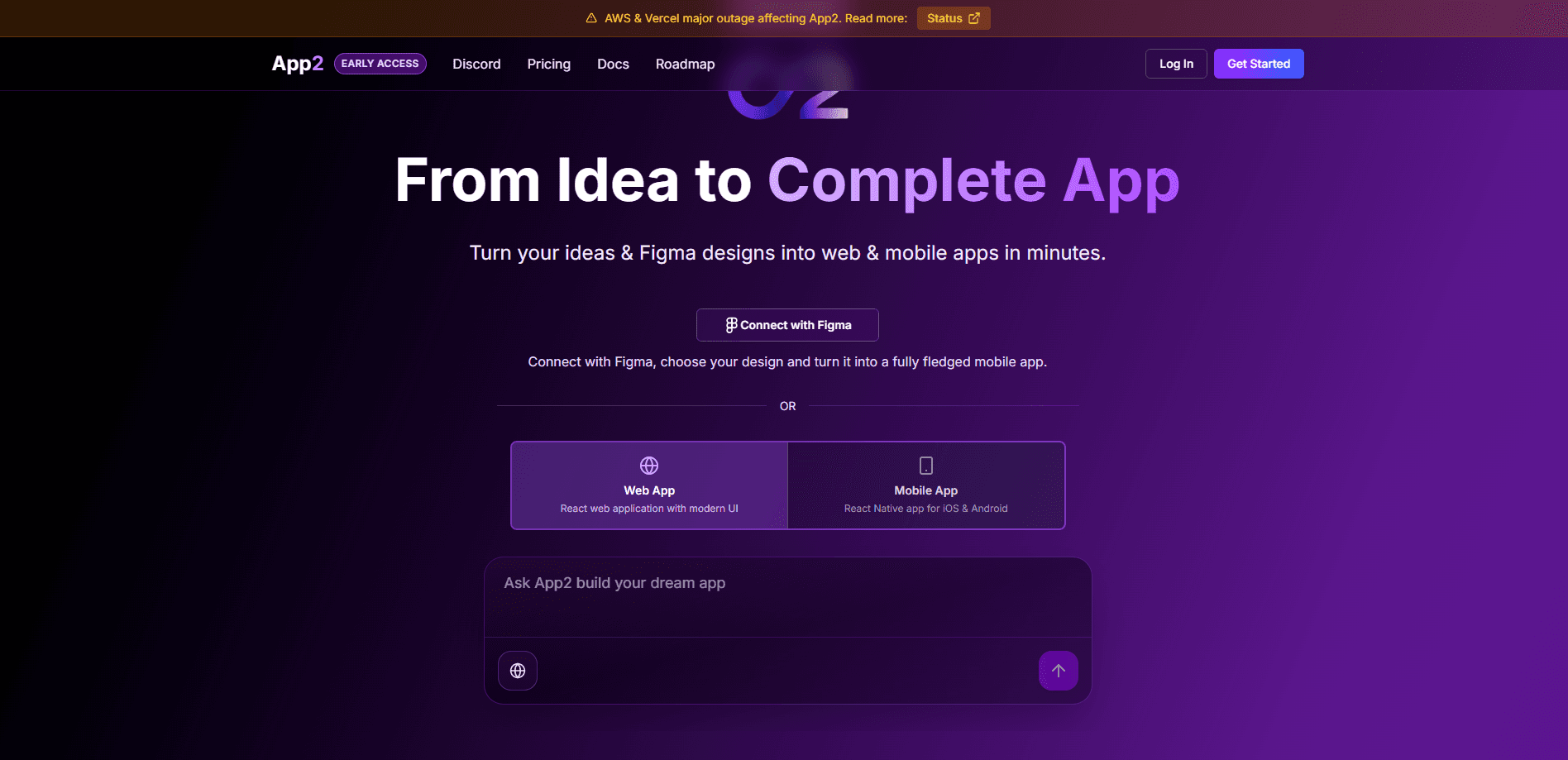
App2.dev is an AI no-code app builder that turns Figma designs and plain English prompts into working web and mobile applications. You connect a design file or describe what you want, and the platform generates production-ready code through a conversation instead of a drag-and-drop editor. It leans on large models such as Claude, GPT-4, and Gemini to handle the build, with separate chat sessions per project so different features or teammates don't step on each other.
About App2.dev
What Is App2.dev
App2.dev targets people who have a clear idea of what an app should look like but don't want to hand-write the code behind it. The platform pulls two workflows into one place: importing a Figma design and building from a written prompt. Both routes end in the same output, which is a functional app rather than a static mockup.
The main problem is the gap between a finished design and a running product. Hand a Figma file to a developer and you're still looking at days or weeks of translation work. Detail gets lost along the way. App2.dev closes part of that gap by reading the design directly and generating code from it. For teams that live in Figma, that alone removes a chunk of back-and-forth.
The limits matter too. It's a young product. The website was unreachable when we checked, so specifics like exact tiers and caps come from secondary sources rather than a live page. Treat any number here as a starting point. Confirm it on the official site before you commit. Conversational development also tends to produce code you'll still want a developer to review before anything ships to real users.
Getting Started
- Sign up for an App2.dev account and open a new project workspace.
- Connect your Figma account and pick the design file you want to convert, or skip straight to describing the app in a prompt.
- Choose a chat mode that matches the job, such as build, plan, debug, review, or documentation.
- Describe the feature you want in plain language and let the AI generate the code for that screen or flow.
- Start a new chat thread for each additional feature so each conversation keeps its own context, then export or deploy the finished app.
Product Information
A quick look at App2.dev's pricing, supported platforms, and performance.
Best for
The users, tasks, and scenarios where this tool fits best.
Users
- Founders and solo builders
- Product designers
- Small product teams
Tasks
- Converting a Figma design into a live web or mobile app
- Prototyping a new feature from a written brief
- Generating project documentation
Scenarios
- Early-stage product validation
- Internal tools
- Design handoff
Key features
Figma Design Import
App2.dev connects to Figma, letting you select a design file and convert it into a working app. The platform reads the layout and structure. Then it generates code that matches what you designed rather than a generic template. For teams already working in Figma, this cuts out the manual translation step that usually sits between design and development.
Prompt-Based Development
You can build by describing what you want in a chat instead of configuring screens by hand. The platform routes those requests through large models such as Claude, GPT-4, and Gemini. It returns production-ready code for the feature you asked for. Faster, for anyone who knows what they want. If you don't want to write it line by line, that's the appeal.
Multiple Chat Sessions
Each project can hold several conversation threads, organized by feature, purpose, or team member. New sessions inherit context from a parent conversation. So a teammate picking up a thread isn't starting from zero. This keeps parallel work from turning into a tangle of overlapping edits.
Dedicated Chat Modes
The platform separates work into modes such as build, plan, debug, review, and documentation. Switching modes changes what the AI focuses on, so planning a feature and debugging it don't happen in the same undifferentiated stream of prompts where everything blurs together after a few hours of work. It's a small touch, but it keeps a long project from feeling like one endless prompt.
Rule Sets and Auto Documentation
You can define coding standards through rule sets, which the platform then applies as it generates code. A separate auto-documentation feature maintains project docs inside a dedicated folder as the app evolves. Why bother? Because a growing project gets messy once more than one person touches it.
Pros and cons
Pros
- Turns existing Figma files into working apps, so designers don't start from scratch.
- Conversation-driven building suits people who can describe a feature but can't code it.
- Separate chat threads and inherited context make parallel work on one project manageable.
- Build, plan, debug, review, and documentation modes keep different tasks distinct.
- Rule sets and auto documentation help a project stay consistent as it grows.
Cons
- Pricing and free-tier limits aren't confirmed on the official site, so budgeting is guesswork until you check.
- Generated code still benefits from a developer review before anything reaches real users.
- The platform is young, and relying on third-party models means output quality shifts with the underlying providers.
Frequently asked questions
It converts Figma designs and written prompts into functional web and mobile apps. Instead of dragging components around a canvas, you describe or import what you want and the platform generates the code. That covers both sides of no-code app development and design to code.
Related content
Explore related tools, skills, and articles for App2.dev.
App2.dev Alternatives
Forefront
Forefront · CodingForefront is a web platform for building with open-source AI. It lets you fine-tune leading open-source language models on your own data, evaluate how they perform, and run them through an API or export them to host yourself. Developers who want the convenience of a closed-source platform but insist on owning their models and data are the target audience here.

Startkit
StartKit.AI · CodingStartkit is a boilerplate for building AI SaaS and AI wrapper products. Think of it as an AI startup boilerplate with the boring parts already wired up: authentication, Stripe and Lemon Squeezy payments, usage limits, transactional email, and an AI API starter that talks to OpenAI, Anthropic, Groq, or Llama. You clone the repo, set your price, and start on the part of your product that people actually pay for. It's Next.js under React and Tailwind, so most of the boilerplate code already feels familiar.
Testim
Tricentis · CodingTestim is an AI-powered test automation platform for building and running end-to-end tests across web, mobile, and Salesforce applications. It leans on machine learning to keep tests stable when an interface changes, so teams spend less time fixing broken selectors. Not bad for an automated testing tool you can start using today. You create tests by recording actions in a browser, then optionally add JavaScript when you need more control. It's a solid pick for busy QA teams.