

Appflows
Pocketworks · Coding · Productivity
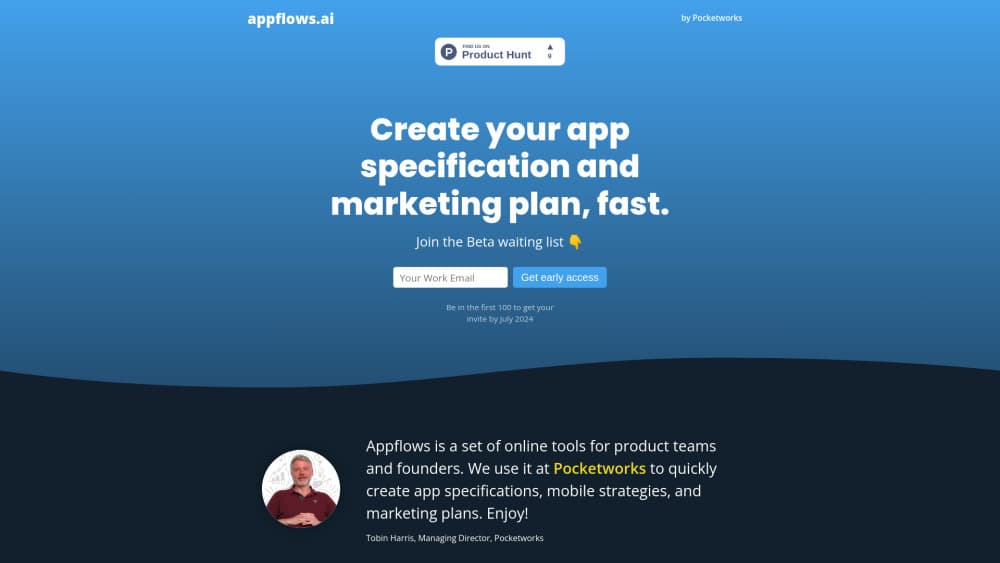
Appflows is a free web tool from Pocketworks that turns a written app idea into a visual app specification, user flow diagram and costed app roadmap, aimed at founders and product teams.
About Appflows
What Is Appflows
Appflows is a browser-based app specification tool from Pocketworks, a mobile development consultancy in the UK. You describe an app in plain language and get back a structured scope, a visual map of the screens, a strategy canvas and an effort estimate you can put in front of a client or an investor.
The tool targets one specific bottleneck. Most teams can write a feature list, but few can turn that list into something a stakeholder can look at and react to. Appflows closes that gap without Figma files and without a twenty-page document.
Privacy shapes the rest of the design. Projects live in your browser's local storage rather than on a server, which matters when the idea hasn't been announced yet.
Getting Started
- Open appflows.ai in a desktop browser. There's nothing to install.
- Create a project. Switch on the AI option if you want a first draft instead of an empty canvas.
- Type or paste your idea, then edit the generated outline, flows and strategy notes until they match what you have in mind.
- Add story points to each item and set a point price to build an app roadmap with cost figures attached.
- Share the project with a link, or export the estimate as a table for your own spreadsheet.
Product Information
A quick look at Appflows's pricing, supported platforms, and performance.
Best for
The users, tasks, and scenarios where this tool fits best.
Users
- Founders
- Product managers
- Tech leads and CTOs
- Freelance developers and small agencies
Tasks
- Writing an app scope before development starts
- Estimating build cost
- Presenting an idea to stakeholders
- Finding gaps in a roadmap
Scenarios
- A first discovery call where the client's brief is still one paragraph and you need to show progress by the end of the hour.
- An internal pitch where you have to explain a mobile app strategy to people who don't read wireframes.
- A solo side project you're scoping on a Sunday evening, with no budget for tools and no wish to upload the idea anywhere.
Key features
Text to Visual App Scope
Paste a description and Appflows turns it into a screen-by-screen outline you can rearrange. Each screen carries its features, so the scope reads like a map instead of a list. That's the fastest way to see whether an idea has enough substance for a build.
AI First Draft
Create a project with the AI option on and the tool generates the scope, user journey and strategy notes from your short description. Treat the result as a draft, not as an answer. It's useful when you're new to app planning and don't know which sections a spec should contain.
Strategy Canvas
The strategy designer starts with a winning aspiration, the problem and outcome in one sentence, then builds outward from there. It includes a SWOT view and key performance results, so the business case sits next to the feature list rather than in a separate document.
User Flow Diagram
Written steps become a flow diagram you can drag around. Screens, branches and dead ends are visible at a glance, which makes it easy to spot a journey that loops back on itself or a path that stops without a result. Story points and costs show on the diagram too.
Story Point Cost Estimates
Every item takes a point value, and you set a price per point based on what past work actually cost you. Appflows totals it in a readable table and lets you export the numbers. If you'd rather not discuss money, you can hide costs and keep the relative sizing.
Local Storage and Sharing
Projects are saved in your browser, not on a Pocketworks server. You can share a project through a public or private link when you want feedback, and keep everything else on your own machine. Clear your site data and the project goes with it, so export anything you plan to keep.
Pros and cons
Pros
- Free to use, with no paid tier announced and no credit card step.
- Turns a paragraph into something visual in minutes, which is hard to do with a word processor.
- Cost estimates use your own point price, so the numbers reflect your team rather than a generic benchmark.
- Ideas stay in local browser storage until you decide to share them.
- The strategy canvas gives non-designers a structure to fill in, which beats staring at a blank page.
Cons
- Browser only, so scoping on a phone or tablet isn't practical.
- AI output is a starting draft. Plan on editing the wording and removing features that don't fit.
- No direct connection to Jira, Notion or similar tools, so moving a scope into your tracker is a manual copy.
- Projects are tied to one browser profile. Switching laptops or clearing site data loses work you didn't export.
Frequently asked questions
Yes. The whole tool is free, and the developer has said there are no plans to start charging. There's no trial clock and no card required.
Related content
Explore related tools, skills, and articles for Appflows.
Appflows Alternatives

Base Code
Base44 (Wix) · Coding · ProductivityBase Code is a shared cloud development environment from Base44. Teammates describe changes to an existing GitHub codebase in chat, preview them live and send them back as pull requests.

Google EmbeddingGemma 2
Google DeepMind · Writing · Image · CodingGoogle EmbeddingGemma 2 is a 740M-parameter open model that turns text, code, images, audio, and video frames into vectors in one 768-dimension space, running on phones and laptops.

GitGlow
GitGlow · Coding · ProductivityGitGlow is a local-first desktop Git client that lets independent developers review their own code and their AI agents' changes in one place before shipping.