

AppGen
Symph AI · Coding
AppGen is a no-code AI app builder from Symph AI that lets anyone create or use AI-powered apps without writing code.
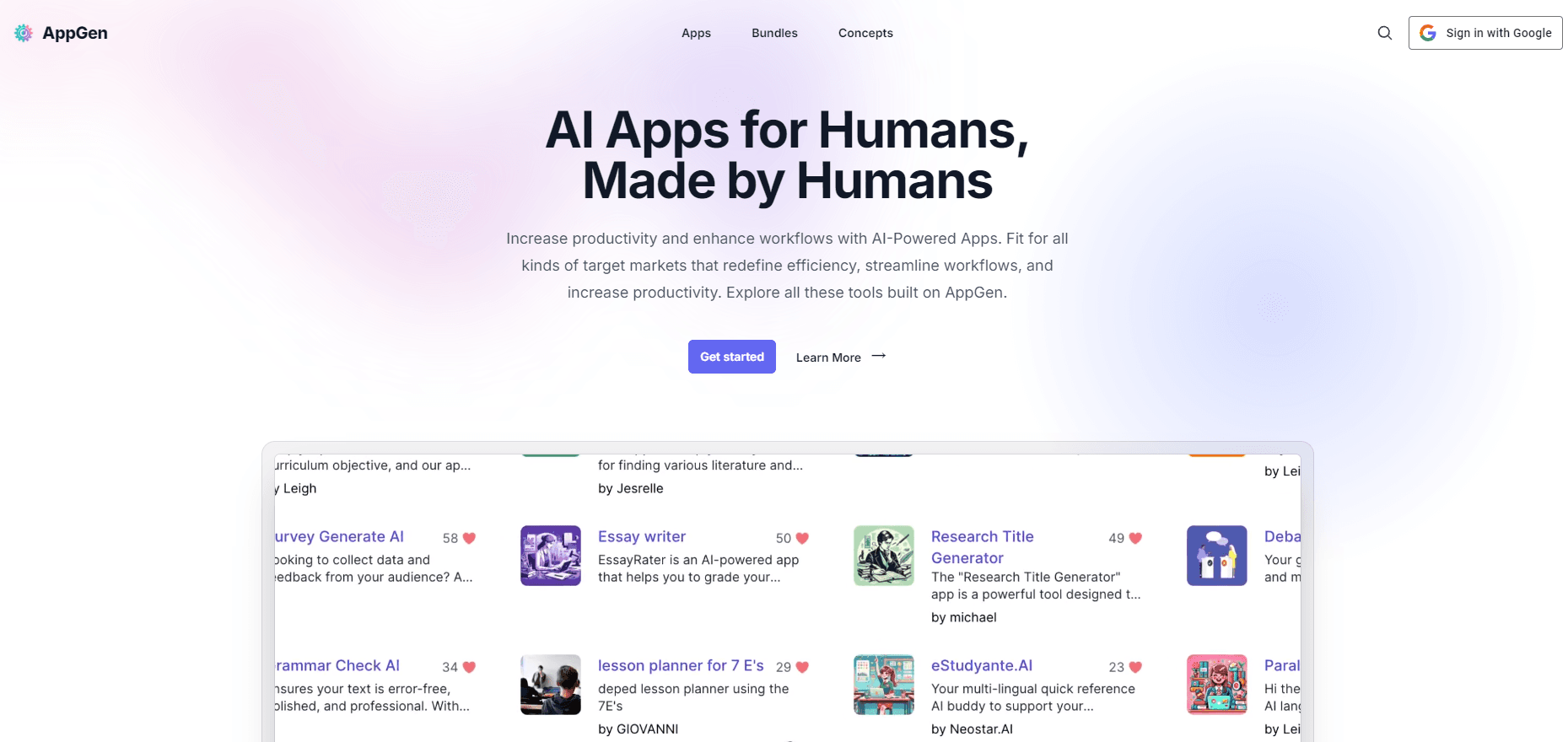
About AppGen
What Is AppGen
AppGen is a browser-based platform for building and running AI apps without touching code. It comes from Symph AI, the team behind the app.symph.ai site, and it targets people who have a task worth automating but no programming background. Teachers, freelancers, students, and HR staff show up in its own testimonials, which tells you who the tool was designed for.
The idea is simple. Instead of hiring a developer to wire up a prompt and a form, you describe the app you want, pick its inputs, and the AI does the rest. Think of it as an ai app maker that skips the build phase entirely. Each finished app gets a simple interface such as a text box, a dropdown, or a file upload. Readers fill in the blanks and get a result in seconds.
That low barrier cuts both ways. You get speed and reach, but you also trade away fine control over the underlying model. If you need custom logic, private data pipelines, or tight integration with your own systems, a no-code builder will feel limiting. For everyday tasks, that trade rarely matters.
Getting Started
- Open app.symph.ai in any browser and create a free account, or sign in if you already have one.
- Browse by category, collection, or keyword to find an AI app that matches your task.
- Open the app and fill in its form, whether that's a prompt, a dropdown choice, or an uploaded file.
- Run the app and let the AI generate your answer in seconds.
- Copy the result, export it, or share the thread with others.
If you'd rather build than browse, start a new app, define its inputs, and publish it so others can use it.
Product Information
A quick look at AppGen's pricing, supported platforms, and performance.
Best for
The users, tasks, and scenarios where this tool fits best.
Users
- Teachers
- Freelancers
- Students
- HR and operations teams
Tasks
- Drafting lesson plans, research titles, and structured reviews from a short prompt and a form.
- Generating product descriptions, summaries, and marketing copy on a repeatable schedule.
- Converting images to editable text with an image-to-text app.
- Building a simple AI app you can share with a class, team, or client.
Scenarios
- Repeating the same writing or research task every week and wanting a one-click shortcut.
- Onboarding new staff who need instant answers about policies and procedures.
- Testing an app idea before committing budget to a custom development project.
- Handling occasional one-off tasks, like cleaning up a photo or drafting a survey, without paying for a full tool.
Key features
Browse and Search a Large App Library
AppGen hosts thousands of AI apps built by its own users. You can filter by category or collection, or search by keyword when you already know what you need. Popular picks like lesson planners and image-to-text tools sit near the top, which helps new visitors find something useful in the first minute. Not sure where to start? Try the front page first. It surfaces what's trending.
Fill-in-the-Blanks App Inputs
Every app keeps its interface simple. Inputs are a text box, a dropdown, or a file upload, so there's nothing to configure and no settings menu to learn. You fill in the fields, run the app, and the AI returns an answer. No setup. The three-step flow is browse, fill, and get your result.
Create Your Own AI App Without Code
Building is the other half of the platform. You describe what the app should do, define its inputs, and publish it for others to use. That means a teacher can ship a lesson planner or a freelance writer can package a description generator without writing a single line of code, which is the whole reason a non-technical user would choose this over a traditional development tool.
Instant Results With Sharing
Apps return output in seconds, and you can copy it, export it, or share the thread with someone else. Sharing matters for teams. When a colleague opens the same app and the same thread, they see exactly how a result was produced instead of guessing and starting over from an empty screen.
A Community of Real Builders
The apps come from real people, not a single vendor. Teachers, students, freelancers, and professionals each publish tools aimed at problems they actually face. That range is the point. For a niche task, someone has likely already built an app, so you can run theirs instead of building your own from scratch.
Browser-Based Access
AppGen runs in the browser, so there's nothing to install and no platform lock-in to a single device. No app store. No installer. You sign in from a laptop or a phone, run an app, and get your result. That keeps the barrier low for classrooms and small teams that work across mixed hardware, where installing native software on every machine would be a headache.
Pros and cons
Pros
- No coding is required, so non-technical users can build and run apps on day one.
- Thousands of ready-made AI apps cover tasks from lesson planning to image-to-text conversion.
- Apps respond in seconds, which suits quick, repeatable work.
- Browser-based design means no install and no device lock-in.
- Shared threads make it easy to hand results to a colleague or client.
Cons
- Pricing and plan limits aren't clearly published on the main site, so any AppGen pricing you find will be rough until you sign up.
- Fine-grained control over the underlying model isn't exposed, which limits anyone who needs custom logic or private data pipelines.
- With a large user-built library, app quality varies widely, so you'll want to test a few before relying on one. A quick AppGen review of any app means running it once yourself.
- No public API means you can't wire AppGen apps into your own systems.
Frequently asked questions
AppGen is used to build and run AI apps without code. You can browse ready-made tools for tasks like lesson planning or image-to-text, or you can create an AI app of your own and share it with a class, a client, or a small team that needs the same task handled the same way every week.
Related content
Explore related tools, skills, and articles for AppGen.
AppGen Alternatives

Base Code
Base44 (Wix) · Coding · ProductivityBase Code is a shared cloud development environment from Base44. Teammates describe changes to an existing GitHub codebase in chat, preview them live and send them back as pull requests.

Google EmbeddingGemma 2
Google DeepMind · Writing · Image · CodingGoogle EmbeddingGemma 2 is a 740M-parameter open model that turns text, code, images, audio, and video frames into vectors in one 768-dimension space, running on phones and laptops.

GitGlow
GitGlow · Coding · ProductivityGitGlow is a local-first desktop Git client that lets independent developers review their own code and their AI agents' changes in one place before shipping.